
User Verification
User Verification is an optional identity-checking step that some sites enable to increase trust between buyers and sellers. When active, users must complete verification before they can buy, sell, or both.
What is User Verification?
User Verification is a separate step from email confirmation. Email confirmation proves you own the email address you registered with. Verification goes further — it requires an administrator to review and approve your account before granting full access.
Whether verification is required depends entirely on the site configuration. A site may require it for:
- Selling only — you can browse and bid without verification, but cannot list items until verified.
- Buying only — you can browse and list without verification, but cannot bid or purchase until verified.
- Both — full participation requires verification.
The Verification Process
To start the verification process, go to Members Area → My Account → User Verification. The page shows your current verification status and the verification form.
- Complete registration and confirm your email address.
- Log in and navigate to Members Area → User Verification.
- Your current status is displayed at the top of the page — Not Verified for new accounts.
- If a verification fee applies, it is shown below the status (e.g. "Verification Fee: $2 USD - recurring every 365 days").
- Fill in your Name, Country, State/County, Address, City, Zip/Post Code, and Phone number.
- Click Get Verified to submit your application.
- Wait for the administrator to review and approve your account. You will receive an email notification when verified.
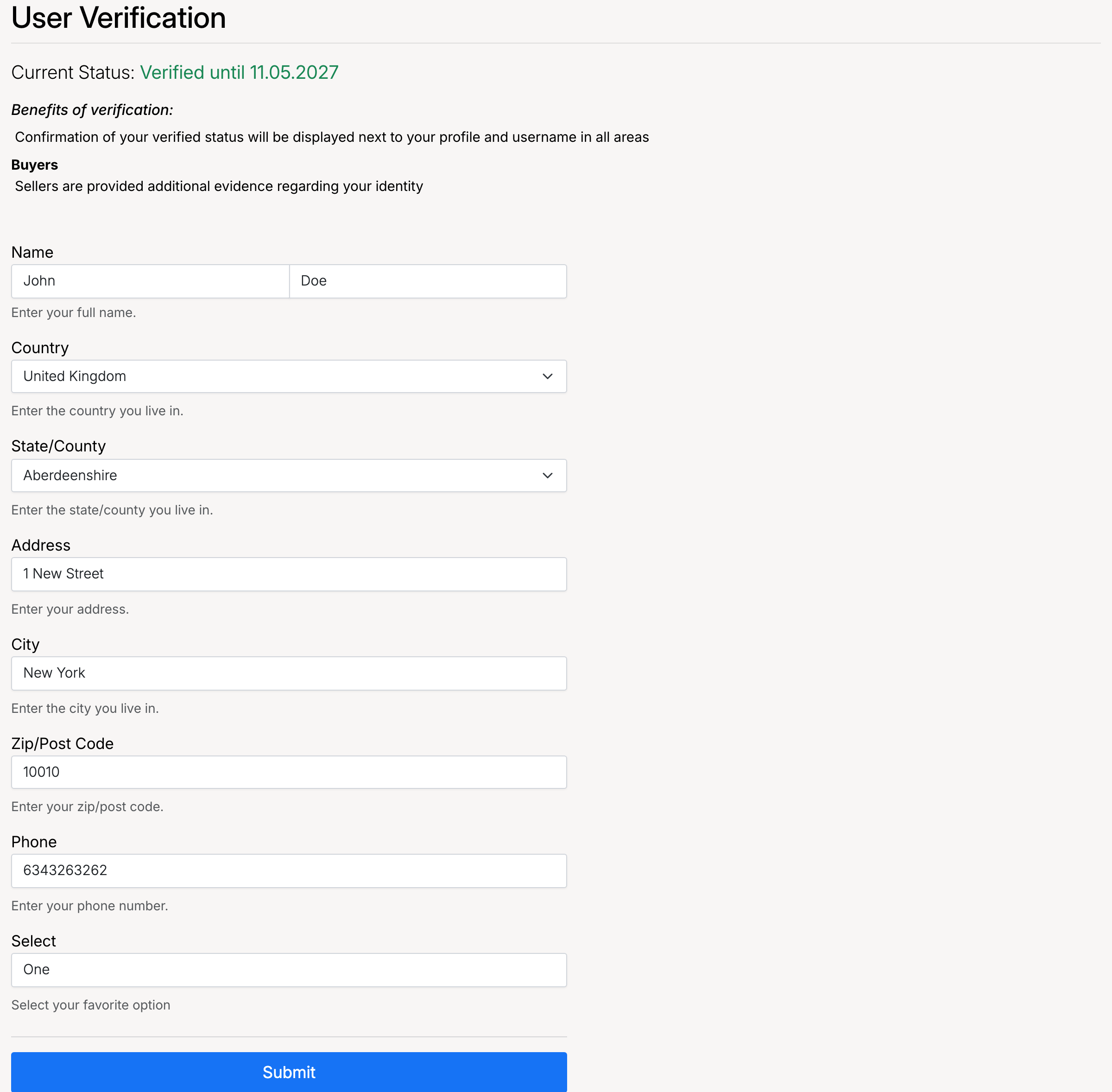
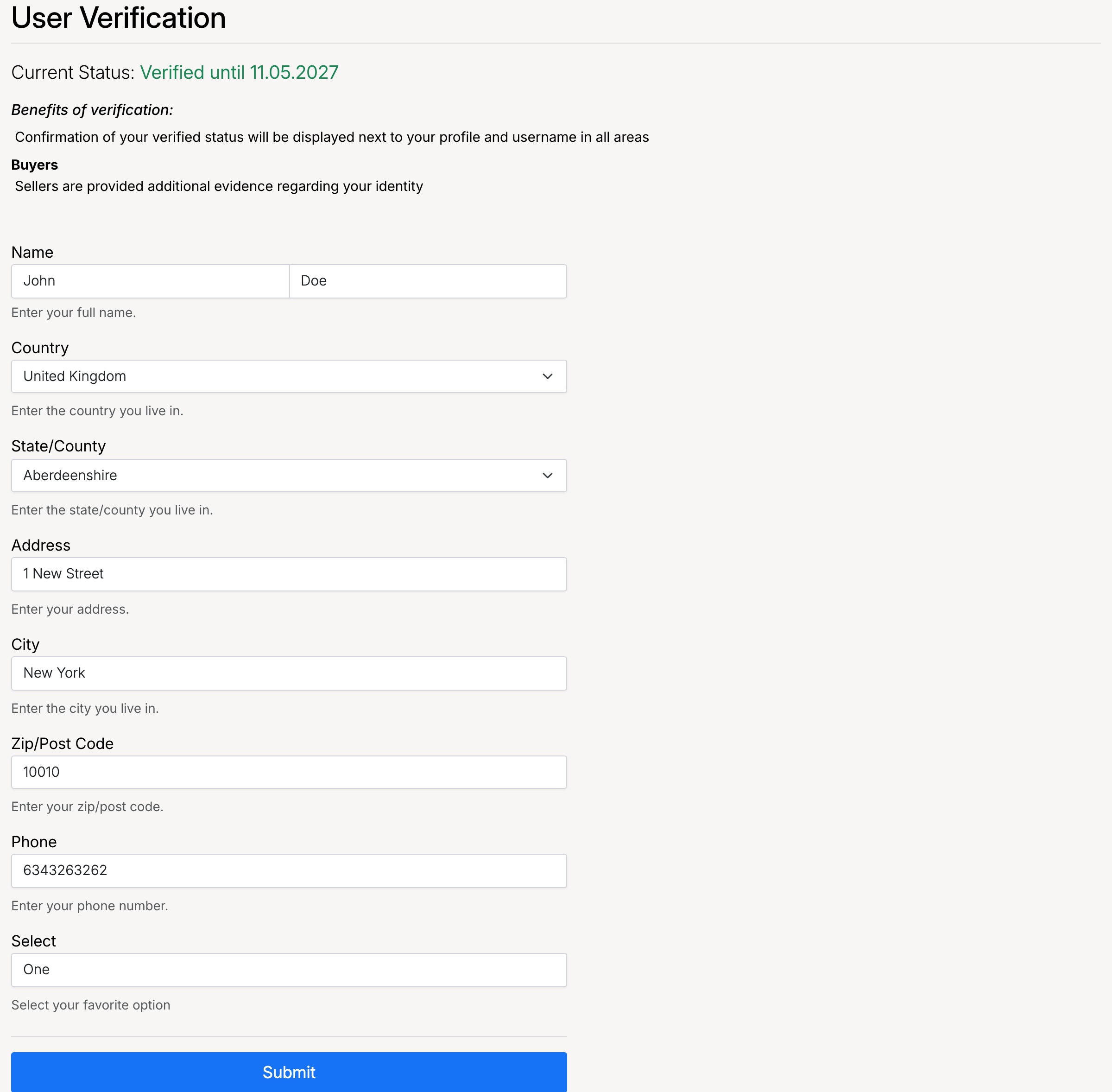
The screenshot above shows the verification page with:
- Current Status — your verification state (Not Verified / Verified).
- Verification Fee — the fee amount and recurrence period, if applicable.
- Benefits of verification — confirmation of your verified status is displayed next to your profile and username.
- Address form — your full name, country, state, address, city, zip code, and phone number. All fields are required.
- Get Verified button — submits your verification application.
Once verified, your status changes to Verified with an expiry date (if applicable). Your verified status is displayed next to your profile and username across the site.
Verification Fee
The site administrator may charge a fee to process your verification. If a fee applies:
- After submitting the verification form, you will be prompted to pay the fee through the site's standard payment methods.
- Once paid, your application is submitted for administrator review.
- If the administrator has enabled Refund Verification Fee, the fee amount is credited back to your account balance after approval.
The fee can be one-time or recurring (e.g. every 365 days). Check the verification page for your site's specific fee structure.
Admin Settings
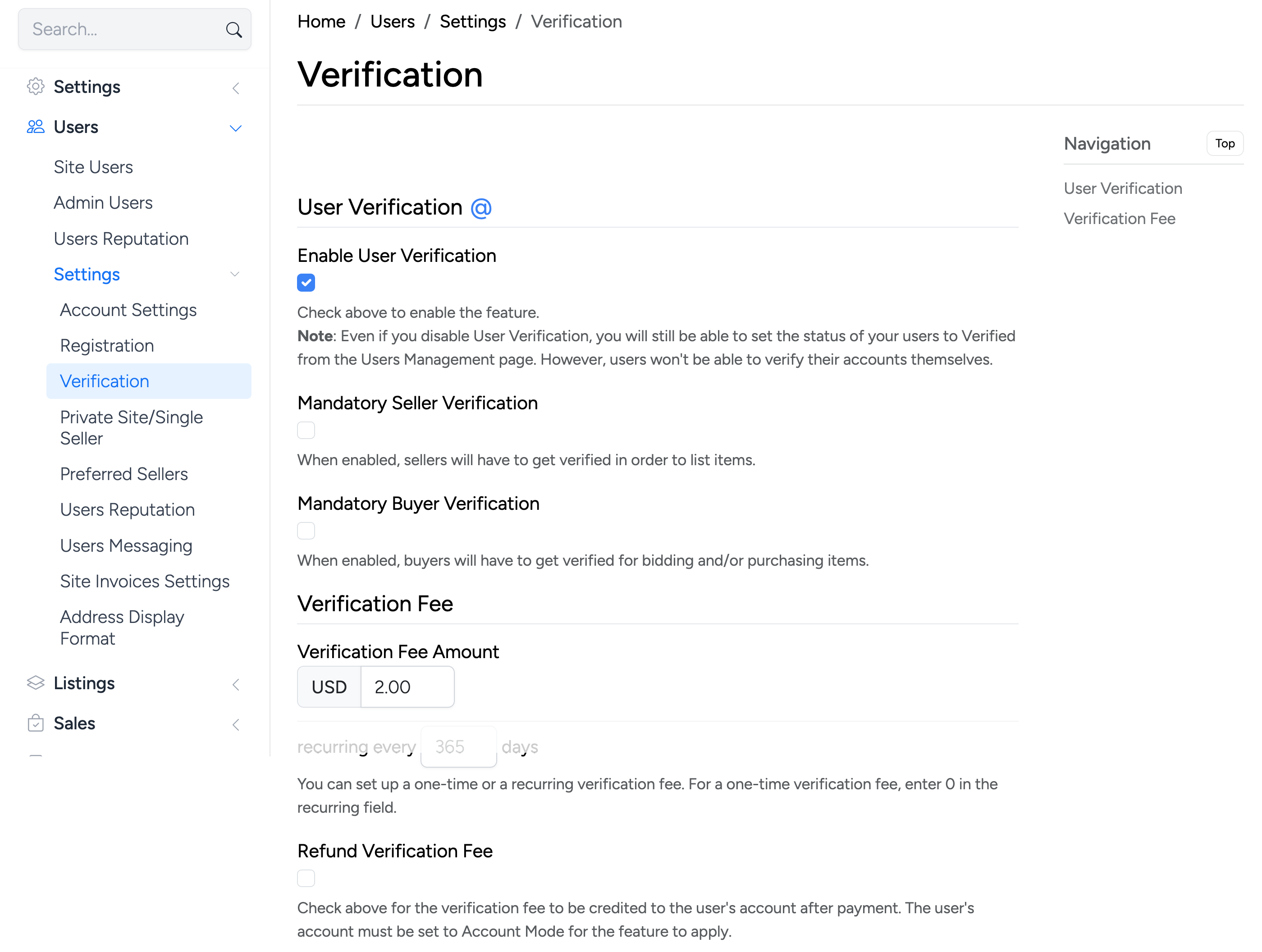
Administrators configure User Verification from Admin Control Panel → Settings → Users → Verification.
Enable User Verification

Turns the verification feature on or off. Even when disabled, administrators can still manually set a user’s status to Verified from the Users Management page. However, users will not be able to verify their accounts themselves.
Mandatory Seller Verification

When enabled, sellers must be verified before they can list items for sale. Unverified sellers will be prompted to complete verification when they attempt to create a listing.
Mandatory Buyer Verification

When enabled, buyers must be verified before they can bid on or purchase items. Unverified buyers will be prompted to complete verification when they attempt to place a bid or make a purchase.
Verification Fee

Set the fee charged when a user applies for verification:
- Verification Fee Amount — the amount in your site’s default currency. Set to
0for free verification - Recurring every … days — how often the fee recurs. Set to
0for a one-time fee. For example,365means the user must re-verify and pay annually
Refund Verification Fee

When enabled, the verification fee is credited back to the user’s account balance after the administrator approves their verification. The user’s account must be set to Account Mode for this to apply.