
Bid Increments
What Are Bid Increments
A bid increment is the minimum amount by which each new bid must exceed the current high bid. Increments prevent trivial bids (e.g. raising the price by one penny) and keep auctions moving at a reasonable pace.
For example, if the current high bid is £50 and the increment is £2, the next valid bid must be at least £52.
Bid increments also apply to proxy bidding — when the system auto-bids on a buyer’s behalf, it raises the bid by exactly one increment at a time.
Default Increment Table
The site uses a tiered increment table based on the current bid amount. As the auction price increases, the increment amount increases too. The default table set by the admin applies to all auctions unless a seller overrides it with a custom increment.
A typical default increment table looks like this:
| Current Bid Range | Increment |
|---|---|
| 0.01 – 10.00 | 1.00 |
| 10.00 – 100.00 | 2.00 |
| 100.00 – 1,000.00 | 5.00 |
| 1,000.00 – 10,000.00 | 50.00 |
| 10,000.00+ | 100.00 |
The increment shown on a listing page as the Minimum Bid is always the current high bid plus the applicable increment from this table.
Custom Increments
When creating an auction, sellers can choose between two bid increment options in the Pricing section:
- Use default bid increments — the site-wide tiered table set by the admin (described above).
- Enter your custom increment amount — a single fixed increment that applies at all price levels. For example, setting a custom increment of £10 means every bid must be at least £10 higher than the previous one, regardless of the current price.
Admin Settings
The default bid increment table is managed from Admin → Tables → Bid Increments.
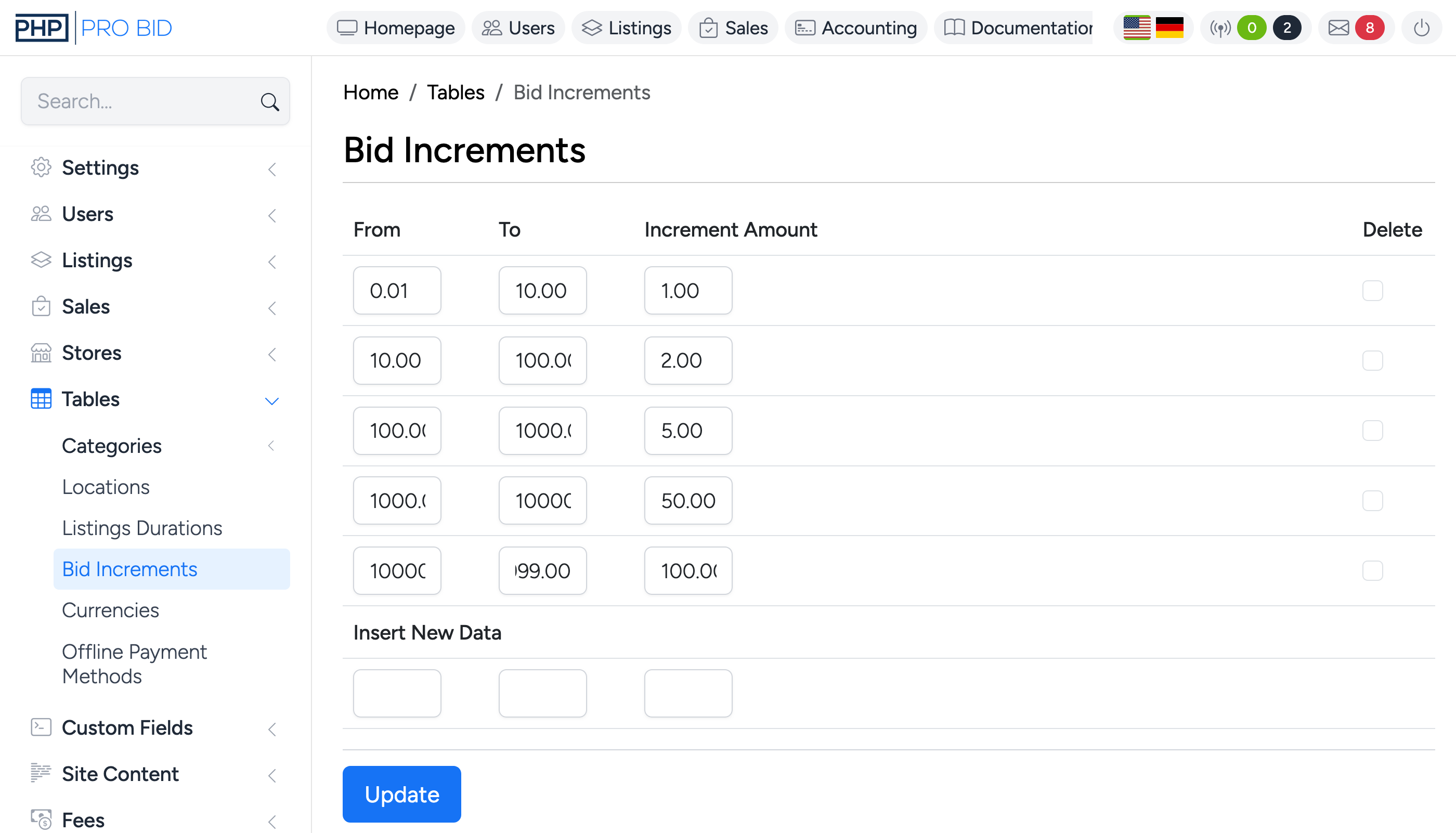
Each row defines a price range and the increment that applies within it:
- From — the lower bound of the bid range.
- To — the upper bound of the bid range.
- Increment Amount — the minimum bid increase required when the current bid falls within this range.
To add a new range, fill in the Insert New Data fields at the bottom and save. To remove a range, click the Delete checkbox next to it and save.