
Post Sale Shipping
Overview
After a sale is completed, sellers can update the shipping and payment status of each order. This is done from Members Area → Selling → Sales.
Sales Page
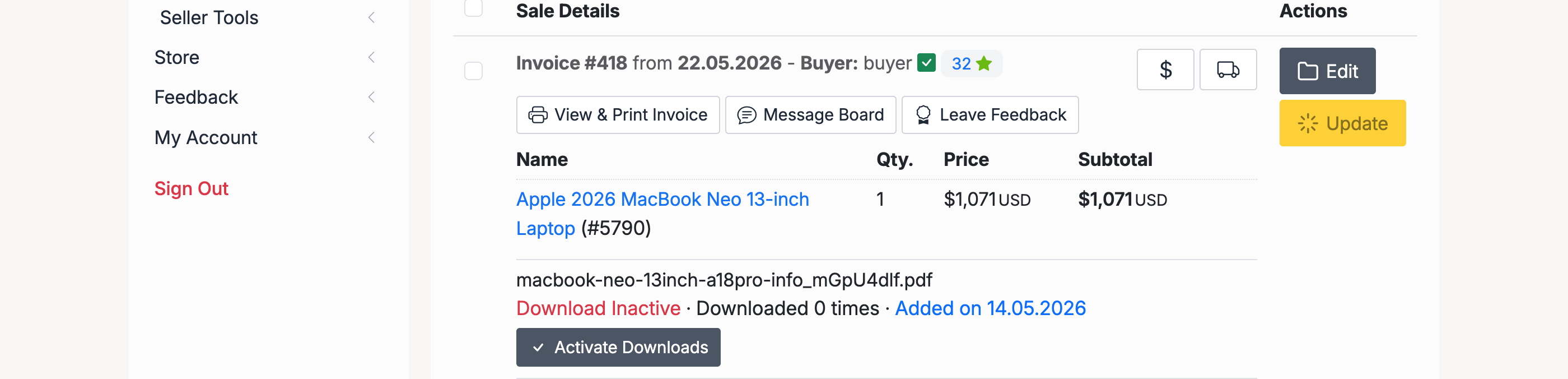
The Sales page lists all completed sales. Each sale displays the invoice details, buyer information, and action buttons. Click Update to open the shipping and payment update form.
Update Shipping & Payment Details
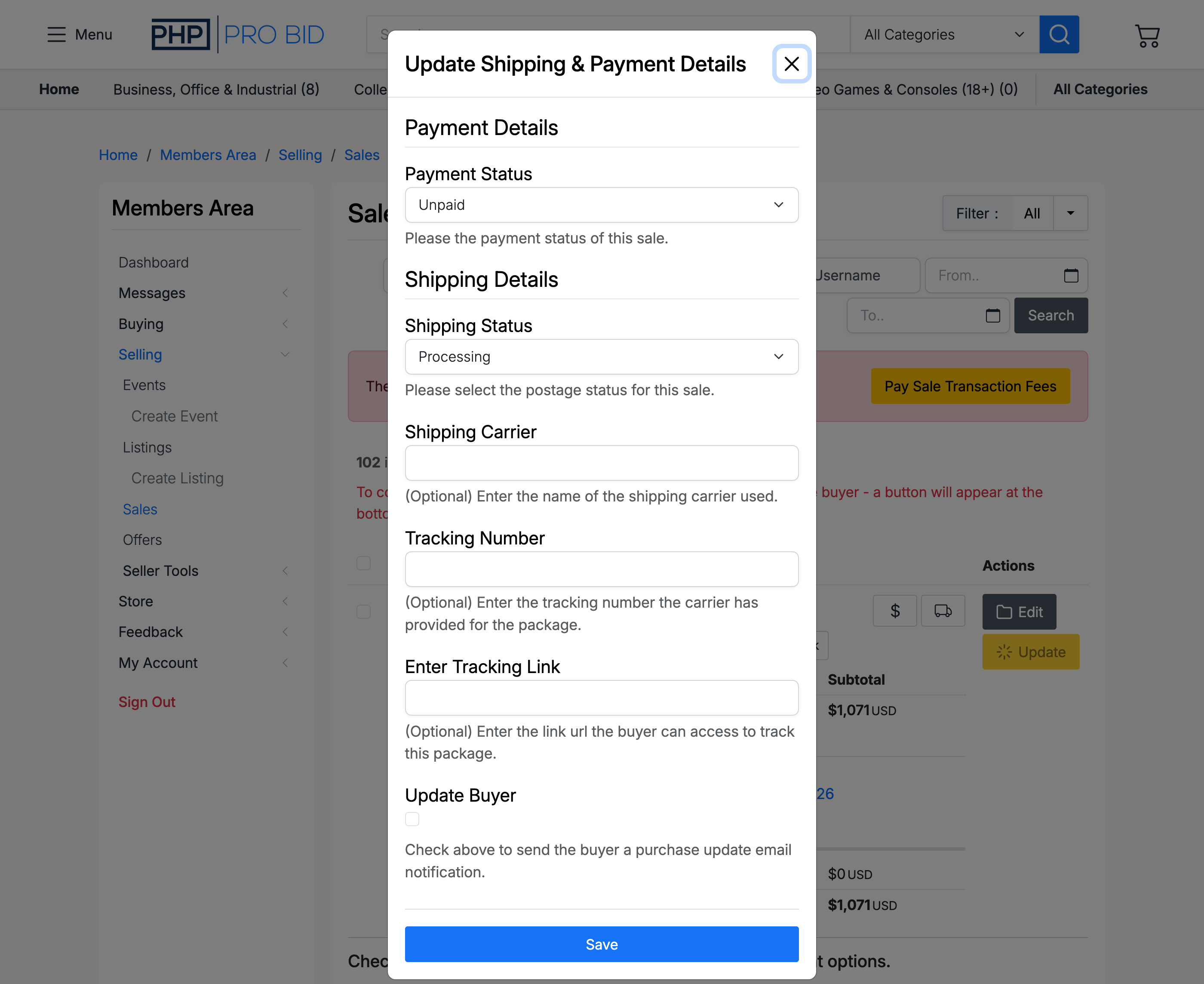
The update form has two sections:
Payment Details
- Payment Status — track whether the buyer has paid. Options: Unpaid, Paid, Paid (Direct Payment), Payment on Arrival.
Shipping Details
- Shipping Status — the current fulfilment stage. Options: Processing, Posted / Sent, Problem, N/A.
- Shipping Carrier — (optional) the name of the shipping carrier used for this order.
- Tracking Number — (optional) the tracking number provided by the carrier.
- Enter Tracking Link — (optional) a URL the buyer can use to track their package.
- Update Buyer — check this to send the buyer an email notification with the shipping update.
When Update Buyer is checked, the buyer receives an email with the shipping status, carrier name, tracking number, and tracking link.