
Tax Settings
Tax settings are found at Admin → Tax.
Settings
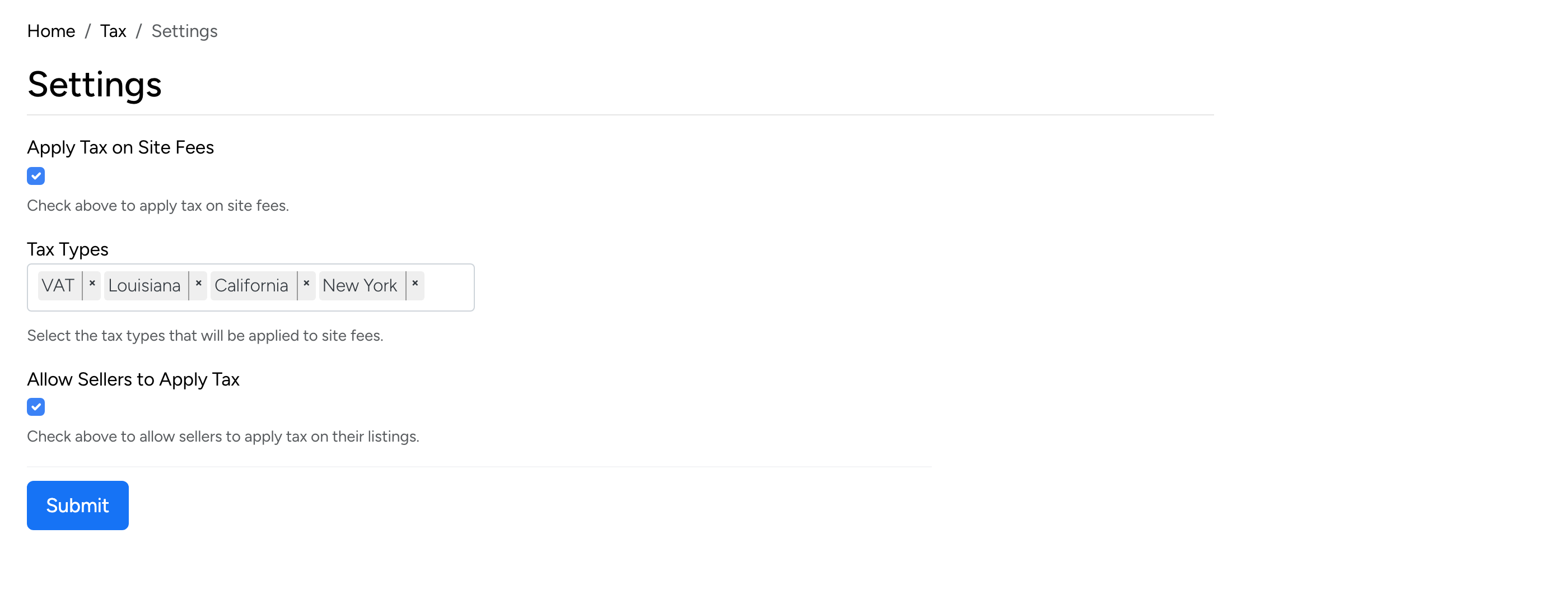
- Apply Tax on Site Fees — when checked, tax is applied to site fees (listing setup fees, feature fees, etc.). The tax types selected below determine which rates are used.
- Tax Types — select which tax types apply to site fees. Only the tax types defined in the Configuration table are available here.
- Allow Sellers to Apply Tax — when checked, sellers can enable tax on their individual listings during the listing setup process. Sellers choose which tax type applies from the available options.
Tax Configuration
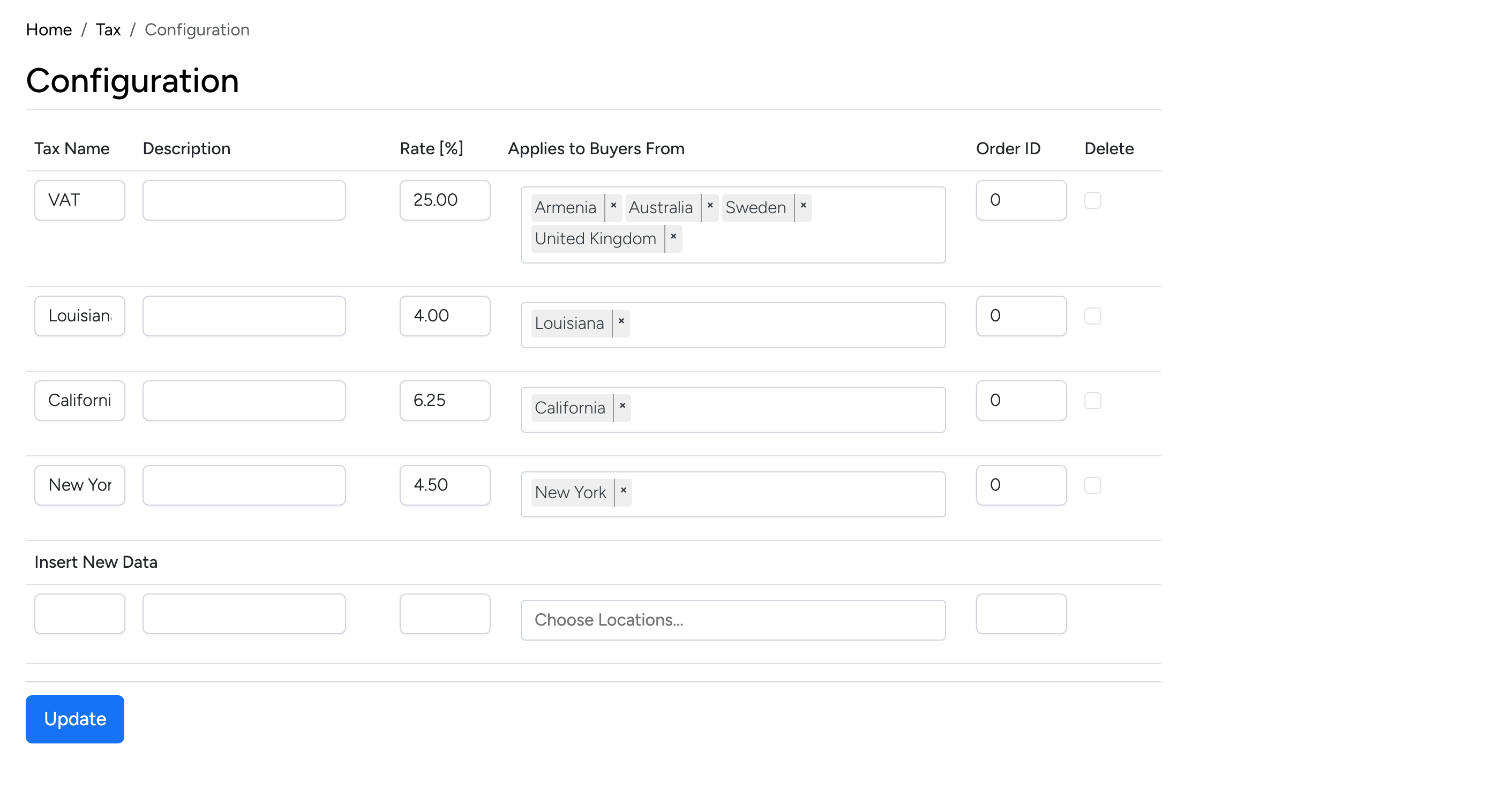
The configuration table at Admin → Tax → Configuration defines the available tax types. Each row represents a tax type with:
- Tax Name — the name displayed to sellers and buyers (e.g. VAT, Louisiana).
- Description — an optional description for the tax type.
- Rate [%] — the tax percentage applied to the sale amount.
- Applies to Buyers From — restrict the tax to buyers from specific locations. For example, a state sales tax can be set to only apply when the buyer is located in that state. Leave empty to apply to all buyers.
- Order ID — controls the display order of tax types in dropdowns.
- Delete — check to remove a tax type.
Use the Insert New Data row at the bottom to add a new tax type.