
Proxy Bidding
How Proxy Bidding Works
Proxy bidding lets you set a maximum bid on an auction. Instead of placing your full amount immediately, the system bids on your behalf — only as much as needed to keep you as the highest bidder, up to your maximum.
This means you don’t need to monitor the auction constantly. The system will automatically increase your bid in response to other bidders, using the listing’s bid increment rules, until either:
- Your maximum is reached — at which point you can choose to bid higher or let the auction go.
- The auction ends — and you win at the lowest amount needed to beat the second-highest bidder.
Placing a Proxy Bid
To place a proxy bid, simply enter an amount higher than the current minimum bid in the Place Bid field on the listing page. If the amount you enter is above what is needed to become the high bidder, the system treats the difference as your proxy — it holds the extra amount in reserve and uses it automatically if someone else bids.
For example, if the minimum bid is £100 and you enter £500:
- Your visible bid is set to £100 (or whatever is needed to beat the current high bidder).
- Your proxy maximum of £500 is stored — visible only to you.
- If another buyer bids £150, the system automatically raises your bid to £160 (or the next valid increment) without you doing anything.
- This continues until your £500 maximum is reached or the auction ends.
Example
Consider an auction with a start price of £2,000 and a bid increment of £50:
| Action | Visible High Bid | High Bidder |
|---|---|---|
| Buyer A bids £2,000 | £2,000 | Buyer A |
| Buyer B places proxy bid with max £3,000 | £2,050 | Buyer B |
| Buyer A bids £2,200 | £2,250 | Buyer B (auto) |
| Buyer A bids £2,500 | £2,550 | Buyer B (auto) |
| Buyer A bids £3,100 | £3,100 | Buyer A |
In the last row, Buyer A exceeds Buyer B’s £3,000 maximum, so Buyer B is outbid. Buyer B would receive an outbid notification and can choose to place a new, higher proxy bid.
Viewing Your Proxy Bid
When you have an active proxy bid on an auction, the listing page shows your proxy amount next to your bid status:
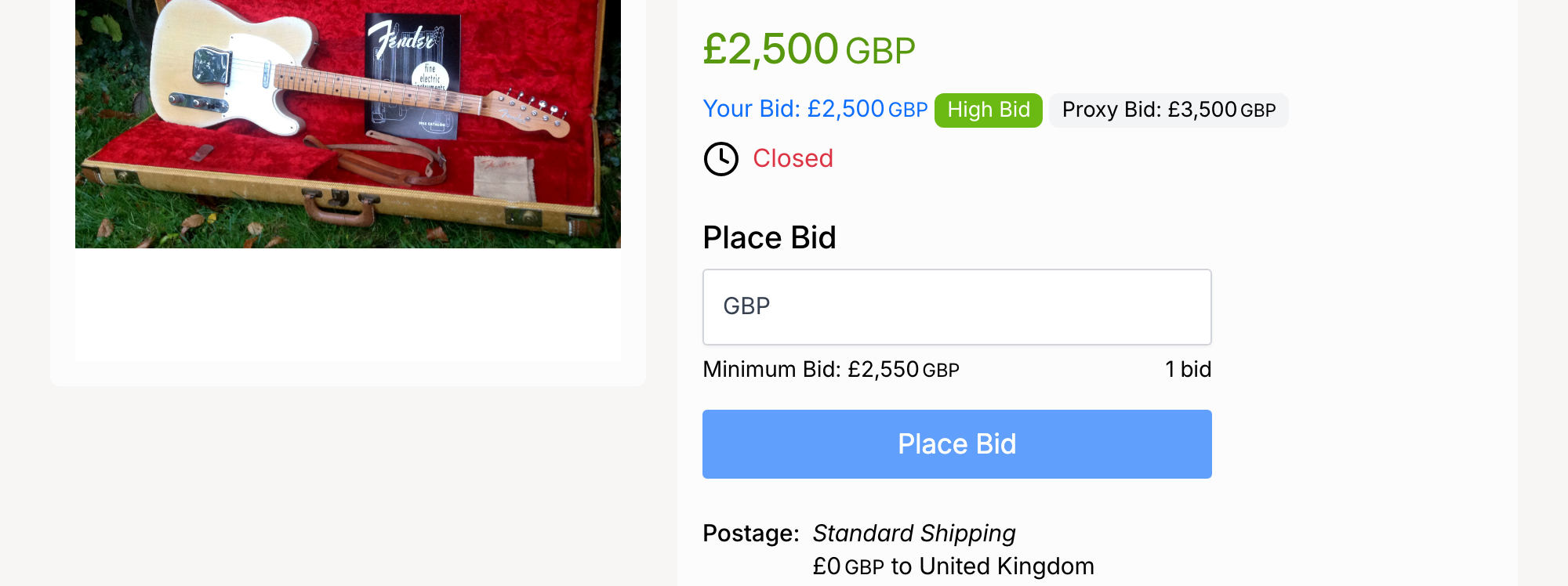
- Your Bid — the current active bid amount placed on your behalf.
- High Bid — a green badge indicating you are the leading bidder.
- Proxy Bid — your maximum bid amount. This is only visible to you — other bidders cannot see it.
If you are outbid (another bidder’s proxy exceeds yours), the badge changes to Outbid and you receive an email notification.
Admin Settings
Proxy bidding is controlled from Admin → Listings → Settings → Auctions.
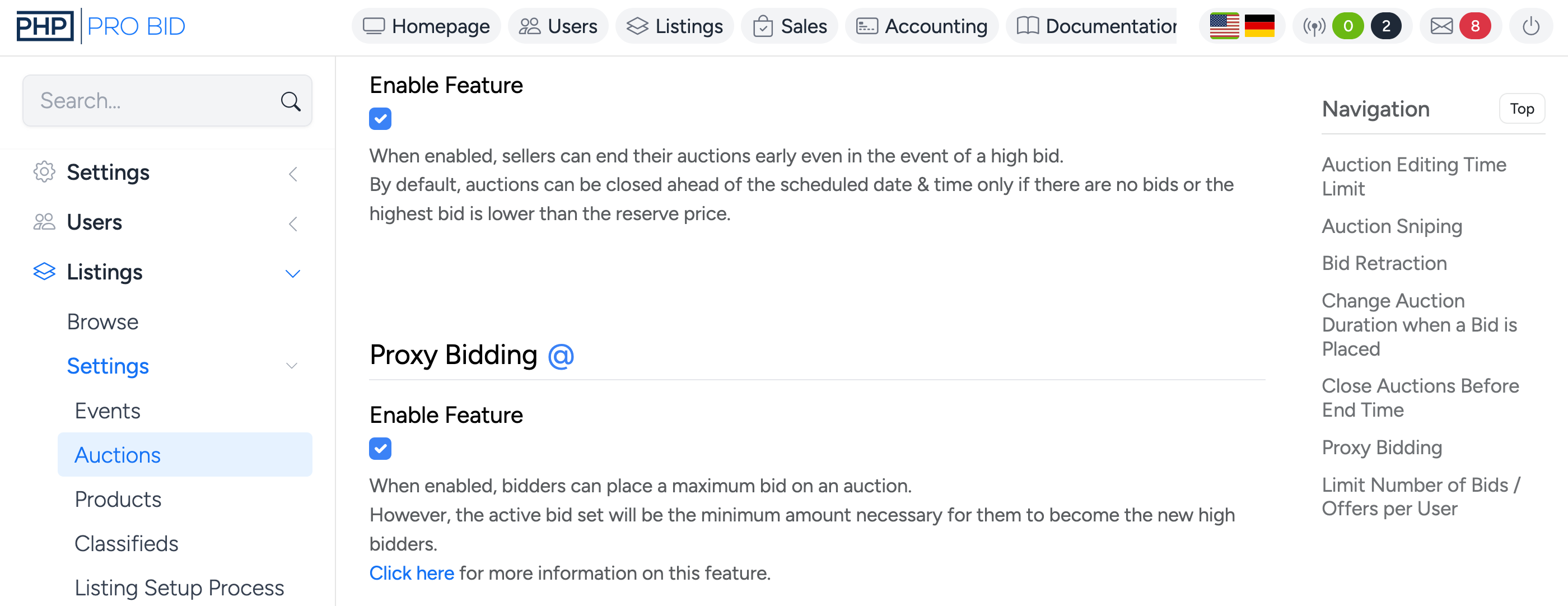
- Enable Feature — check to enable proxy bidding site-wide. When enabled, bidders can place a maximum bid on any auction. The active bid displayed will be the minimum amount necessary for them to become the high bidder. When disabled, every bid is placed at face value.