
Feedback & Reputation
Overview
The Feedback & Reputation system lets buyers and sellers rate each other after a transaction. Feedback builds trust on the platform — positive feedback increases a user's reputation score, while negative feedback warns other users about poor experiences.
Each user's reputation is visible as a star next to their username. The star colour changes as the user accumulates more feedback, indicating their experience level on the site.
Posting Feedback
After a transaction is completed, both the buyer and seller can leave feedback. Go to Members Area → Feedback → Leave Feedback → Pending Feedback to see a list of transactions that require feedback.
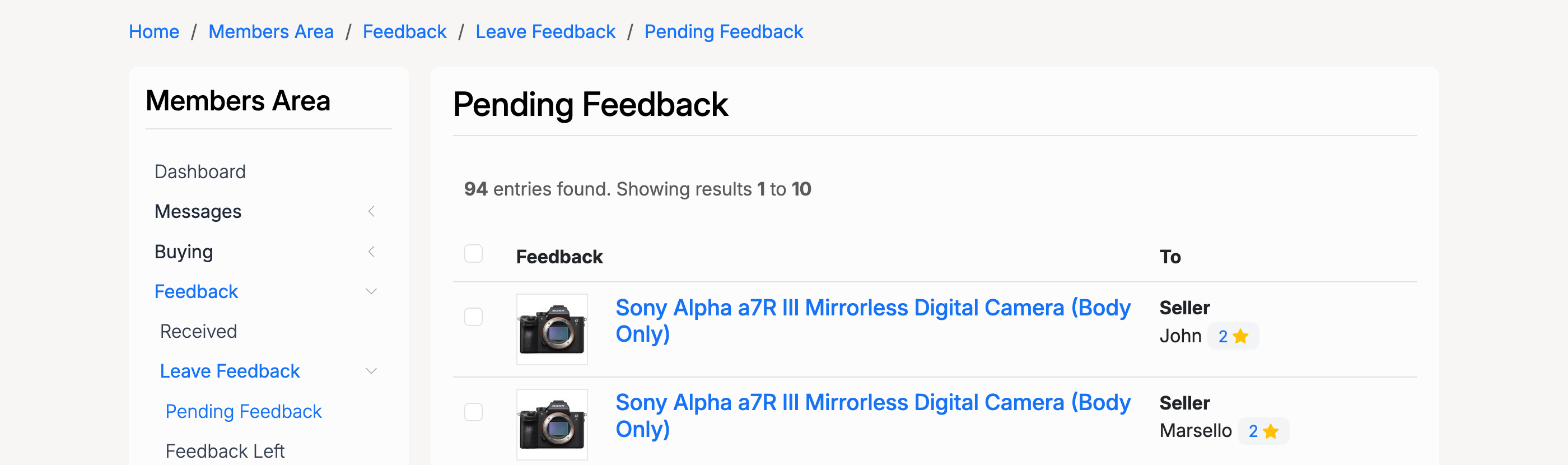
Click a listing to open the feedback form. Select a rating and enter a comment:
- Positive — the transaction went well. Adds to the user's reputation score.
- Neutral — the transaction was acceptable but not outstanding. Does not affect the reputation score.
- Negative — there was a problem with the transaction. Reduces the user's reputation score.
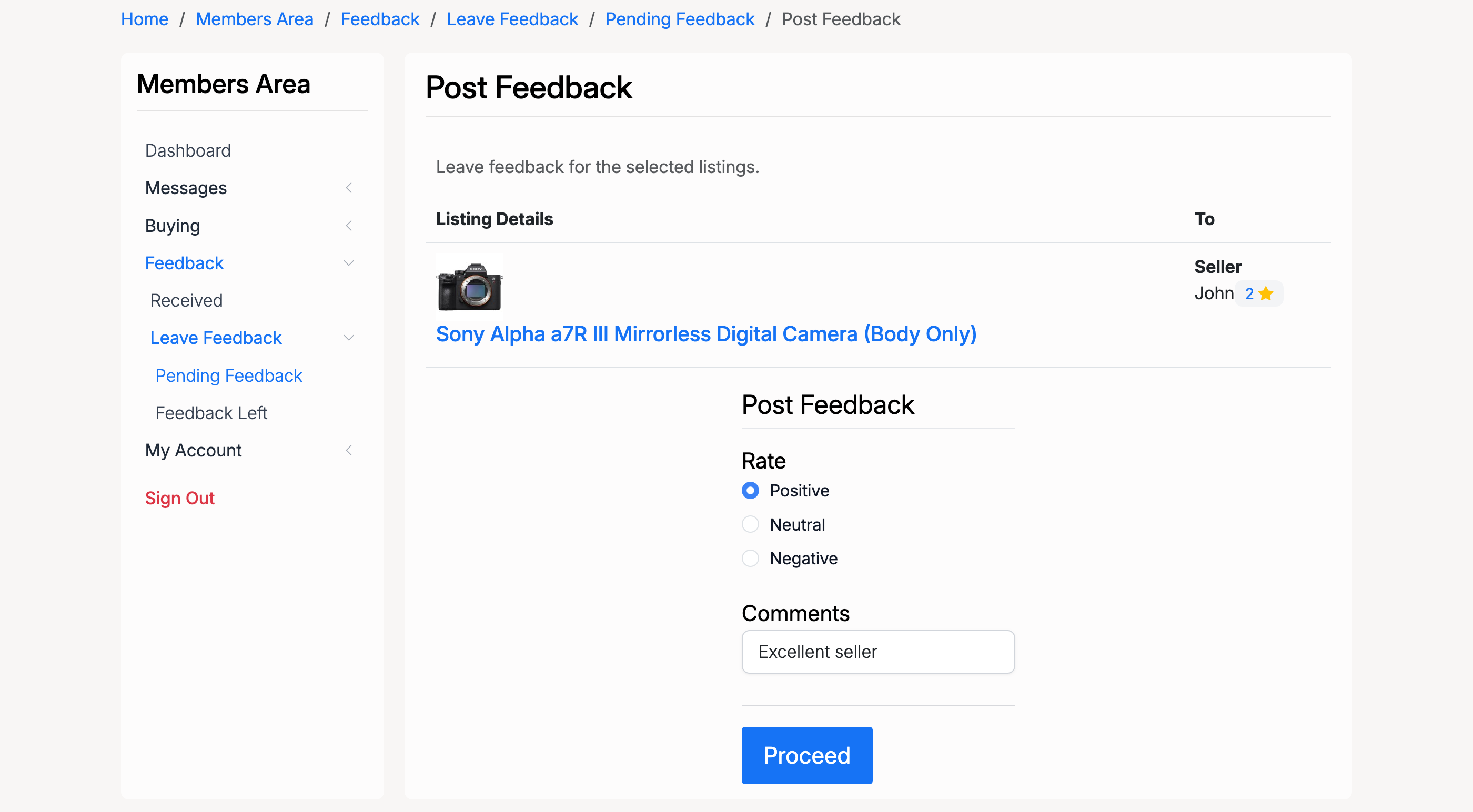
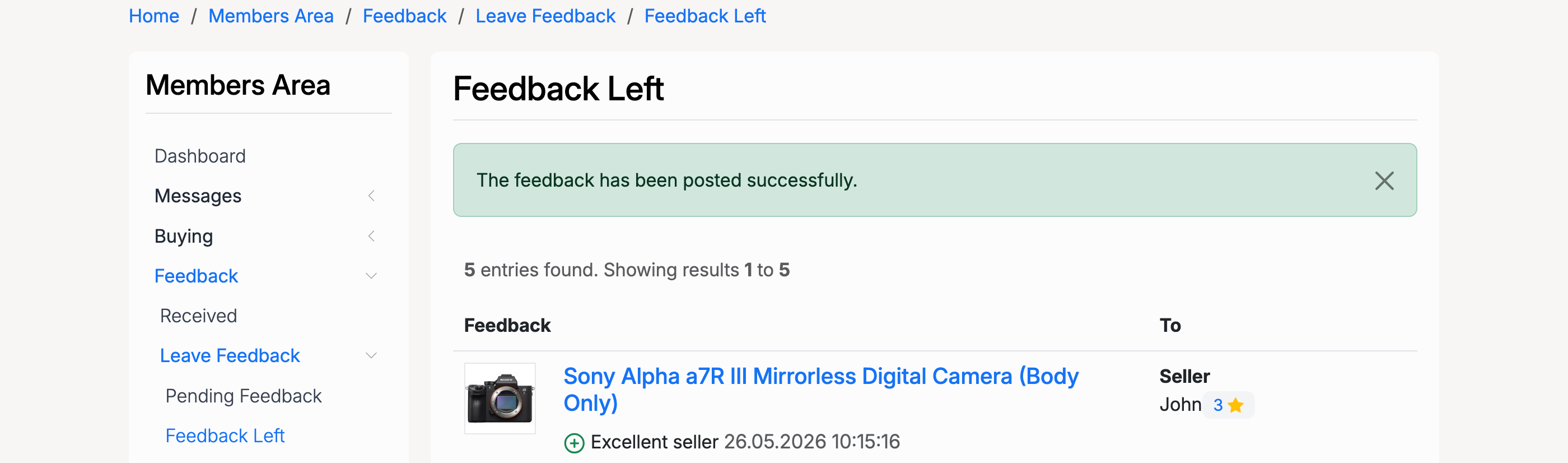
A comment is required — feedback will not be posted without one. After submitting, a confirmation is shown and the feedback appears in the Feedback Left section.
Star Rating System
Every user's reputation is displayed as a coloured star next to their username. The star colour changes based on the total number of positive feedback received:
| Feedback Count | Star Colour |
|---|---|
| 1 – 9 | Yellow |
| 10 – 49 | Green |
| 50 – 99 | Blue |
| 100 – 199 | Red |
| 200+ | Gold |
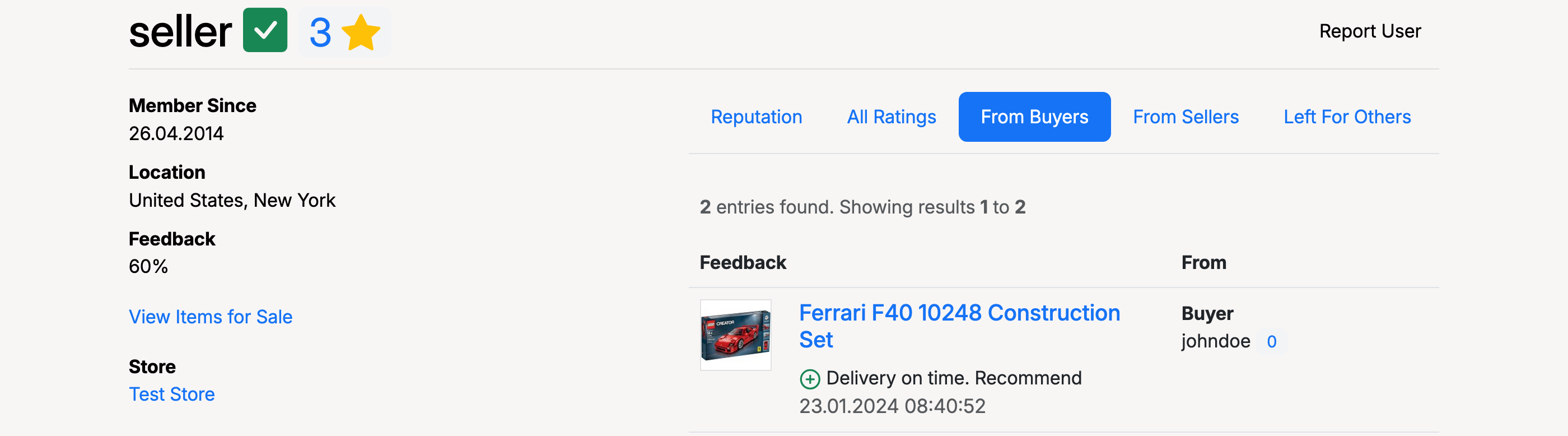
Click the star next to any username to view their full reputation history. The profile page shows membership details, feedback percentage, and a breakdown of feedback received by time period.
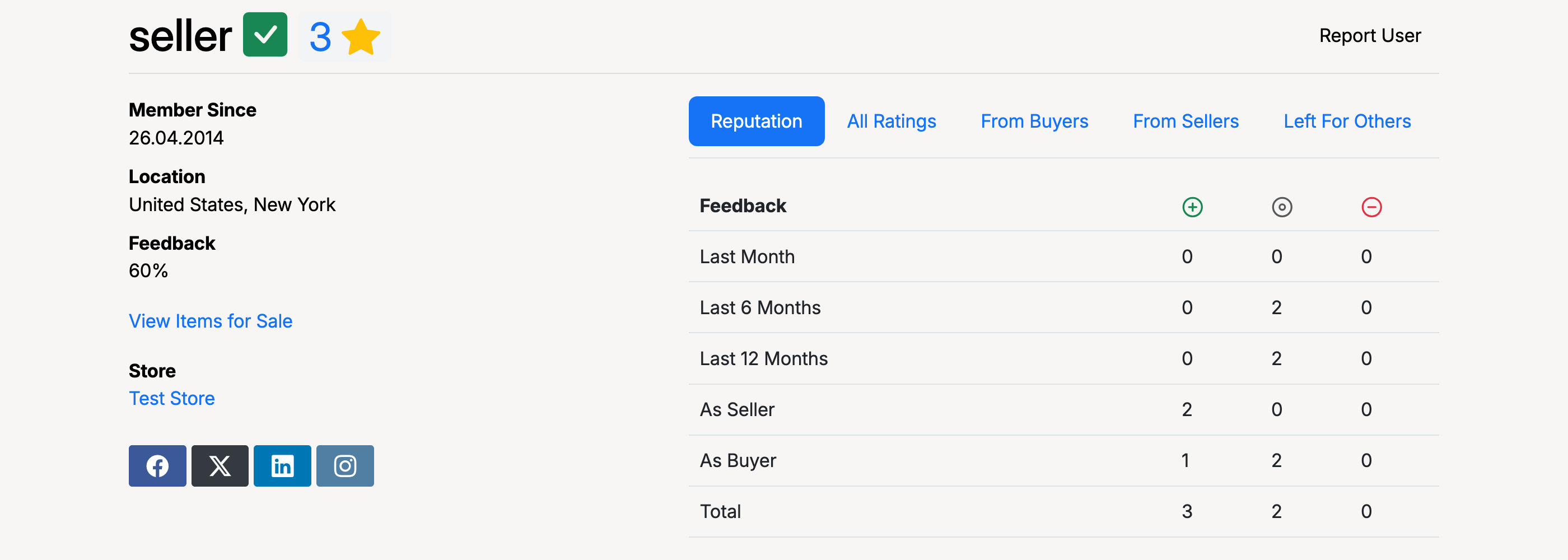
Use the tabs to filter feedback: All Ratings, From Buyers, From Sellers, or Left For Others. Each entry shows the listing, the feedback comment, and the date.
Admin: Reputation Settings
Found at Admin Control Panel → Users → Settings → Users Reputation.
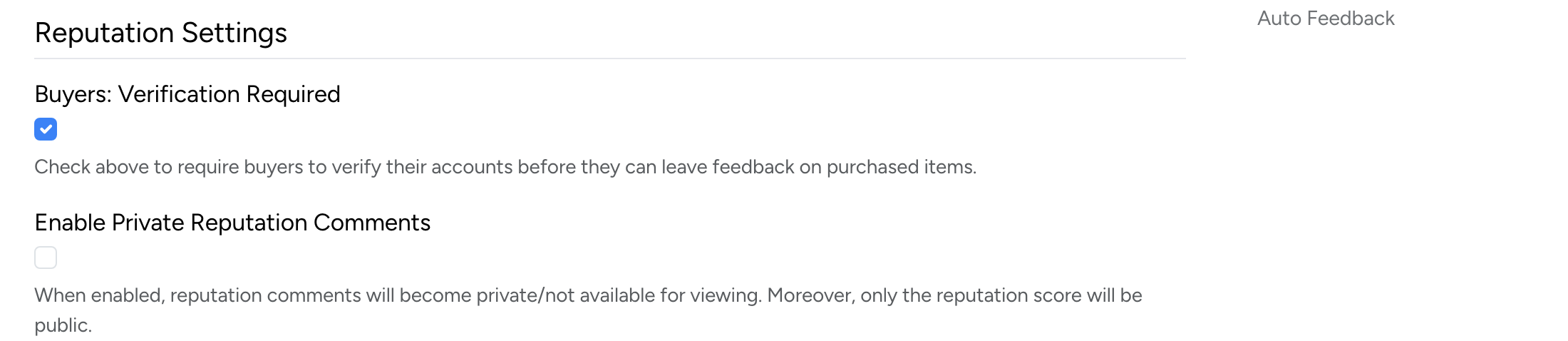
- Buyers: Verification Required — require buyers to verify their accounts before they can leave feedback on purchased items.
- Enable Private Reputation Comments — when enabled, reputation comments are hidden from public view. Only the reputation score will be visible.
Admin: Auto Feedback
The auto feedback feature automatically posts feedback on behalf of users after a set number of days. This ensures transactions receive feedback even when users forget to leave it manually.
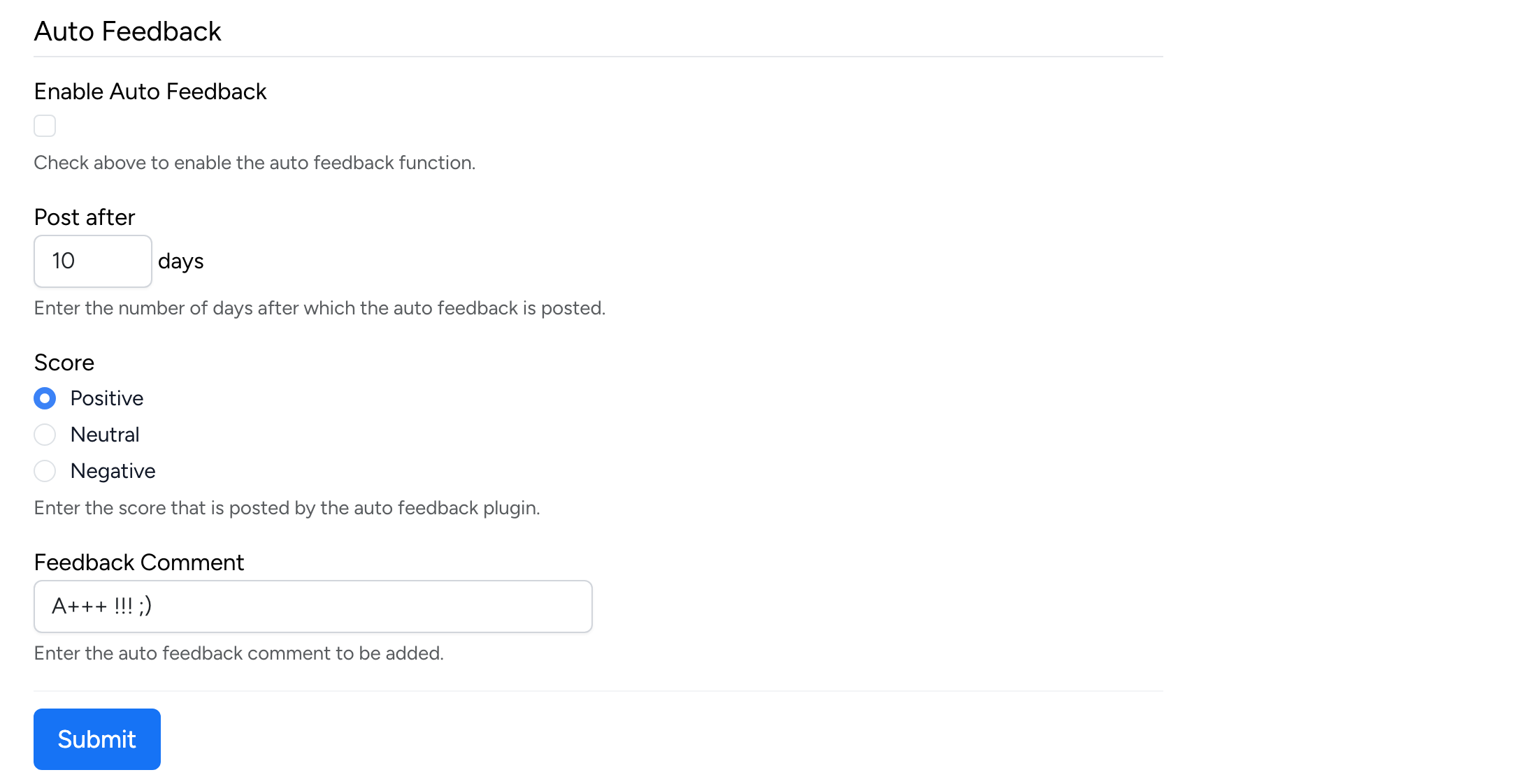
- Enable Auto Feedback — check to enable the automatic feedback function.
- Post after — the number of days after a transaction before auto feedback is posted.
- Score — the feedback type assigned automatically: Positive, Neutral, or Negative.
- Feedback Comment — the comment text posted with the auto feedback.