
Search
Keyword Search
The search bar at the top of every page lets you find listings by keyword. Type your search term and press Enter or click the search icon.
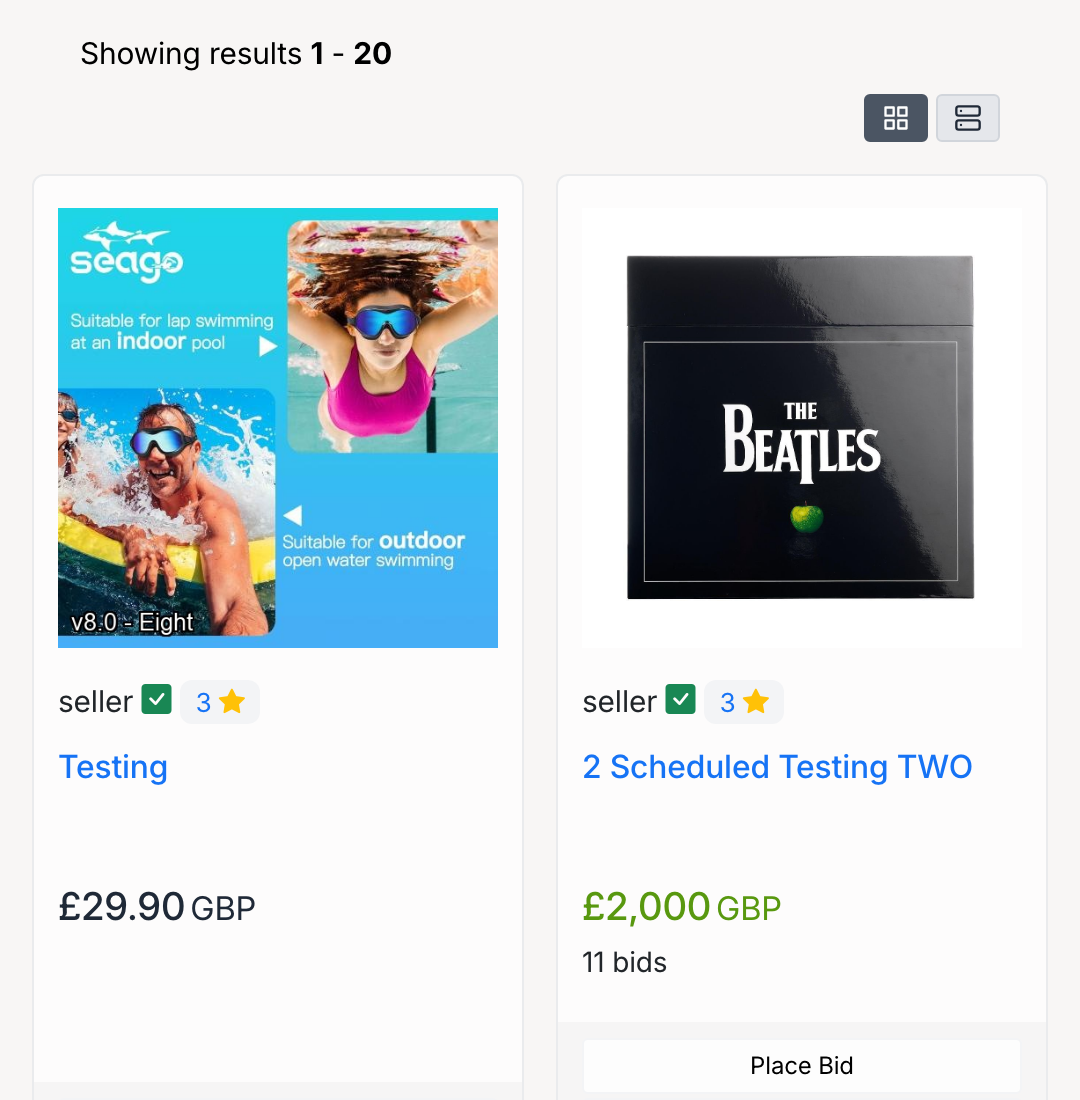
The results page shows matching listings with the same card layout as category browse pages. Each result displays the item image, seller, title, price, and available actions (Place Bid, Make Offer, or Add to Cart depending on the listing type).
The search engine uses two rules to interpret your query:
Multiple words are AND'd— every word must appear in the listing. Searchingfender electric guitaronly returns listings that contain all three words, such asFender Telecaster 1958 Vintage Electric GuitarandFender Eric Clapton Stratocaster Electric Guitar, but not a listing titledDyson Hot+Cool AM09.Commas create OR groups— each comma-separated segment is a separate search, and the results are combined. Searchingfender guitar, kindlereturns every listing matchingfenderANDguitar, plus every listing matchingkindle— so you would see both guitar listings and theAmazon Kindle Scribein one set of results.
Refining Results
After searching, the same filter panel available on browse pages appears alongside your results. You can narrow results by:
- Categories — limit results to a specific category.
- Price range — set a minimum and/or maximum price.
- Show Only — filter by Returns Accepted, Offers Accepted, or Sold Items.
- Format — Auction, Product, or Classified.
- Location — filter by seller's country.
The list/grid view toggle and all filter options work the same way on search results as on browse pages. See Browse Categories for details.
Admin Settings
Administrators configure what the search engine indexes from Admin Control Panel → Listings → Settings → Search Engine Settings.
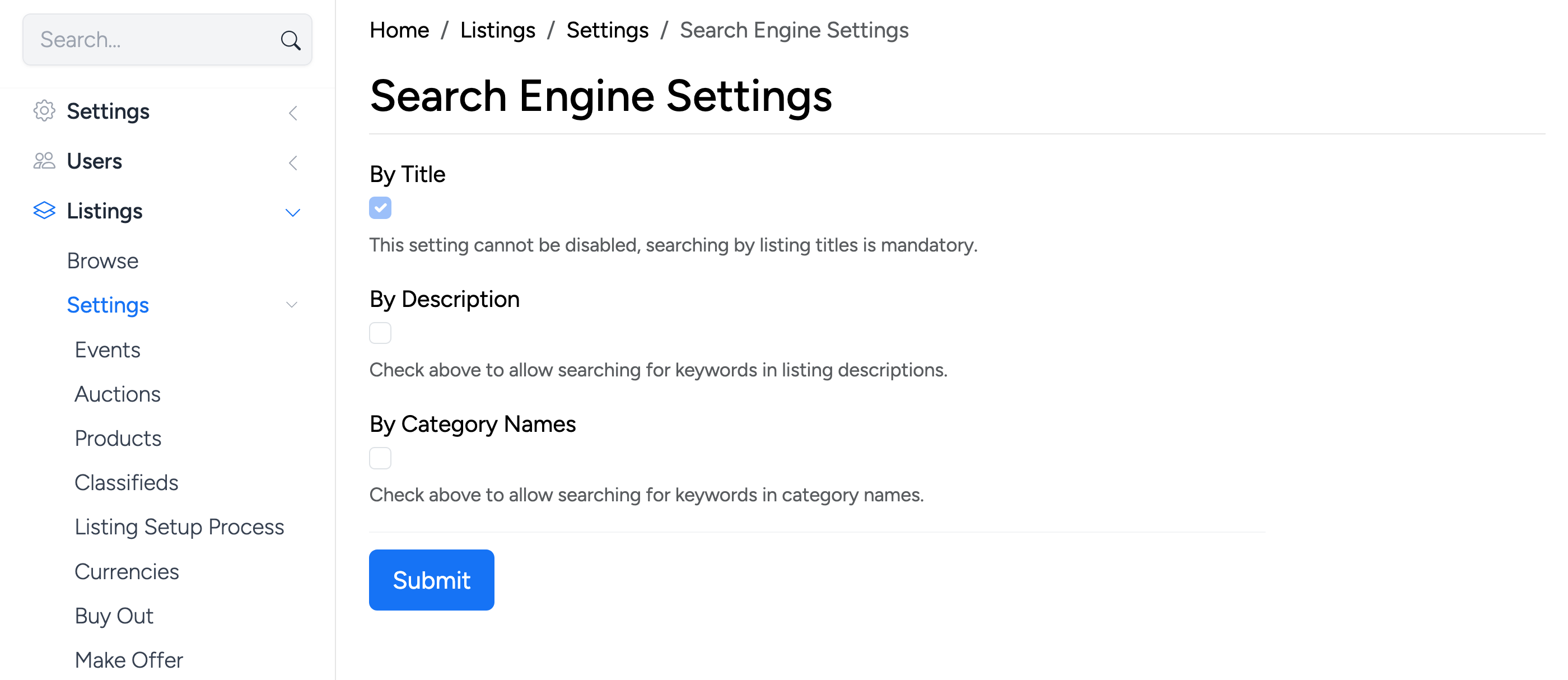
- By Title — always enabled. Searching by listing title is mandatory and cannot be disabled.
- By Description — when checked, search results also match keywords found in listing descriptions.
- By Category Names — when checked, search results also match keywords found in category names.
Enabling By Description returns more results but searches may be slower on sites with a large number of listings.