
Signup Fees
Overview
Site administrators can charge a one-time Signup Fee to new users when they register. If enabled, users must pay the fee before their account is fully activated and they can start buying or selling.
The signup fee is configured from the admin panel and can be set to any amount. Once paid, the fee is recorded as a transaction in the user’s Account History.
Paying the Signup Fee
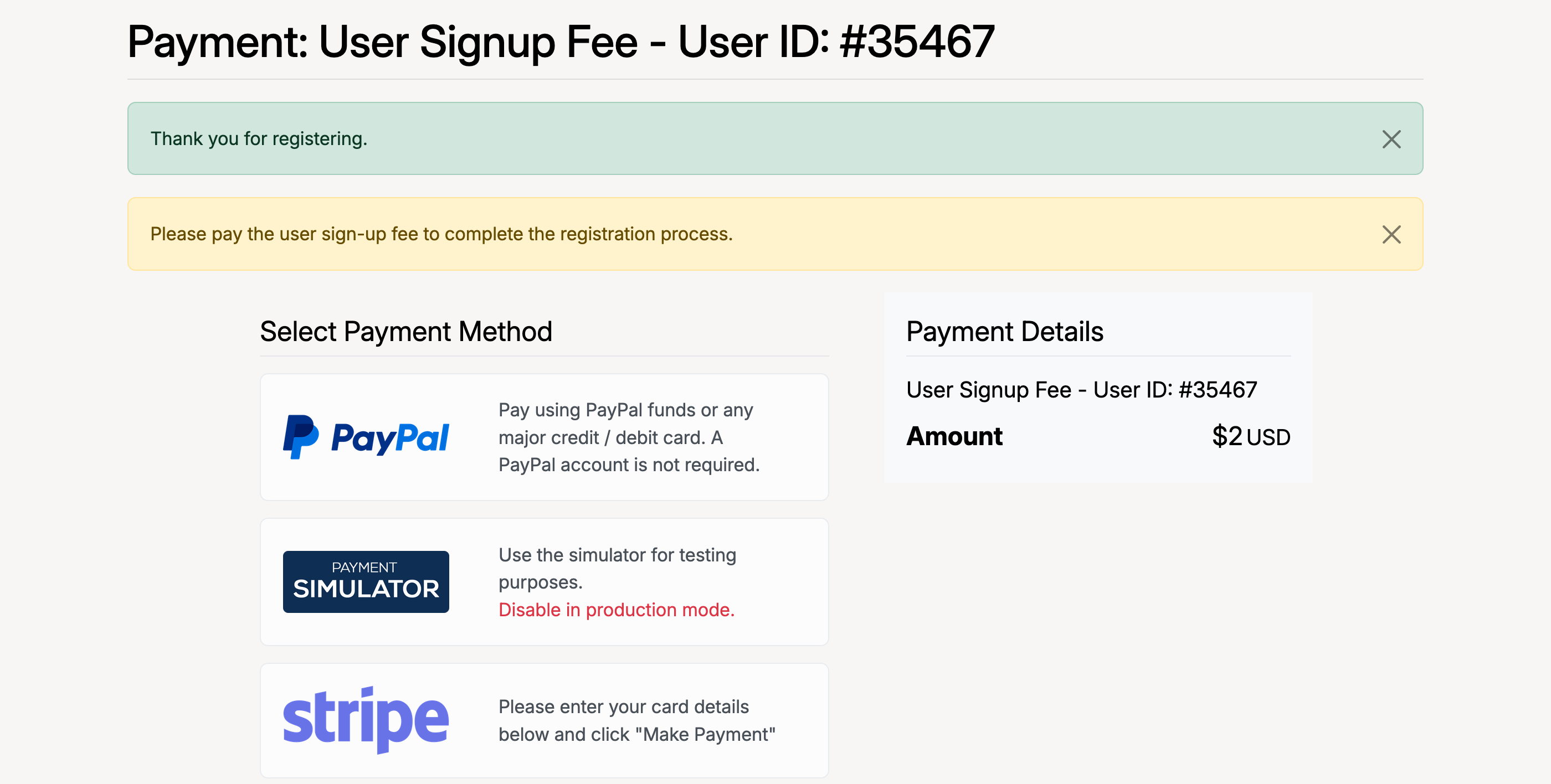
After completing the registration form, new users are redirected to a payment page where they must pay the signup fee using one of the site’s enabled payment gateways.
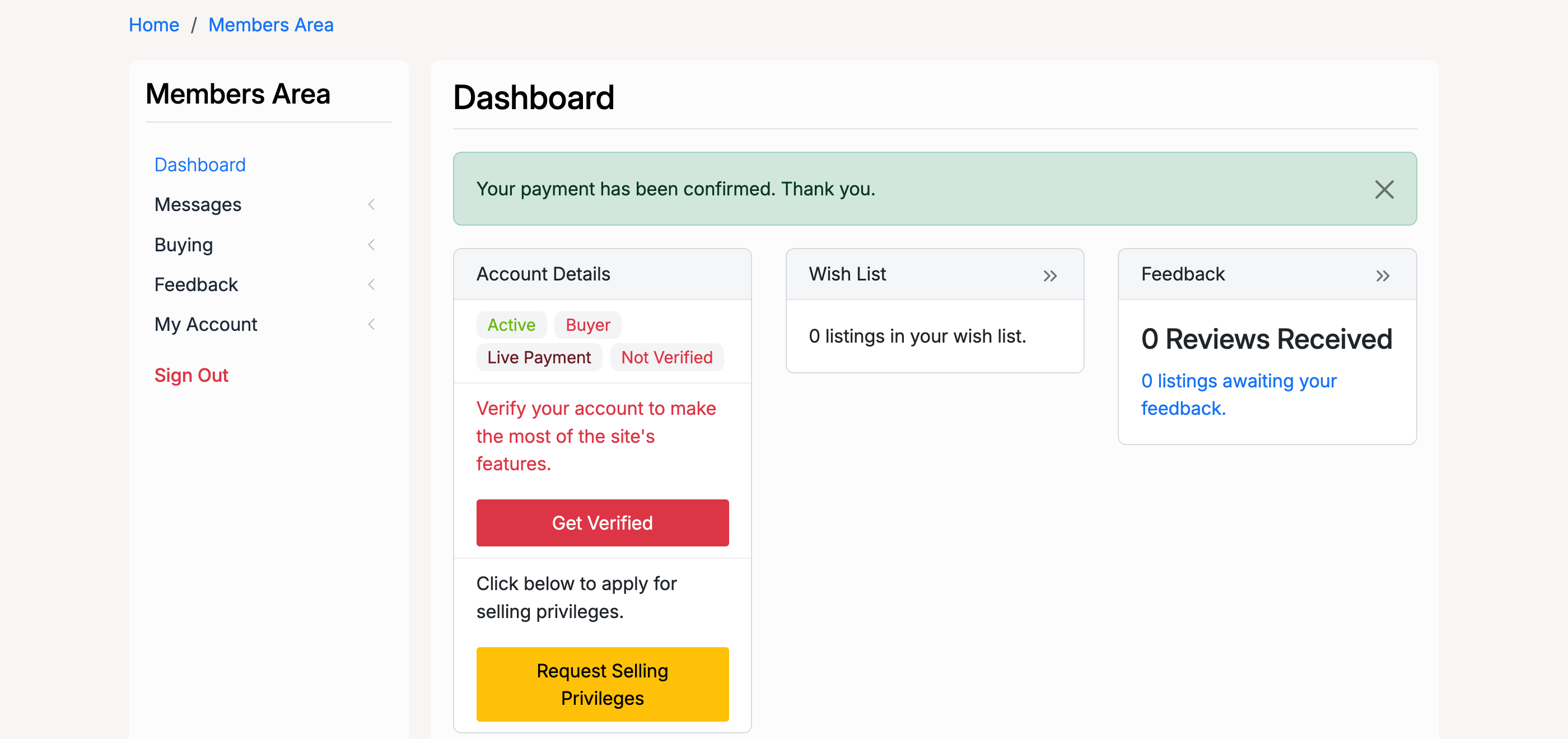
Once payment is confirmed, the user is taken to their Members Area dashboard and can begin using the site.
Admin — Signup Fee Setup
Administrators configure the signup fee from Admin Control Panel → Fees → Fees Management → User Sign-up.
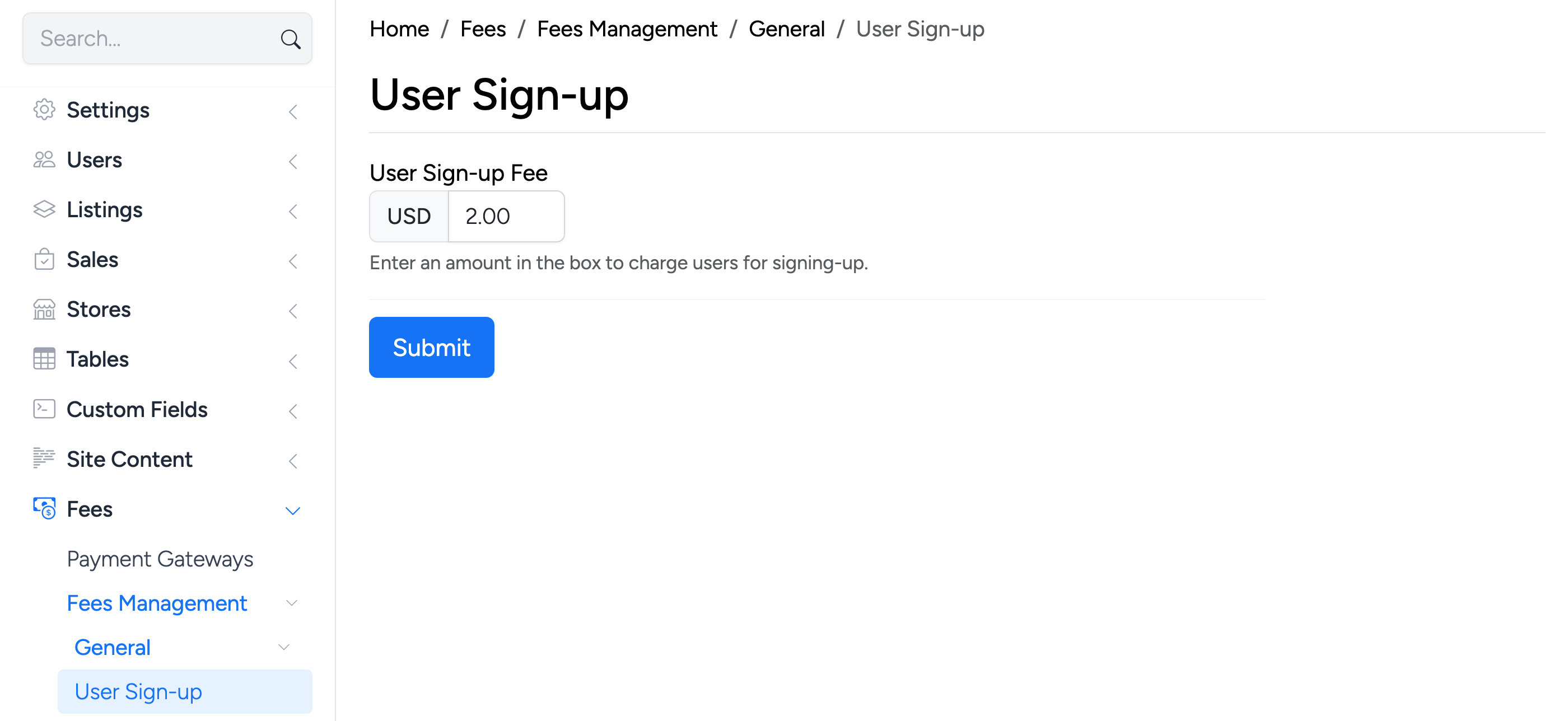
The signup fee settings include:
- Fee Amount — the one-time charge for new user registration. Set to 0 to disable the signup fee.
- Fee applies to — choose whether the fee applies to all new users or only specific user roles.
Click Save to apply your changes. The fee will take effect for all new registrations going forward.