
Bid Retraction
Overview
Bid retraction allows a bidder to withdraw their bid from an auction. This feature is controlled by the site admin and is subject to restrictions — it is not available on all auctions or at all times.
When enabled, bid retraction gives buyers a way to back out of a bid they placed in error or no longer wish to honour, provided the auction still has enough time remaining.
Who Can Retract
Only the highest bidder can retract their bid. If you are outbid, you cannot retract — your bid is no longer the leading one, so there is nothing to withdraw.
Additionally, retraction is only available when the auction has more time remaining than the retraction limit set by the admin. For example, if the limit is 12 hours, you cannot retract your bid when fewer than 12 hours remain on the auction.
How to Retract a Bid
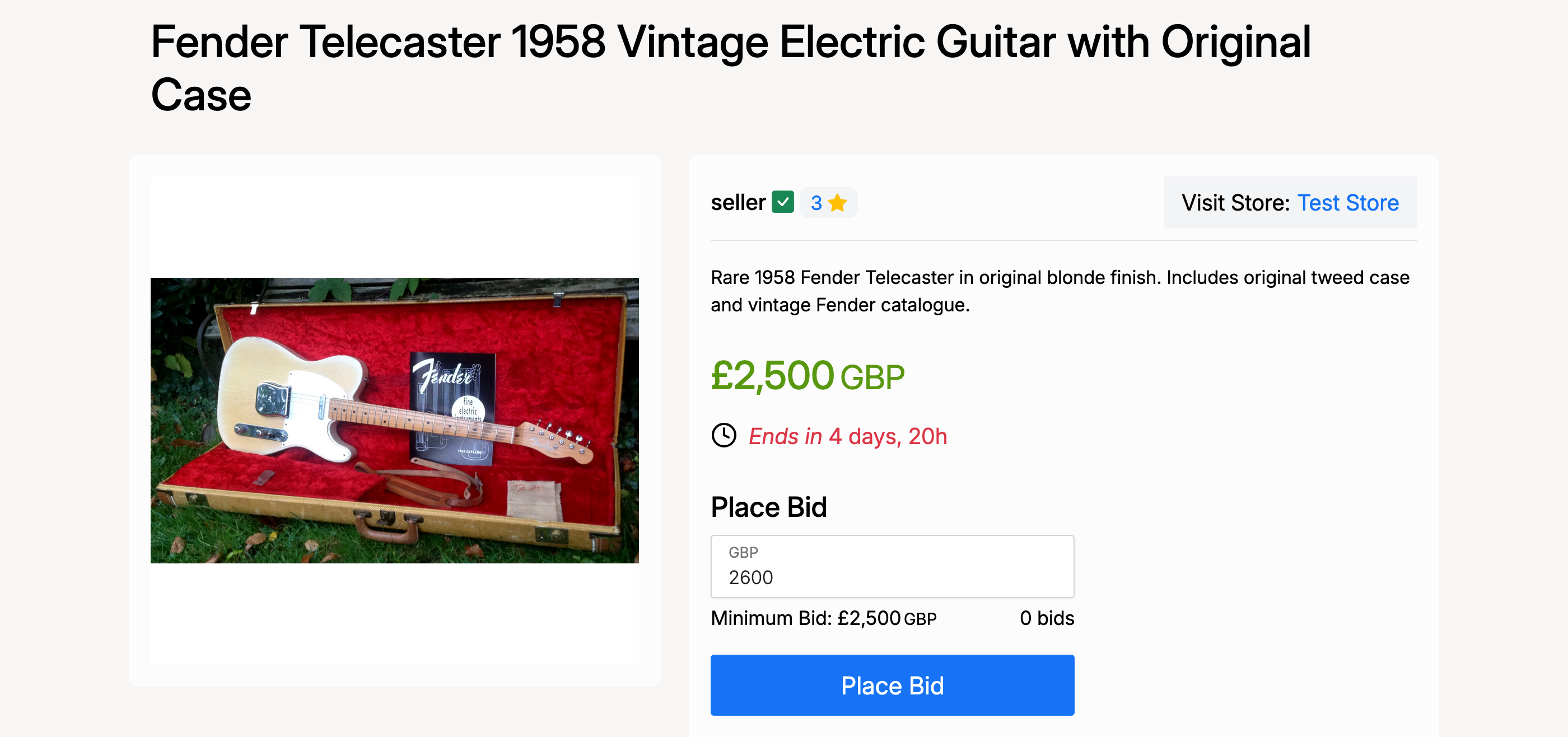
First, place a bid on an auction as normal. Enter your amount and click Place Bid.
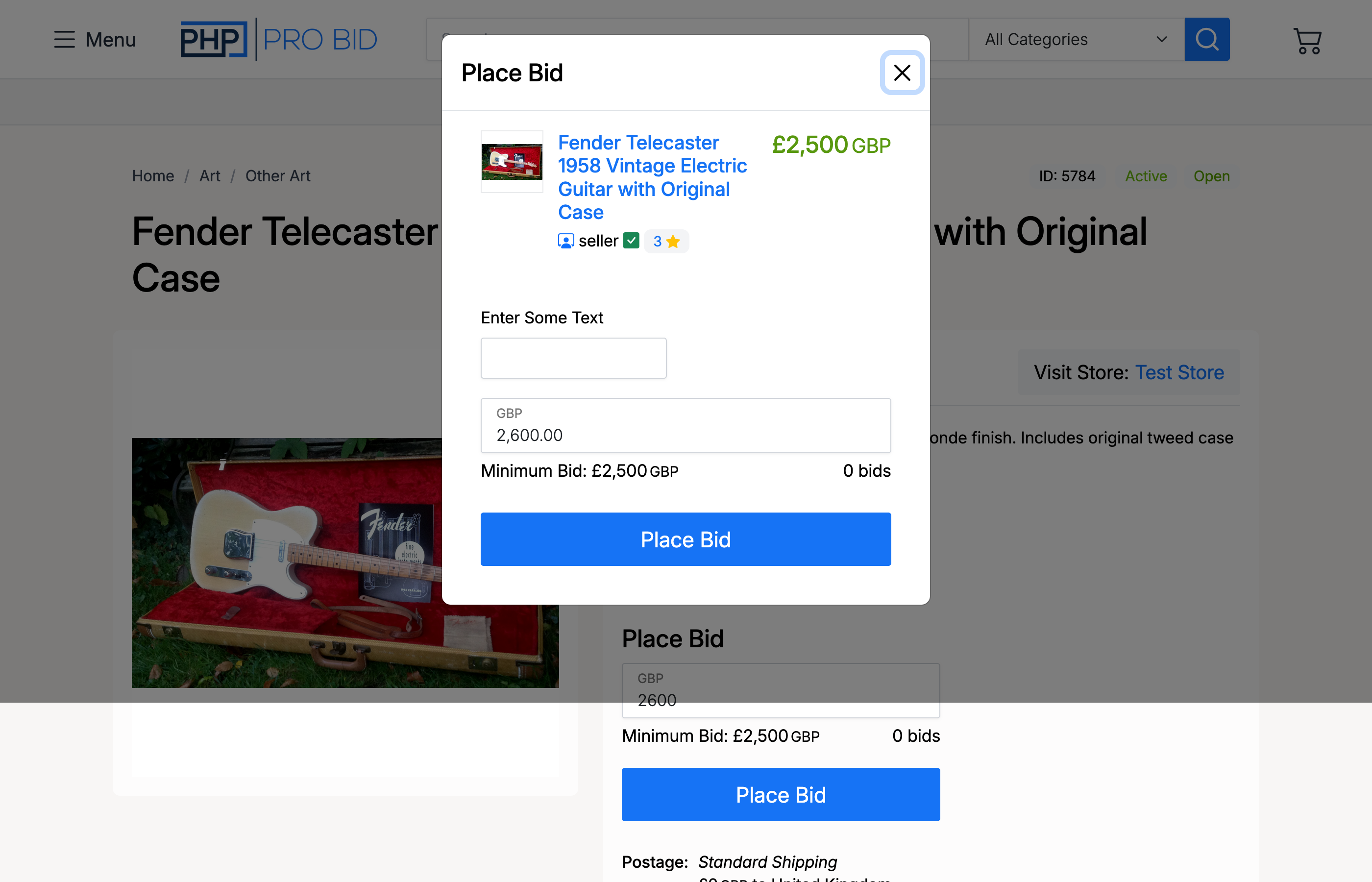
A confirmation popup appears. Review the details and click Place Bid to confirm.
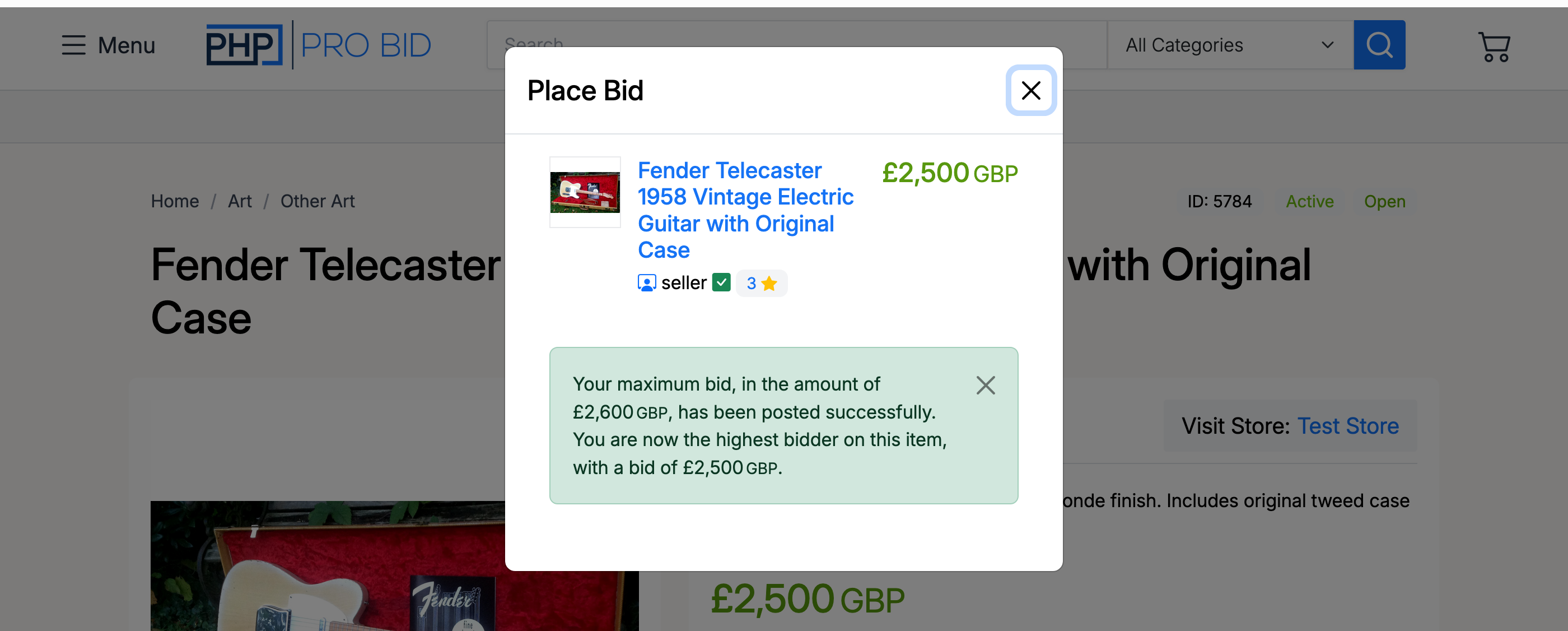
Once confirmed, a success message shows your bid has been posted and you are the highest bidder. The proxy bid amount is also shown.
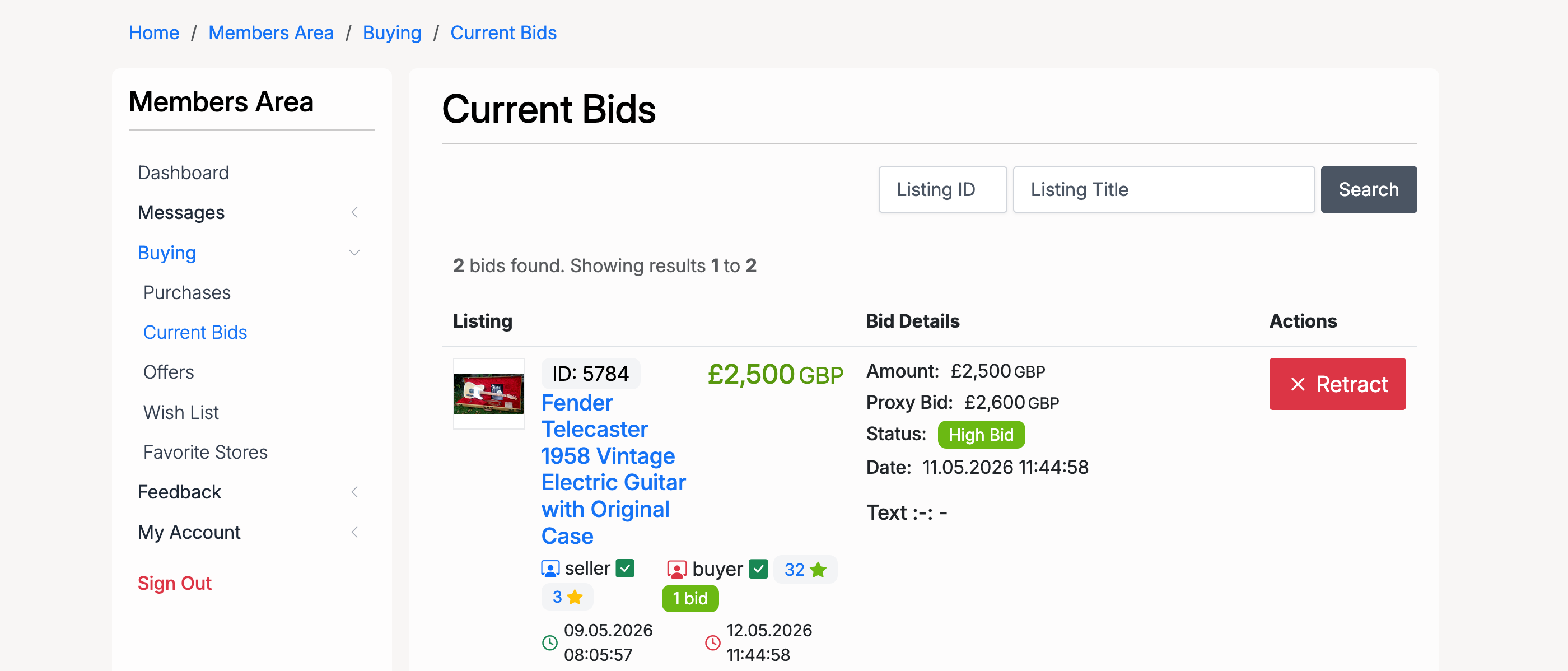
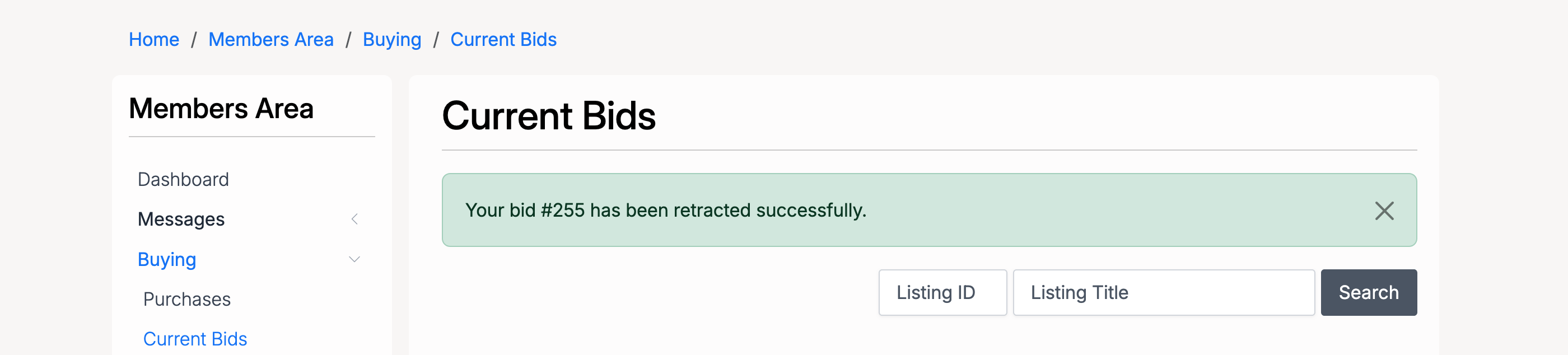
To retract your bid, go to Members Area → Buying → Current Bids. Find the auction where you are the highest bidder and click Retract.
A confirmation popup asks you to confirm the retraction.

After confirming, a success message confirms the bid has been retracted. The next highest bidder becomes the new leader and the auction continues.
Example
Consider an auction with a 12-hour retraction limit:
| Step | Action | High Bidder |
|---|---|---|
| 1 | Buyer A bids £50 | Buyer A |
| 2 | Buyer B bids £52 | Buyer B |
| 3 | Buyer B retracts their bid (more than 12 hours remain) | Buyer A |
| 4 | Buyer A is now the highest bidder and can also retract if desired | Buyer A |
Admin Settings
Bid retraction is configured from Admin → Listings → Settings → Auctions, under the Bid Retraction heading.
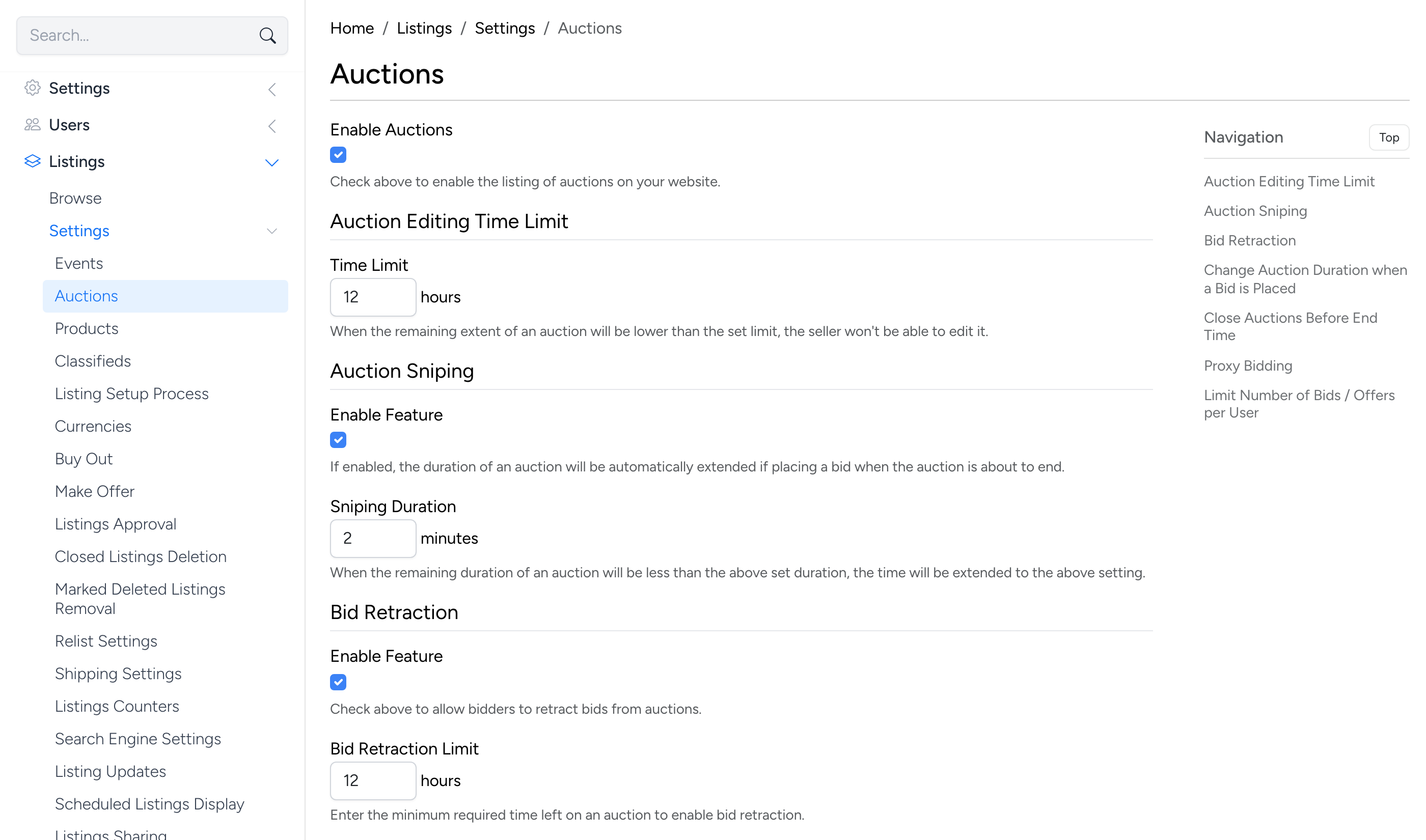
- Enable Feature — check to allow bidders to retract bids from auctions. Only the highest bidder is allowed to retract.
- Bid Retraction Limit — the minimum time (in hours) that must remain on an auction for retraction to be available. For example, setting this to 12 means bids can only be retracted when the auction has more than 12 hours left.