
Combine Invoices
Overview
Combine Invoices lets sellers (and optionally buyers) merge multiple unpaid invoices from the same transaction partner into a single invoice. This reduces the number of separate payments, simplifies shipping, and can lower postage costs when items are shipped together.
Only unpaid invoices between the same buyer and seller can be combined. Once combined, the seller can adjust prices, shipping methods, postage, insurance, and delivery address on the merged invoice.
Seller — Select Invoices
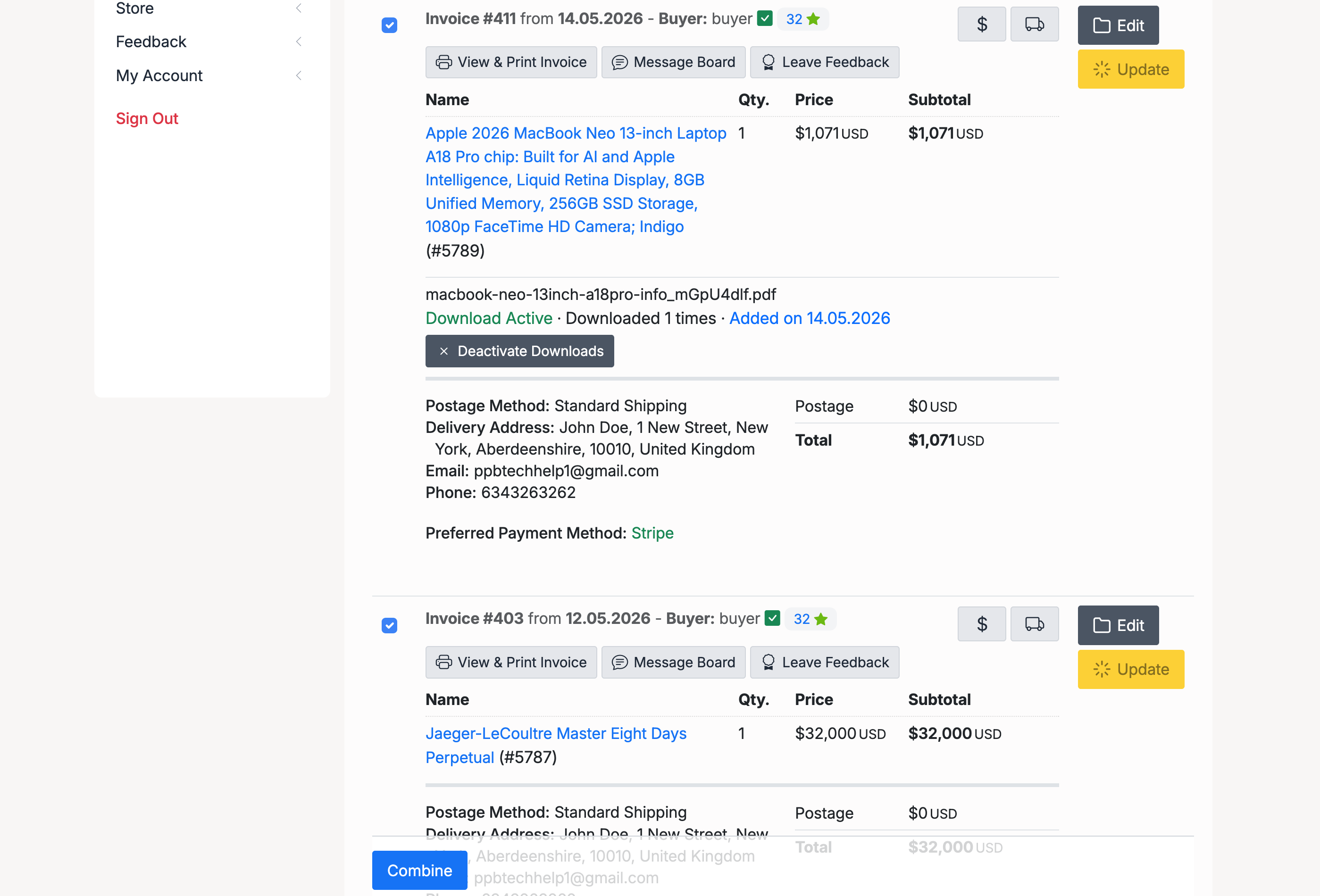
To combine invoices, go to Selling → Sales. Tick the checkboxes next to two or more invoices from the same buyer, then click the Combine button at the bottom of the list.
Requirements for combining:
- Invoices must be from the same buyer
- Items must be unpaid
- Items must be in the same currency
- Sale transaction fees must be paid
Seller — Confirm
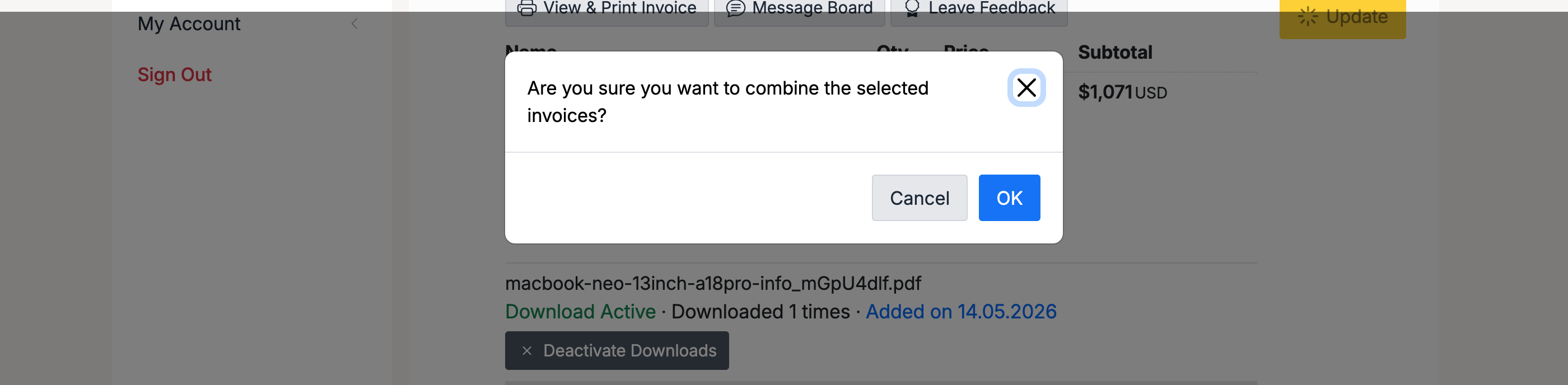
A confirmation dialog appears asking you to confirm the action. Click OK to proceed or Cancel to go back.
Seller — Combined Invoice
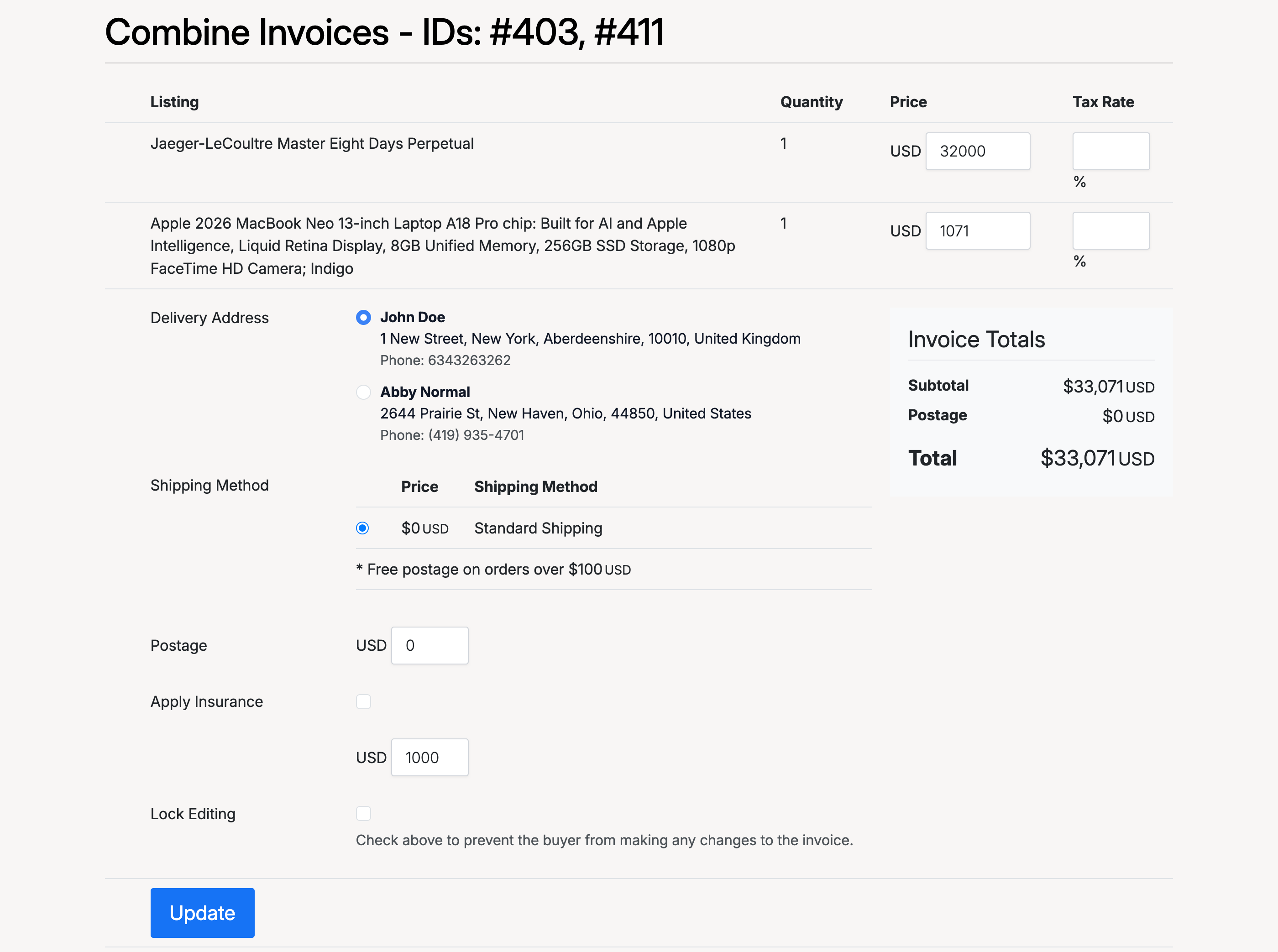
After combining, a single invoice is created containing all the selected items. The combined invoice page shows:
- Invoice IDs — the original invoice numbers that were merged (shown in the heading)
- Listing details — each item with its quantity, price, and an editable tax rate field
- Delivery Address — select which of the buyer’s addresses to use for this shipment
- Shipping Method — choose the shipping method and see the calculated cost
- Invoice Totals — subtotal, postage, and total for all items combined
- Postage — override the postage cost if needed
- Apply Insurance — add an insurance amount to the invoice
- Lock Editing — check this to prevent the buyer from making any changes to the invoice
Click Update to save your changes.
Buyer — Combined Invoice
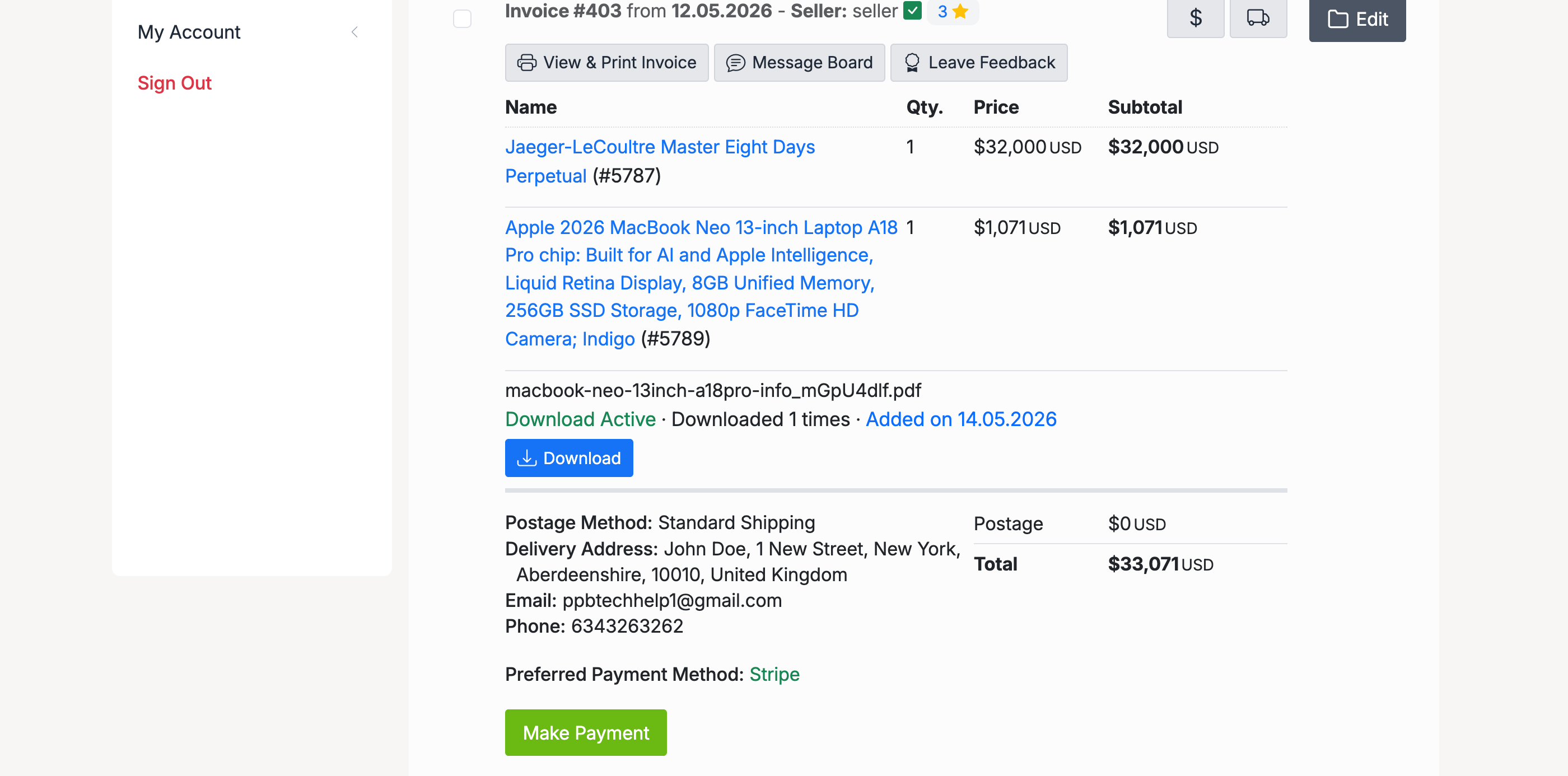
Buyers see the combined invoice at Buying → Purchases. The invoice displays all merged items with their prices, the delivery address, postage, and the combined total. The buyer can click Make Payment to pay for all items in a single transaction.
If the admin has enabled the Buyer can Combine Purchases setting, buyers can also initiate the combine action themselves from their Purchases page, using the same checkbox-and-combine flow as sellers.
Admin — Allow Buyers to Combine
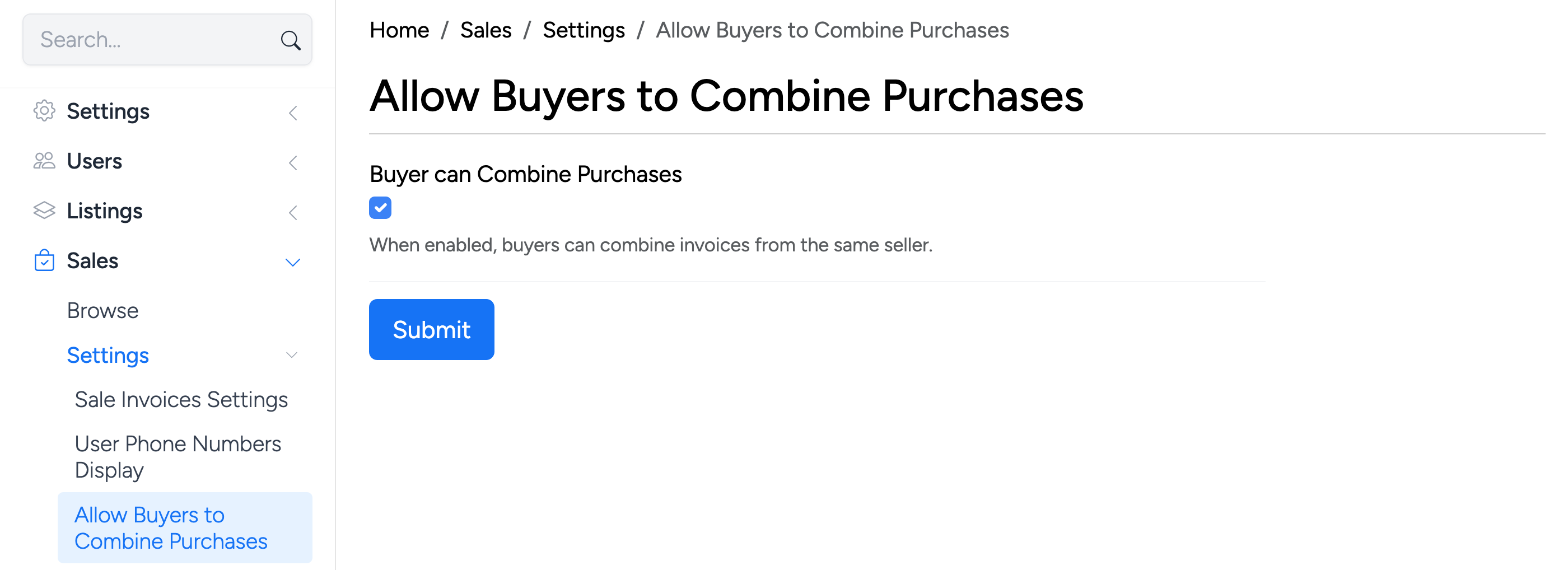
Found at Settings → Sales → Allow Buyers to Combine Purchases. When enabled, buyers can combine their own invoices from the same seller — not just sellers. This gives buyers the ability to merge multiple purchases and pay in one go, reducing the number of separate transactions.