
Buy Out
Overview
Buy Out lets a buyer purchase an auction item immediately at a fixed price, bypassing the bidding process entirely. The seller sets a Buy Out price when creating the listing, and buyers see a green Buy Out button on the listing page alongside the regular bidding controls.
This is useful when a seller wants to offer the option of instant purchase while still allowing competitive bidding. Buyers who prefer certainty can pay the Buy Out price right away instead of waiting for the auction to end.
Seller Setup
When creating or editing an auction listing, the seller enables Buy Out in the Pricing section of the listing form:

- Enable Buy Out — check this box to allow buyers to purchase the item instantly.
- Buy Out Price — the fixed price a buyer pays to purchase the item immediately. This should be higher than the starting bid to make the auction worthwhile.
Buying with Buy Out
When a listing has Buy Out enabled, buyers see a green Buy Out button below the Place Bid button on the listing page. The button shows the Buy Out price.
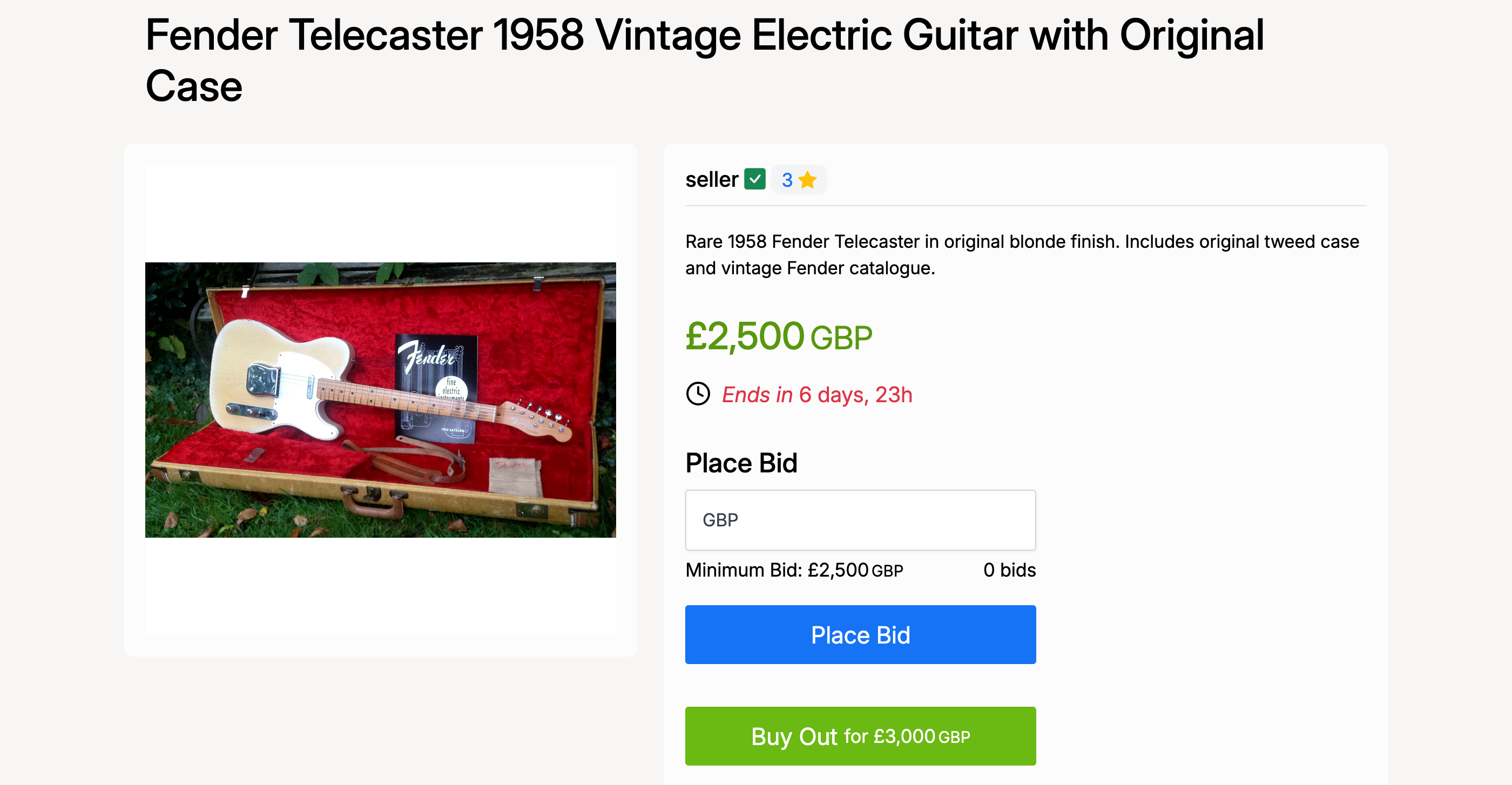
Clicking the Buy Out button opens a confirmation modal with the purchase details:
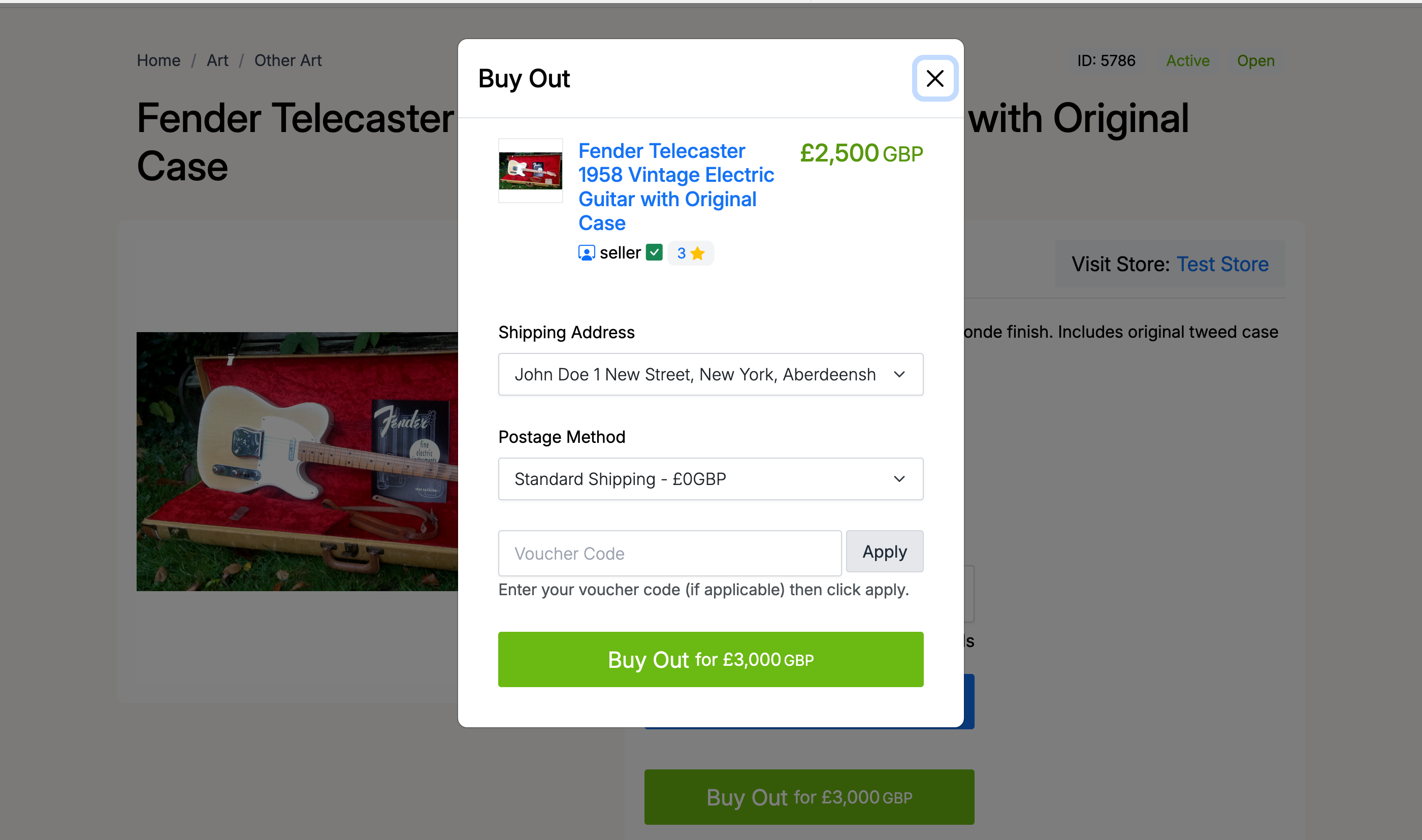
The modal displays:
- Item details — listing title, image, seller, and current price
- Shipping Address — select from your saved addresses in your address book
- Postage Method — choose from the shipping options the seller has configured
- Voucher Code — enter a voucher code if you have one, then click Apply
Click the green Buy Out button at the bottom to confirm your purchase.
Confirmation & Payment
After confirming the Buy Out, the system processes the purchase and redirects you to the Purchases page under Members Area → Buying → Purchases. A confirmation message confirms the transaction was successful.
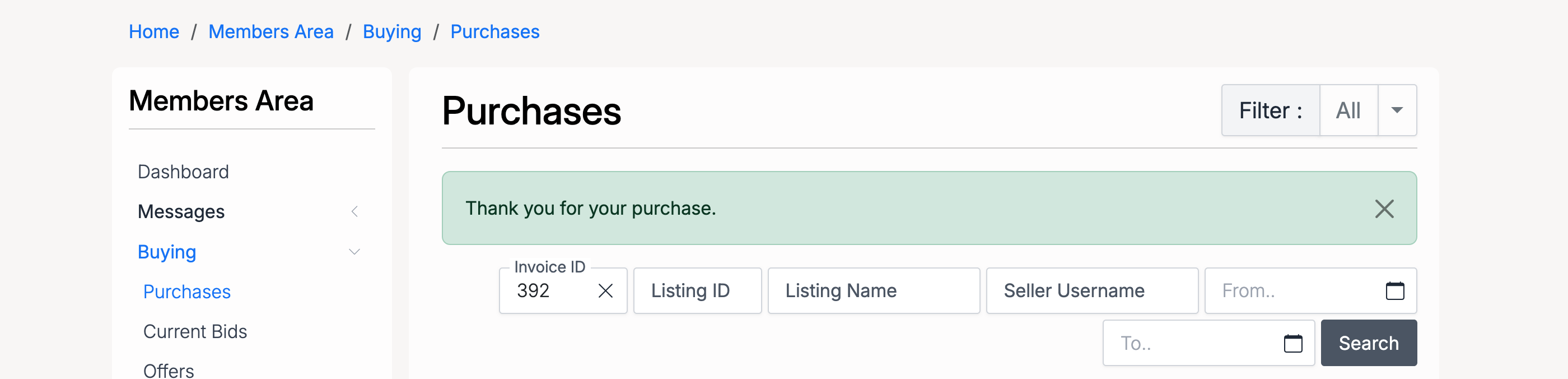
From the Purchases page you can view your invoice, track shipping, and manage all your completed purchases.
Admin Settings
Administrators configure Buy Out at Admin → Listings → Settings → Buy Out.
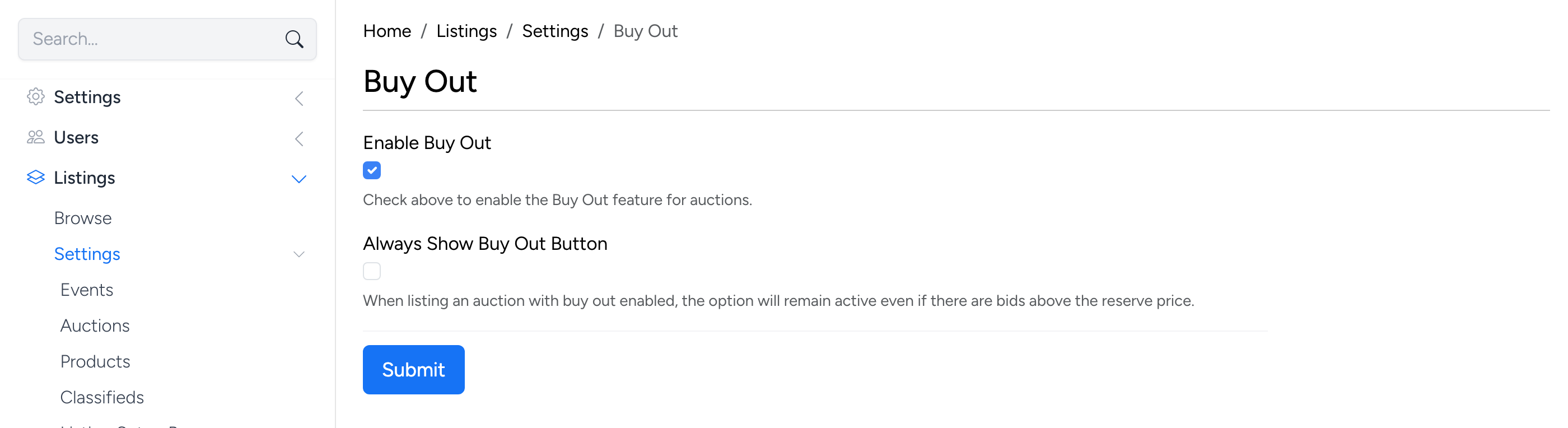
Enable Buy Out

- Enable Buy Out — the master switch for the Buy Out feature. When checked, sellers can add a Buy Out price to their auction listings. When unchecked, the Buy Out option is hidden from both the listing form and the listing page.
Always Show Buy Out Button

- Always Show Buy Out Button — when checked, the Buy Out button remains visible on the listing page even if there are bids above the reserve price. By default, once bidding exceeds the reserve price, the Buy Out button is hidden — enabling this setting overrides that behaviour.