
Currencies
Currency Settings
Currency settings are found at Admin → Listings → Settings → Currencies.
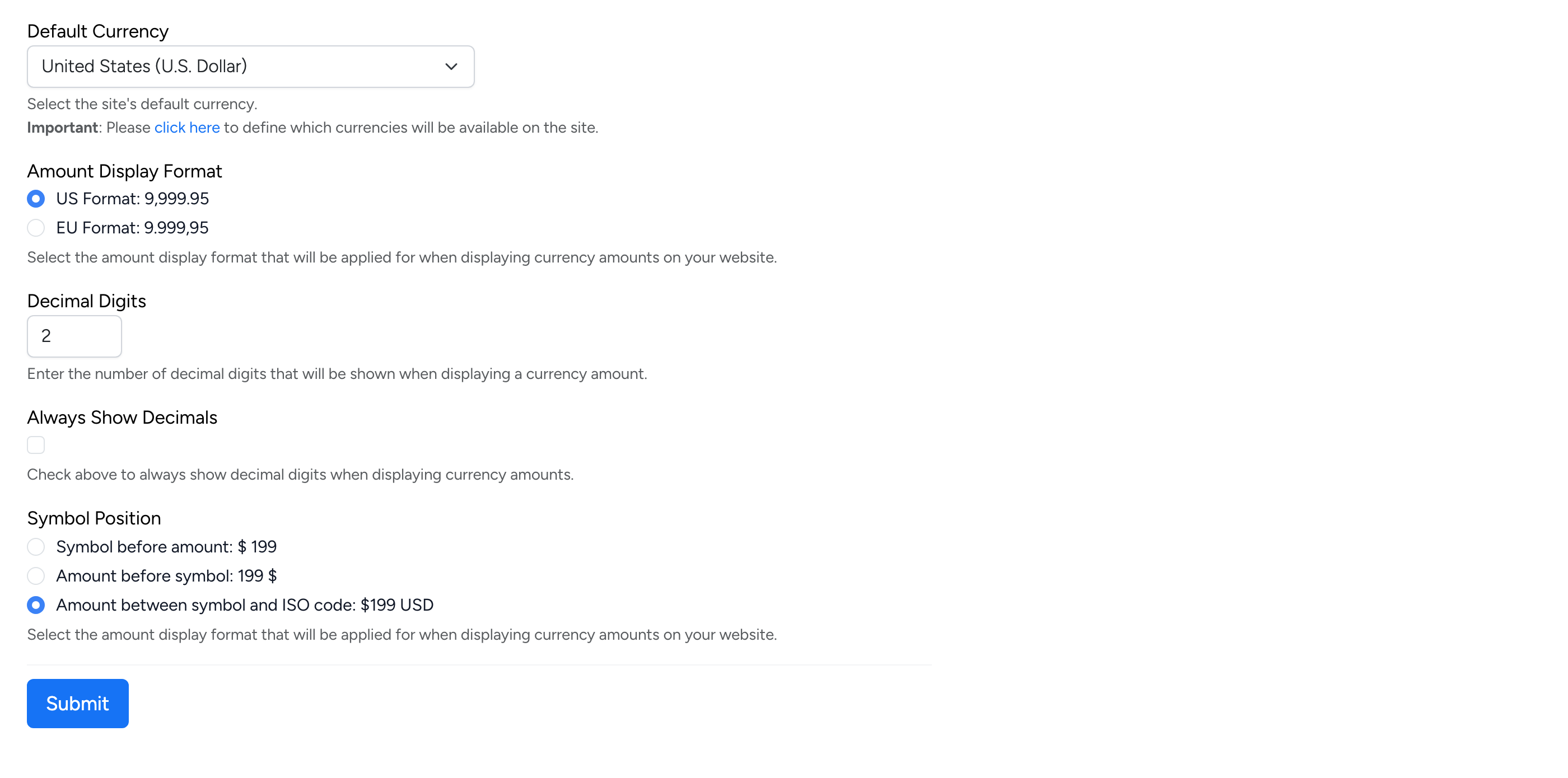
- Default Currency — the site’s primary currency. All listings default to this currency unless the seller selects a different one.
- Amount Display Format — choose between US format (9,999.95) and EU format (9.999,95).
- Decimal Digits — the number of decimal places shown when displaying amounts.
- Always Show Decimals — when checked, decimal digits are always displayed even for whole amounts.
- Symbol Position — controls how currency is displayed: symbol before amount ($ 199), amount before symbol (199 $), or amount between symbol and ISO code ($199 USD).
Currencies Table
To manage the available currencies on the site, go to Admin → Tables → Currencies (or click the “click here” link on the currency settings page).
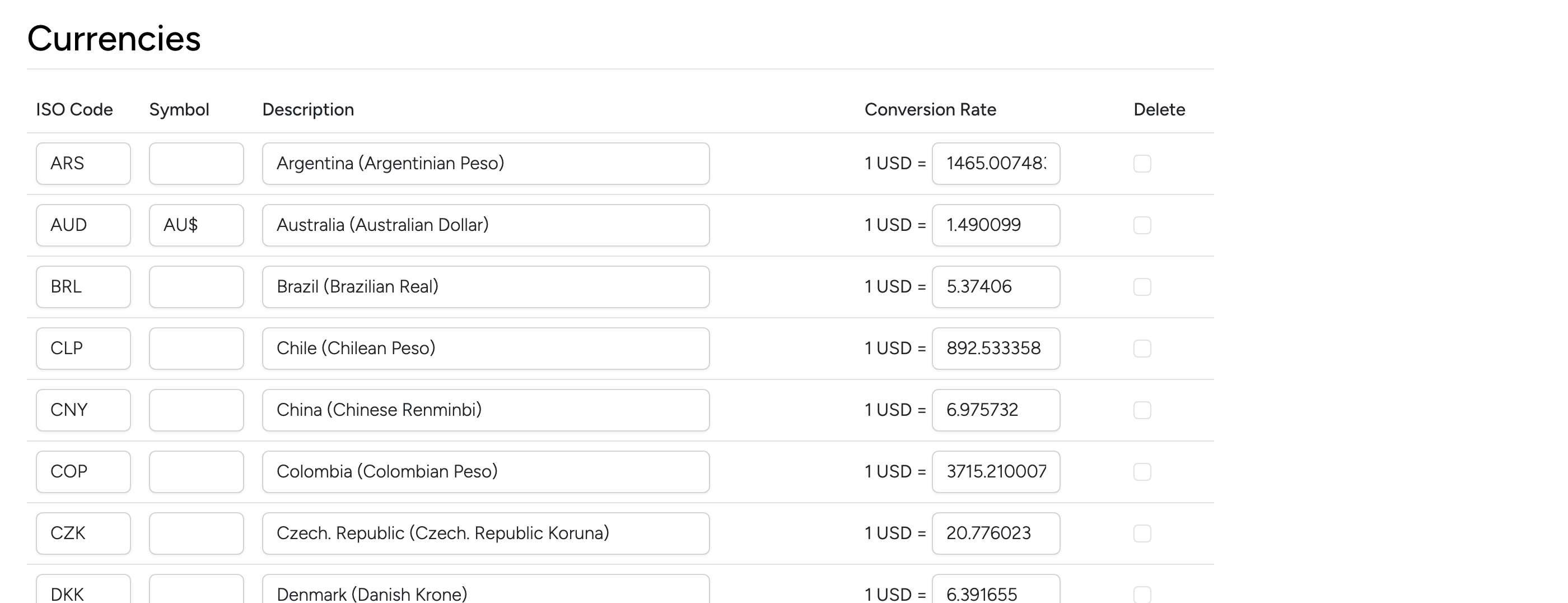
Each currency row shows:
- ISO Code — the three-letter currency code (e.g. USD, GBP, EUR).
- Symbol — the currency symbol displayed on the site (e.g. AU$). Leave blank to use the ISO code.
- Description — the full currency name.
- Conversion Rate — the exchange rate relative to the default currency. Only currencies listed in this table are available to sellers when creating listings.
- Delete — check to remove a currency from the site.