
Accounting
Overview
The Accounting system tracks all financial transactions on the site — listing fees, sale transaction fees, verification fees, and payments. Every transaction is automatically recorded and accessible from both the user’s Account History and the admin’s Accounting panel.
How transactions are recorded depends on the site’s Payment Option (configured in Account Settings):
- Live (Pay as You Go) — fees are paid immediately as they are incurred. Transactions appear as Receipt entries.
- Account Mode — fees accumulate on the user’s account balance. Transactions appear as Debit entries until the balance is settled.
Account History
Users can review their transaction history from Members Area → My Account → Account History.
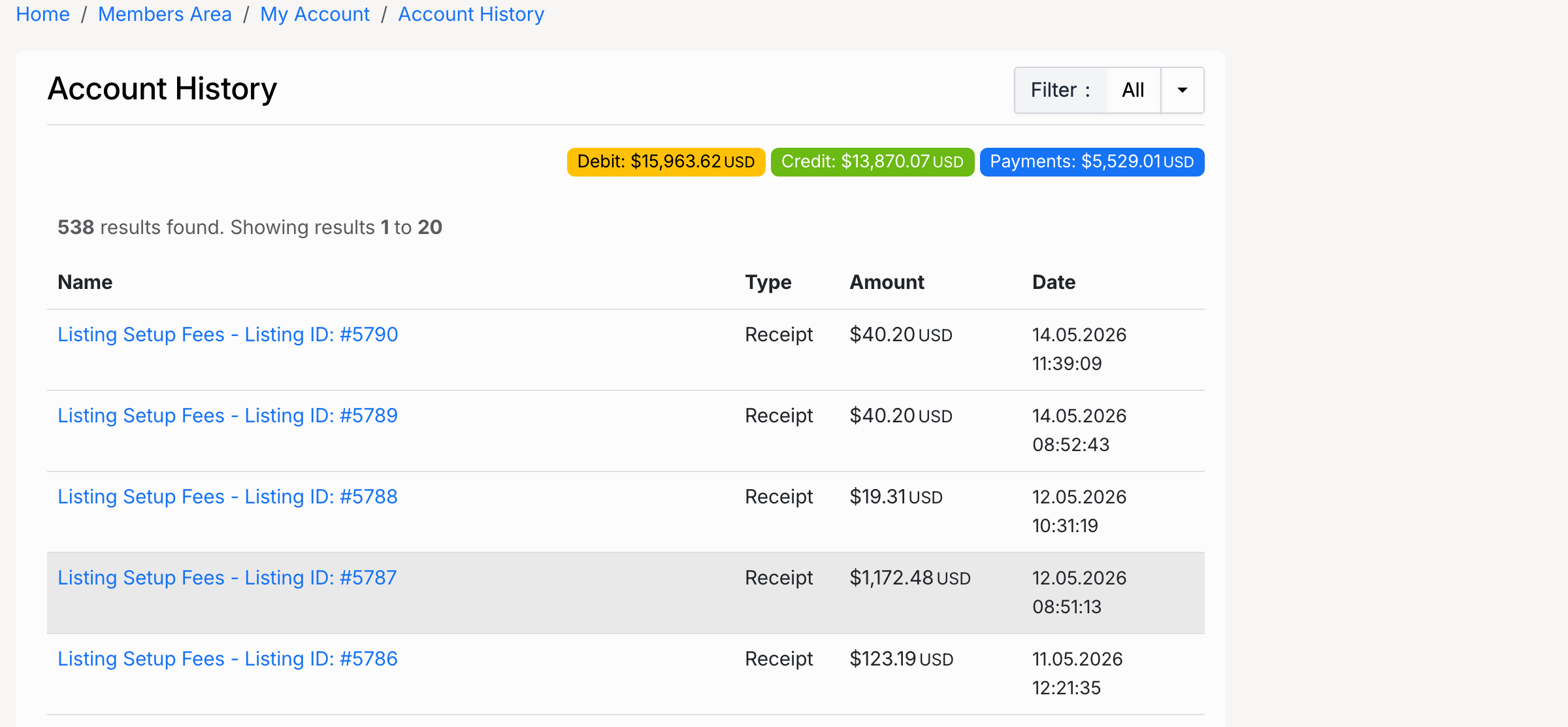
The Account History page displays:
- Summary badges at the top — total Debit, Credit, and Payments across all transactions.
- Filter dropdown — narrow the list by transaction type (All, Debit, Receipt, Credit).
- Transaction table — each row shows the fee name, type, amount, and date.
- Pagination — navigate through older transactions.
Click any transaction row to view the full invoice details.
Transaction Types
There are three transaction types in the accounting system:
- Debit — a fee charged to the user’s account. In Account Mode, site fees (listing fees, sale transaction fees) are recorded as debits and added to the user’s balance.
- Receipt — a payment made by the user. In Live mode, fees are settled immediately and recorded as receipts. In Account Mode, receipts appear when the user pays off their balance.
- Credit — a refund credited back to the user’s account. Credits appear when an administrator approves a refund request.
Admin — Accounting
Administrators can view all site transactions from Admin Control Panel → Tools → Accounting.
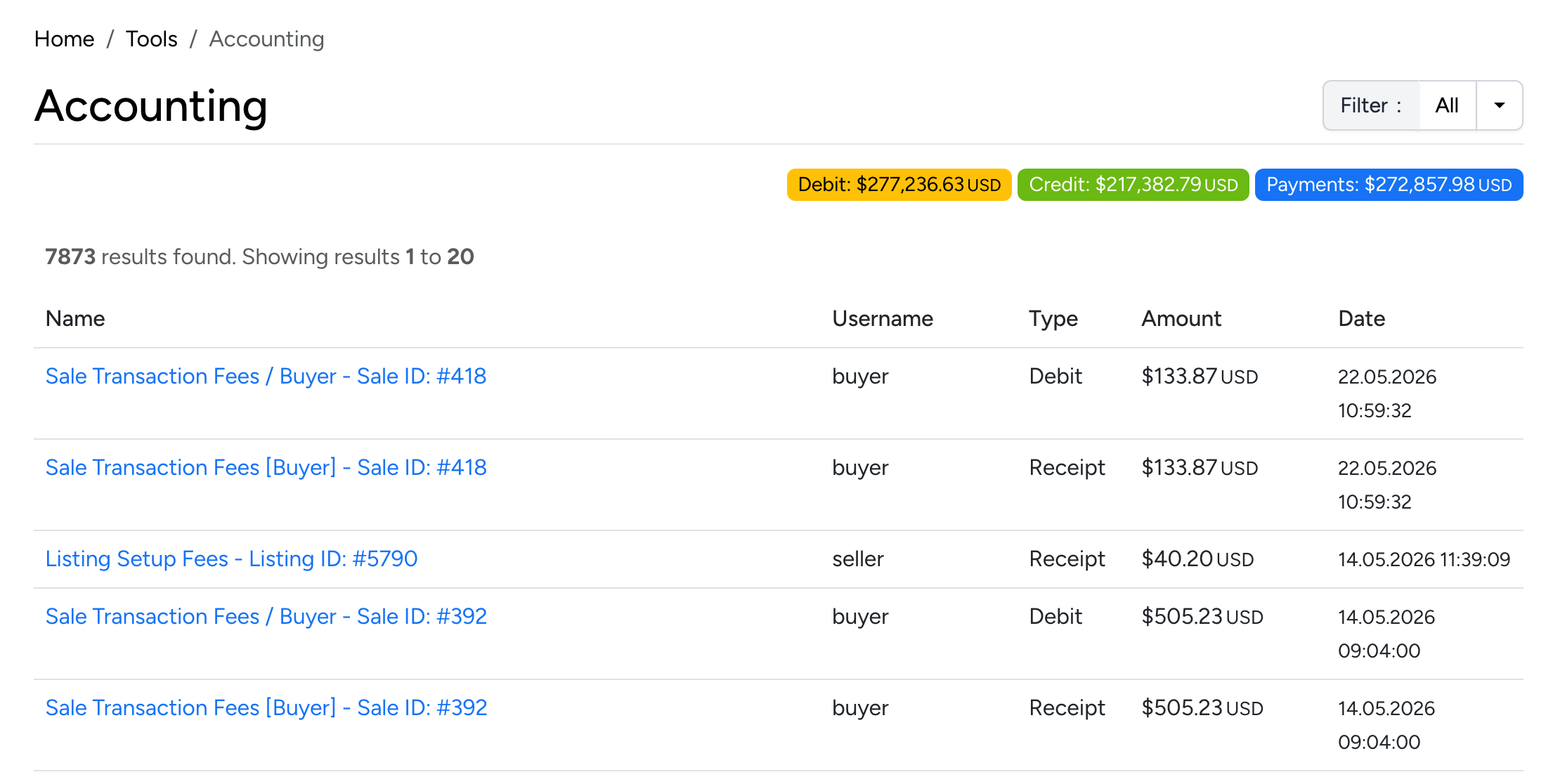
The admin Accounting page works the same way as the user’s Account History but shows transactions for all users. Each row includes the Username column so you can see which user the transaction belongs to.
- Summary badges — site-wide totals for Debit, Credit, and Payments.
- Filter — narrow by transaction type or search for a specific user.
- Transaction details — click any row to view the full invoice.