
Run timed auctions, catalog events and fixed-price sales on your own domain with PHP Pro Bid. Choose managed Cloud or VPS when you want hosting handled for you, or a self-hosted License when your team will run the server.
See site setup, selling formats, listing and bidding controls, and completed-sale management in a 48-second silent walkthrough of PHP Pro Bid v10 using demo records.
The walkthrough uses separate demo records; it does not follow one sale from bid to payment. Test the workflows yourself in the live demo.
PHP Pro Bid charges zero transaction fees on every plan. Fees charged by your chosen payment processor are separate.
Site setup: The administration panel shows website details, logo and site settings.
Selling formats: The settings screens show scheduled auction events, timed auctions with bidding and closing controls, and fixed-price products with shopping-cart settings.
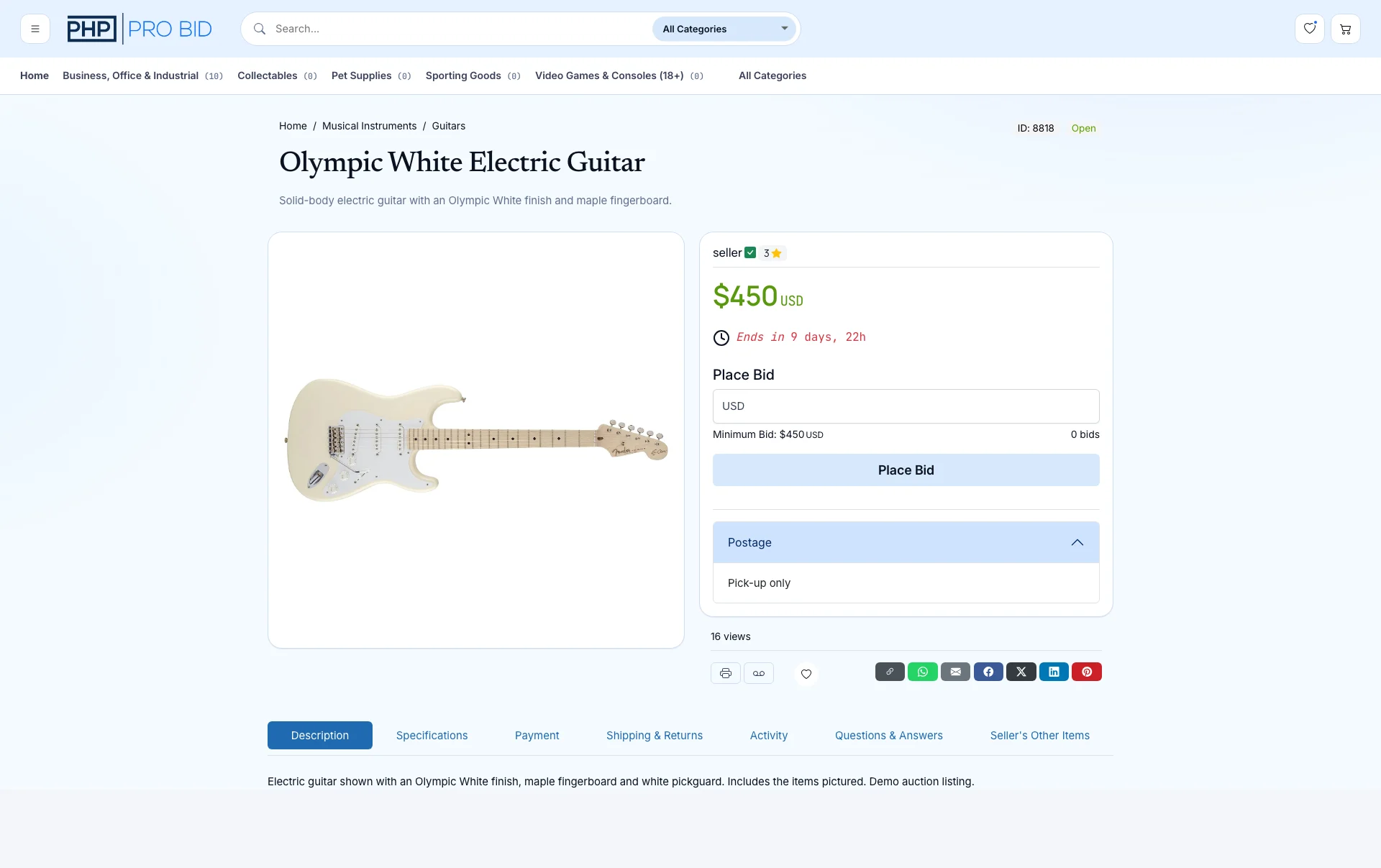
Listings and bids: A guitar listing appears in the seller area and public catalogue. Its auction page shows the price, countdown, bid field and Place Bid button.
Completed-sale management: A separate demo sale shows the invoice view. The video does not demonstrate a payment being processed.
Use the live demo to try these screens, then compare License, Cloud and VPS plans.
PHP Pro Bid Cloud costs £79 per month, billed monthly, with hosting and installation included. Managed VPS costs £199 per month, billed monthly. A self-hosted software license costs £399 as a one-time purchase. Each option includes timed auctions, scheduled auction events, and fixed-price marketplace sales. Custom design and development are quoted individually. Compare plans and included features →
You can bolt auctions onto a general website builder, or start from software that was built for auctions. Here is the difference in practice.
Add bidding to a website you already run.
Built for people who run auctions every week.
Cloud is the simplest way to get an auction website online. Move to dedicated Managed VPS capacity as you grow, or self-host when your team wants to manage the server. The software and auction workflows stay familiar whichever route you choose.
The convenient starting point. Hosting, installation, updates and backups are handled for you, so you can focus on branding the site and publishing your first lots.
Dedicated capacity without server administration. PHP Pro Bid sets up and maintains the server, with priority support for busier sites and larger catalogues.
Run the platform on your own compatible server for maximum infrastructure control. Learn about the self-hosted license.
Compare what is included and see the current figures on the pricing page. PHP Pro Bid does not charge a platform transaction fee; fees from your chosen payment processor are separate.
Always-on listings with proxy bidding and anti-sniping soft close. The core of timed auction software, running 24/7.
New in v10: scheduled catalogs whose lots close in sequence, with one combined invoice per buyer. Built for live auction events and estate sales.
Fixed-price listings, multi-seller stores, and a real shopping cart alongside your auctions — the marketplace and webstore formats.
Nine payment gateways, automatic invoices when lots close, and full fee control. You set the fees; the platform never takes a cut.
Categories, sellers, bidders, word filters, newsletters, translations — run the whole business from one place, no code required.
Bidders browse, bid, and pay from any phone in the browser. A branded app is available later as auction app development.
Your public auction site keeps the lot image, current price, countdown and bidding controls together, while your administration area handles the work behind it.
Choose managed Cloud for the quickest launch, Managed VPS for dedicated capacity, or self-hosting.
Cloud is live in minutes. Self-hosted installs on compatible PHP hosting, with an installation service if you want it done for you.
Use your logo, colors and domain. Unbranding removes PHP Pro Bid attribution: included with Managed VPS, optional for Cloud and License.
One at a time or hundreds via CSV bulk upload. Photos, reserves, increments, categories.
Timed, event, or fixed price. Invoices go out automatically when lots close.
Planning the business side too — niche, legals, first consignments? The guide to starting an online auction business covers the whole journey.
Look for the auction formats you need, control of your brand and bidder data, mobile-friendly bidding, clear fees, and room to grow. PHP Pro Bid combines timed auctions, auction events and fixed-price sales in one platform, with managed and self-hosted ways to launch.
PHP Pro Bid Cloud costs £79 per month, billed monthly, with hosting and installation included. Managed VPS costs £199 per month, billed monthly. A self-hosted software license costs £399 as a one-time purchase. Each option includes timed auctions, scheduled auction events, and fixed-price marketplace sales. Custom design and development are quoted individually.
Yes. With managed Cloud there is nothing to install: add your branding and categories, publish your first lots, and manage the site from the administration panel. Code is only needed for bespoke development.
Up to a point. General site builders usually add auctions through plugins. A dedicated auction platform is designed around bidding, proxy bids, timed closings, invoicing and seller management, so those workflows operate together instead of as separate add-ons.
With self-hosting, you run your licensed installation on your own server. With managed Cloud or VPS, PHP Pro Bid handles the infrastructure while you control your brand, content and customer data. PHP Pro Bid does not take a percentage of your sales; payment-processor fees are separate.
Managed Cloud is the quickest route because hosting and installation are handled. Managed VPS also removes the server setup work. Self-hosted timing depends on your server and any design or development changes. Preparing the first catalogue is usually the largest part of the launch.
Try the real v10 workflow, then choose the managed or self-hosted route that fits your team.