
Classifieds
What Are Classifieds?
Classifieds are a listing type alongside auctions and products. A classified listing displays an item at a fixed price with no bidding — buyers contact the seller directly to arrange the purchase.
Creating a Classified
Creating a classified follows the same process as creating any other listing. On the Sell page, select Classified from the Listing Type dropdown, choose a category, and fill in the listing details.
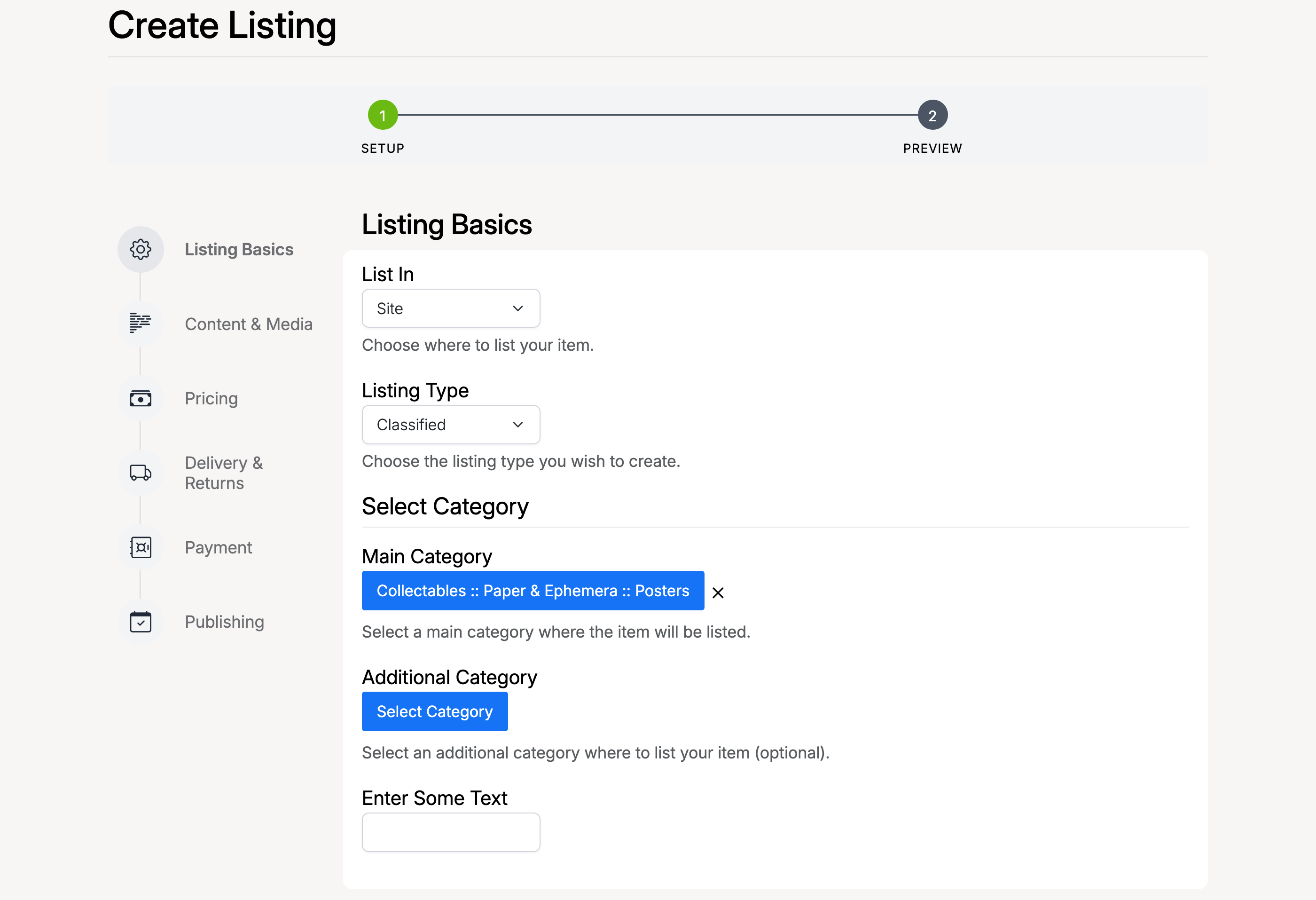
The screenshot above shows the Listing Basics step with Classified selected as the listing type. The rest of the setup — content, media, pricing, delivery, and payment — works the same way as for auctions and products.
Once you complete the setup and confirm payment (if a classified setup fee applies), the listing is published and appears on the confirmation page.
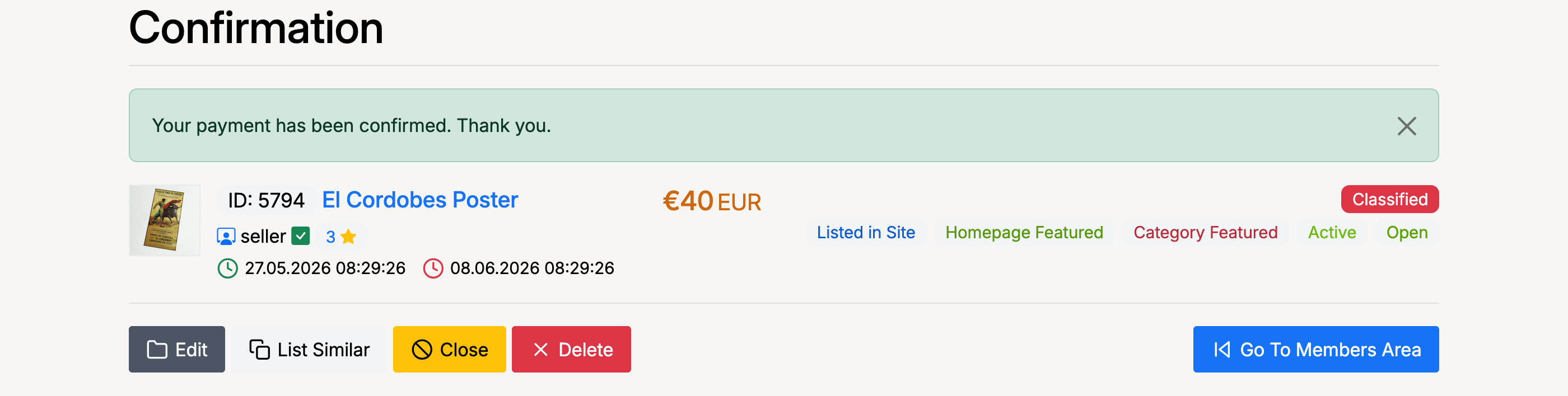
The confirmation page shows your classified with a Classified badge, the listing status, and action buttons to edit, close, delete, or list a similar item.
Admin Settings
Enable Classifieds
To enable or disable classifieds, go to Admin → Listings → Settings → Classifieds.

- Enable Classifieds — check to allow sellers to create classified listings. When unchecked, the Classified option is hidden from the listing type selector on the Sell page.
Classified Setup Fee
To set a fee for creating a classified listing, go to Admin → Fees → Listings → Classified Setup.

- Classified Setup Fee — a one-time fee charged when a seller lists a classified. Set to 0 to make classified listings free. The fee can be configured per category using the Select Category dropdown at the top of the page.
Browse Classifieds
To view and manage all classified listings, go to Admin → Listings → Browse → Classifieds.
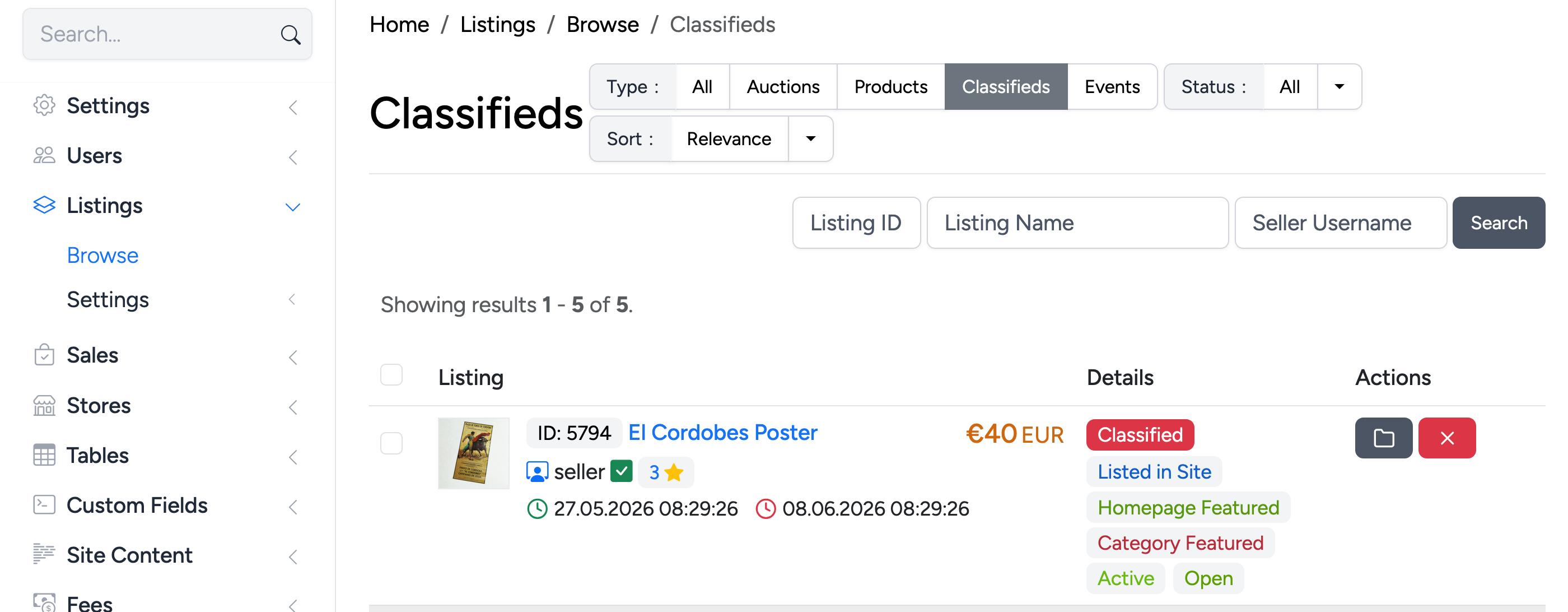
This page lists all classified listings on the site. You can filter by listing ID, name, or seller username, and sort by relevance. Each entry shows the listing details, status badges (Listed in Site, Homepage Featured, Category Featured, Active/Open), and action buttons to edit or delete.