
Registration
There are two registration methods. Quick Registration requires only a username, email and password. Full Registration also asks for your name, address, phone number, and date of birth. Which form you see depends on how the site administrator has configured the platform.
Create an account
- Click Register in the top-right corner of any page.
- Fill in the registration form (see below).
- Accept the Terms and Conditions, then click Submit.
- Depending on the site's settings, your account is either activated immediately or you will need to confirm your email address first. See Signup Confirmation for details.
Quick Registration
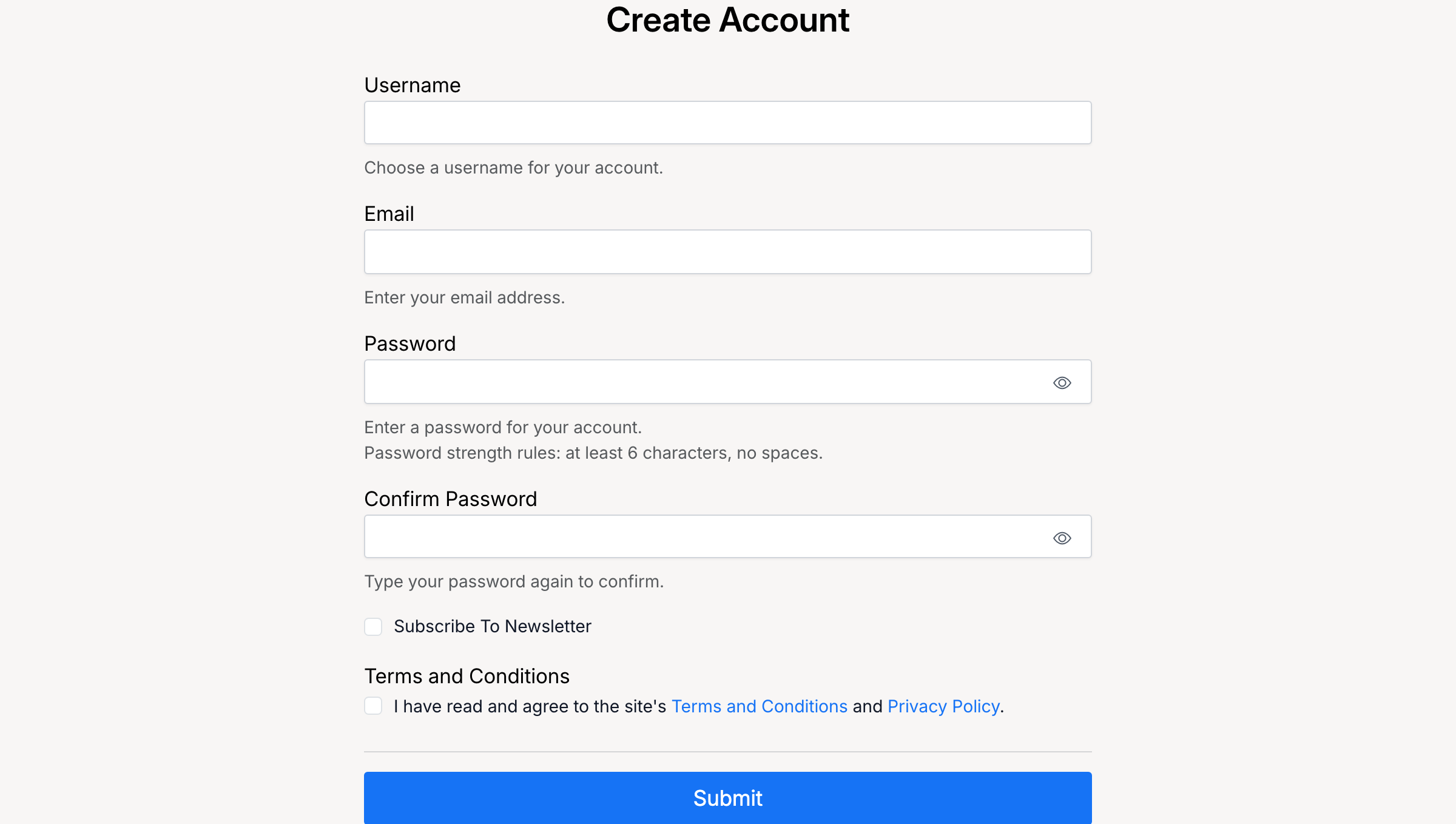
The quick registration form asks for:
- Username — your public display name. It is unique and cannot be changed after registration.
- Email — used for account notifications and password recovery. Only one account per email address is allowed.
- Password — must meet the site's password strength rules (at least 6 characters, no spaces).
- Confirm Password — re-enter your password to make sure it matches.
- Subscribe to Newsletter — optional.
- Terms and Conditions — you must agree before submitting.
Full Registration
The full registration form includes everything from Quick Registration, plus:
- Name and Address
- City, State / County, Zip / Post Code
- Country
- Phone Number
- Date of Birth — a minimum age may be required by the administrator.
Signup Fees
Some sites charge a one-time registration fee. If enabled, after submitting the form you will be redirected to pay with your preferred payment method before your account is activated.
After registration
What happens next depends on the site's configuration:
- No confirmation required — your account is active immediately. Log in with your username and password.
- Email confirmation — check your inbox for a confirmation email and click the activation link. See Signup Confirmation.
- Admin approval — confirm your email first, then wait for the administrator to manually activate your account.
Admin Settings
Administrators configure registration from Admin Control Panel → Settings → Users → Registration.
Registration Type
Choose which form new users see when they register.
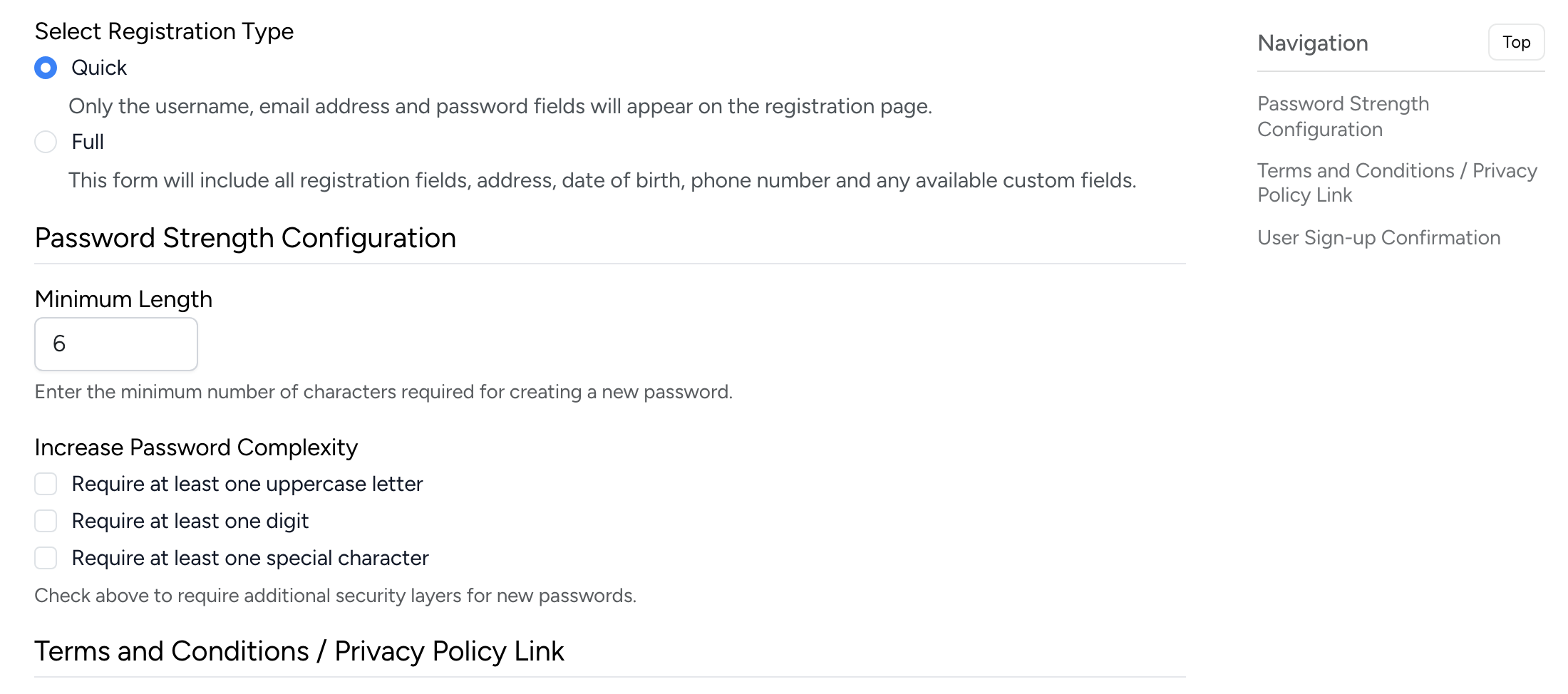
- Quick — only username, email, and password. Users must add their address from their account before they can buy or sell.
- Full — all fields including name, address, phone, date of birth, and any custom fields defined by the administrator.
Terms and Conditions / Privacy Policy
When enabled, a checkbox appears on the registration form requiring new users to agree to the site's terms and/or privacy policy before submitting.
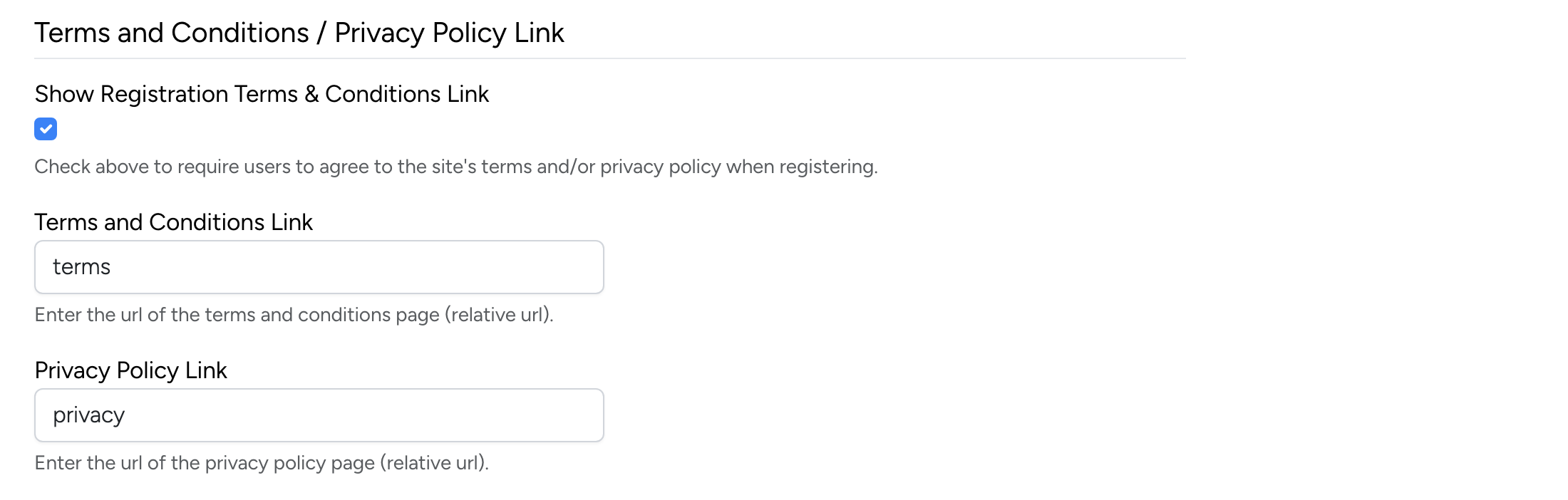
- Show Registration Terms & Conditions Link — enable to require agreement at signup.
- Terms and Conditions Link — enter the relative URL of your terms page (e.g.
terms). - Privacy Policy Link — enter the relative URL of your privacy policy page (e.g.
privacy).