Private Site / Single Seller
Overview
The Private Site / Single Seller feature lets you control who can list items on the site. When enabled, only users with selling privileges can create listings. All other users see a buyer-only experience — selling-related features are hidden from the front end entirely.
Use this to run a single-seller storefront, a curated marketplace with vetted sellers, or any setup where listing access needs to be restricted.
Settings
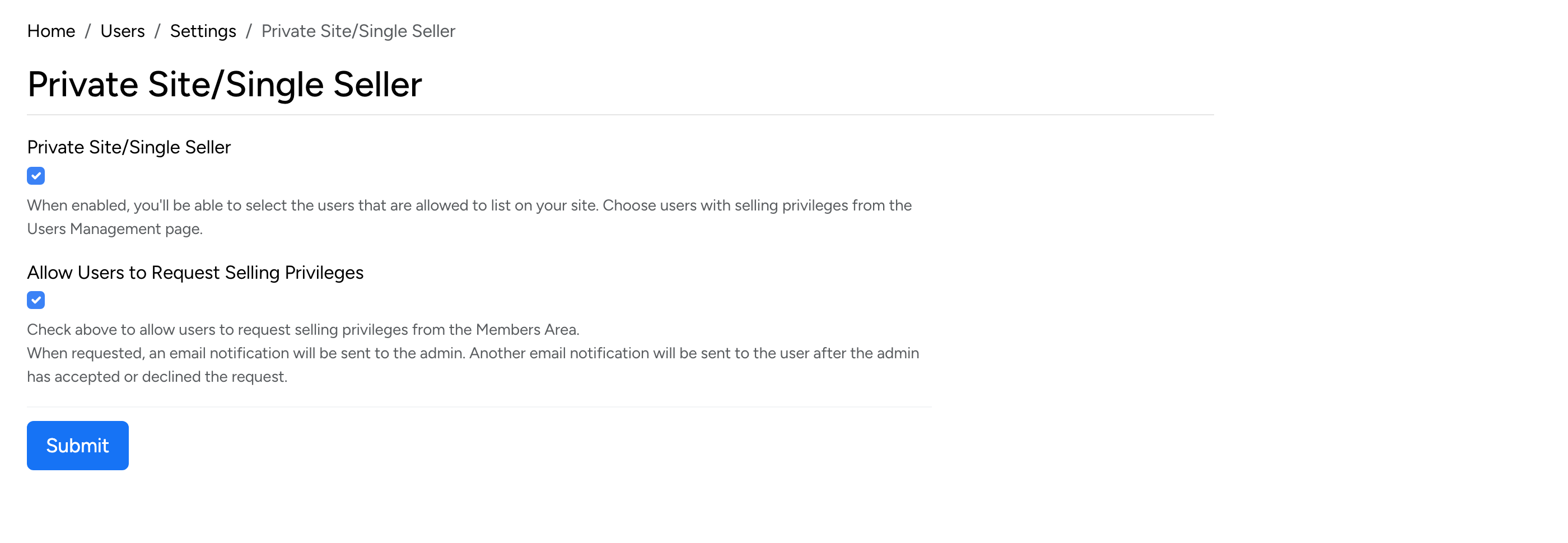
Found at Admin → Users → Settings → Private Site/Single Seller.
- Private Site / Single Seller — when enabled, only users with selling privileges can list items. Users without selling privileges will not see any selling-related features in the front end.
- Allow Users to Request Selling Privileges — when checked, users can request permission to sell from their Members Area. The admin receives an email notification and can approve or decline the request from the admin panel.
Grant Selling Privileges
To grant a user selling privileges, go to Admin → Users → Site Users and find the user you want to promote.
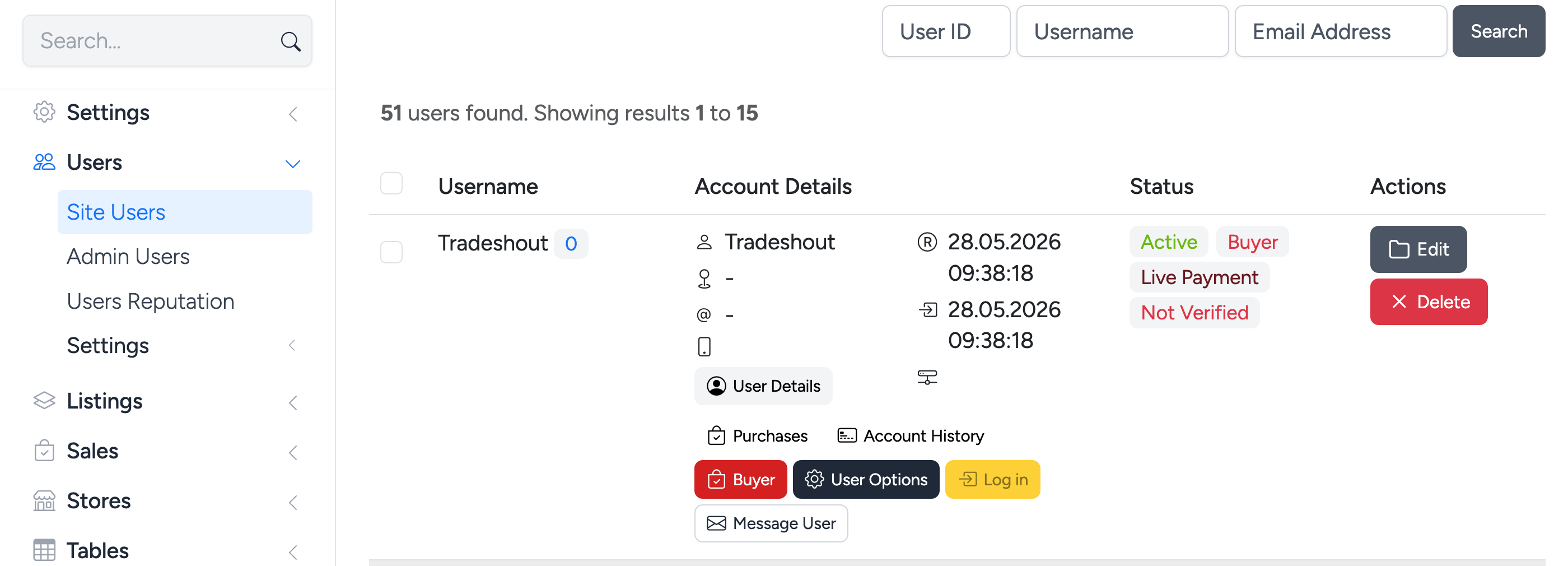
Step 1 — Expand the user row and click the Buyer button to convert the account to a seller.
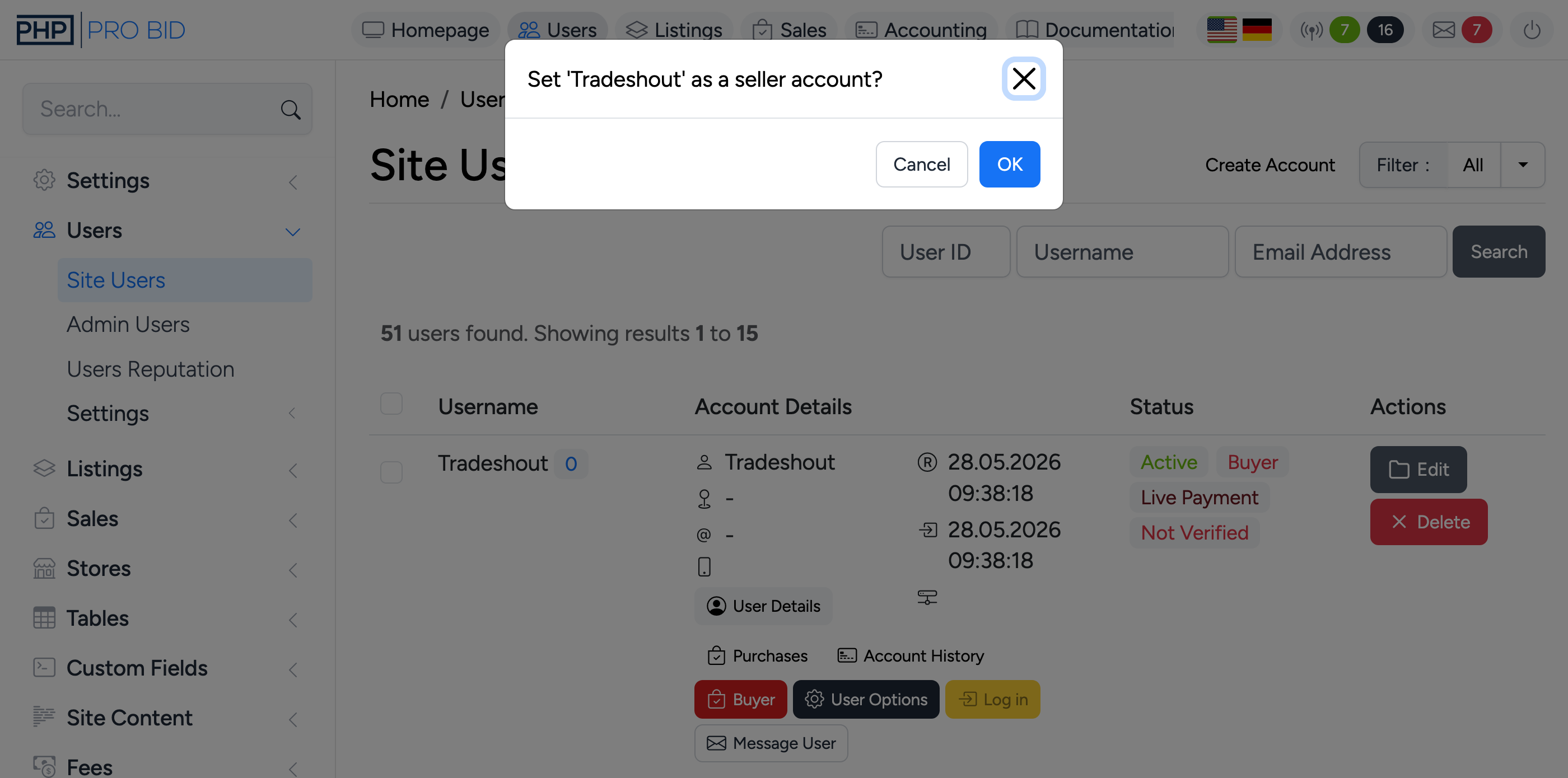
Step 2 — Confirm the action in the dialog that appears.
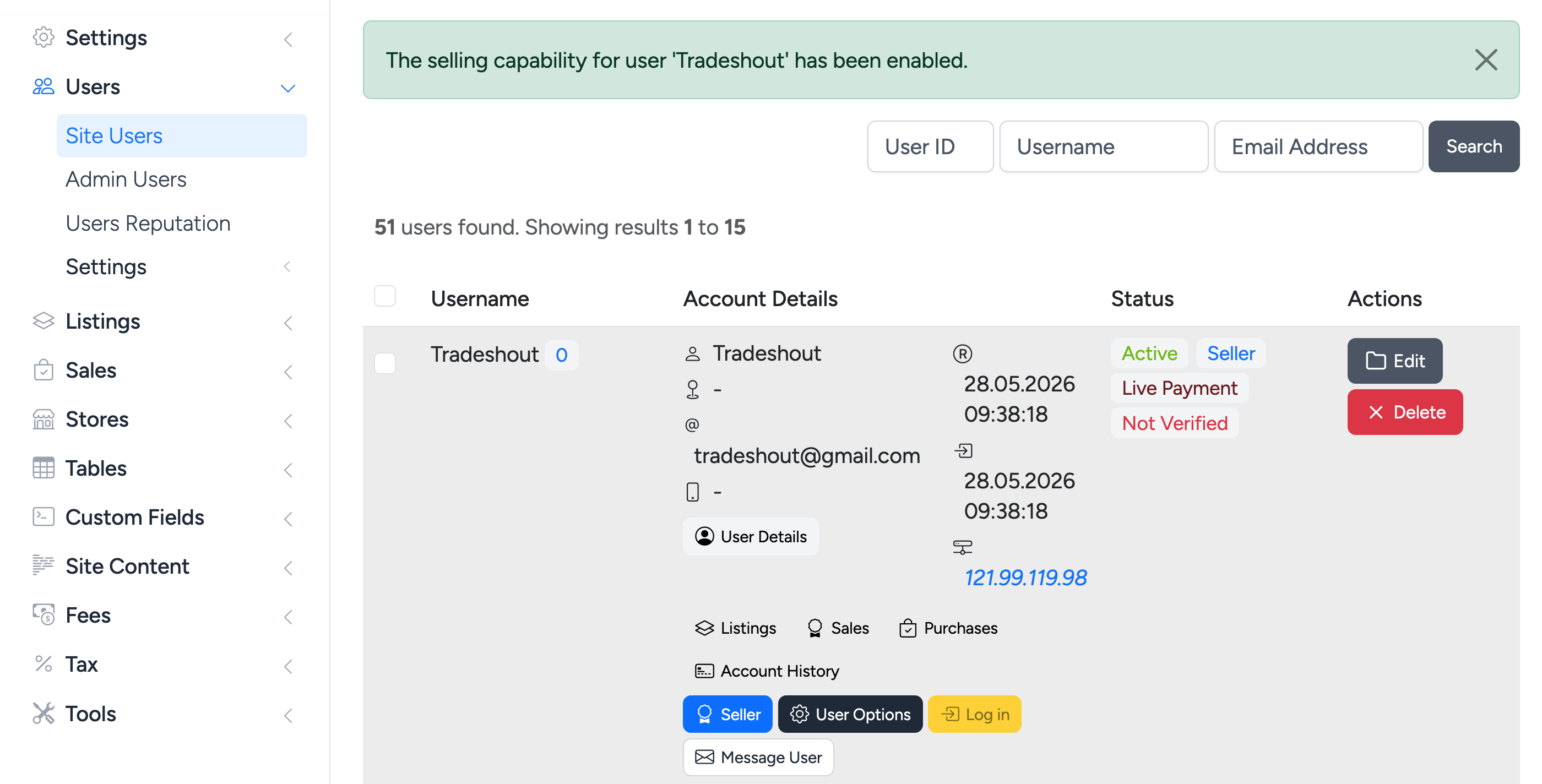
Step 3 — The system confirms that the selling capability has been enabled. The user’s status changes from Buyer to Seller.