
Multilanguage
PHP Pro Bid can run in any number of languages at the same time. Each language is a translation
— a pair of gettext files (a .po source file and a compiled .mo file) that holds
every piece of text the site displays. Visitors switch language from the front-end language selector, and each
sees the site in their chosen language. Translations are managed from Admin Control Panel → Site
Content → Translations.
Translations
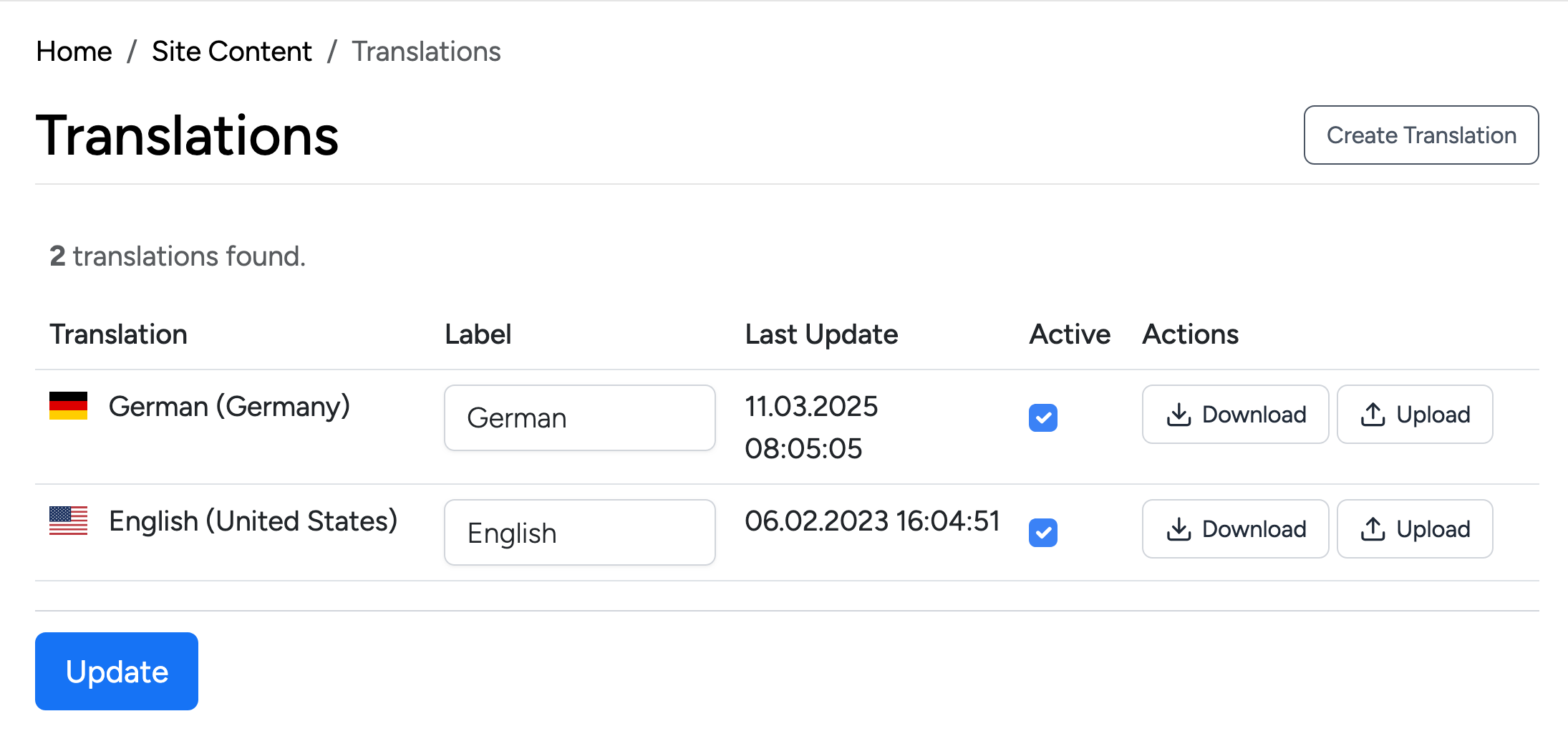
The Translations page lists every language installed on your site. English (United States) is installed by default and is the base every other translation is generated from. For each language the table shows:
- Translation — the language and its locale, with a country flag (for example German (Germany), English (United States)).
- Label — the name shown to visitors in the front-end language selector. Edit it to control exactly how the language is labelled on your site (for example “Deutsch” instead of “German”).
- Last Update — when the translation files were last created or uploaded.
- Active — tick this to make the language available to visitors; untick it to hide the language without deleting it.
- Actions — Download exports the language’s
.poand.mofiles so you can edit them, and Upload replaces them with edited or ready-made files.
After changing any labels or Active states, click Update to save.
Create a Translation
Click Create Translation at the top of the Translations page to add a new language.
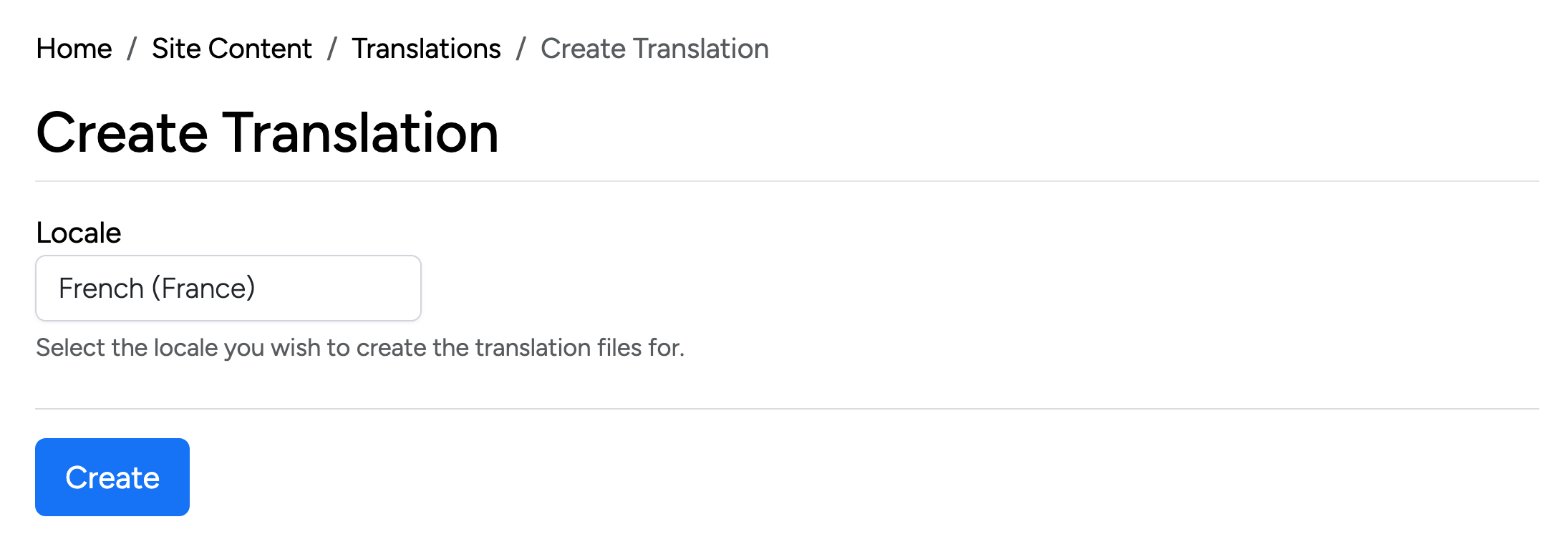
- Locale — choose the language and region you want to add (for example French (France)). Select the locale you wish to create the translation files for, then click Create.
Creating a translation generates a fresh set of translation files for that locale, copied from the base English strings and ready to be translated. The new language then appears in the Translations list:
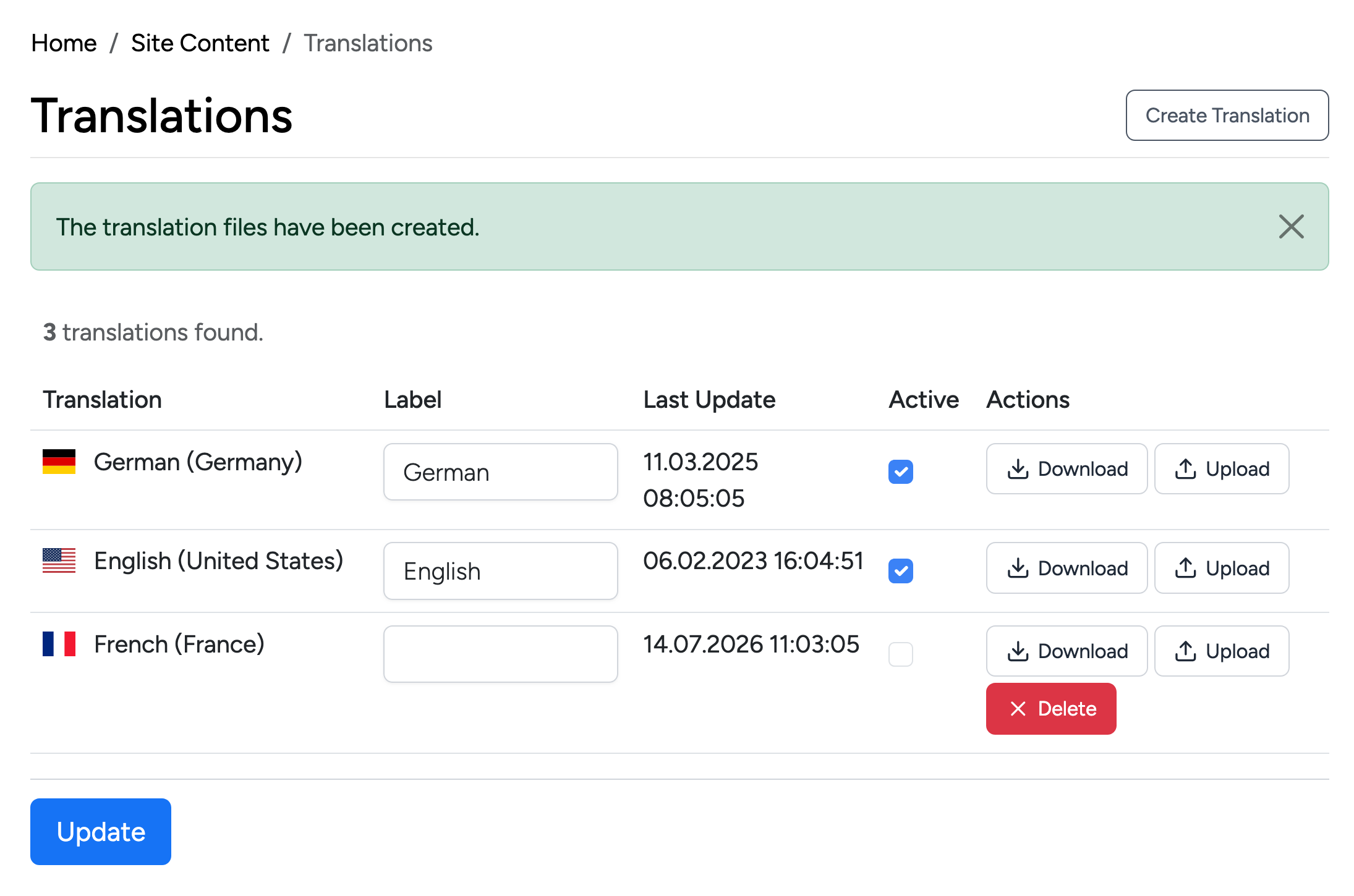
The new language starts inactive with an empty label, and gains a Delete action
so you can remove it if it was added by mistake. To publish it on your site: enter a Label,
tick Active, and click Update. Then edit its text — either directly in
the downloaded .po file (see below) or by uploading a completed translation.
Upload a Translation
Use Upload (from the Actions column of any language) to install a ready-made translation pack, or to re-import files you have edited.
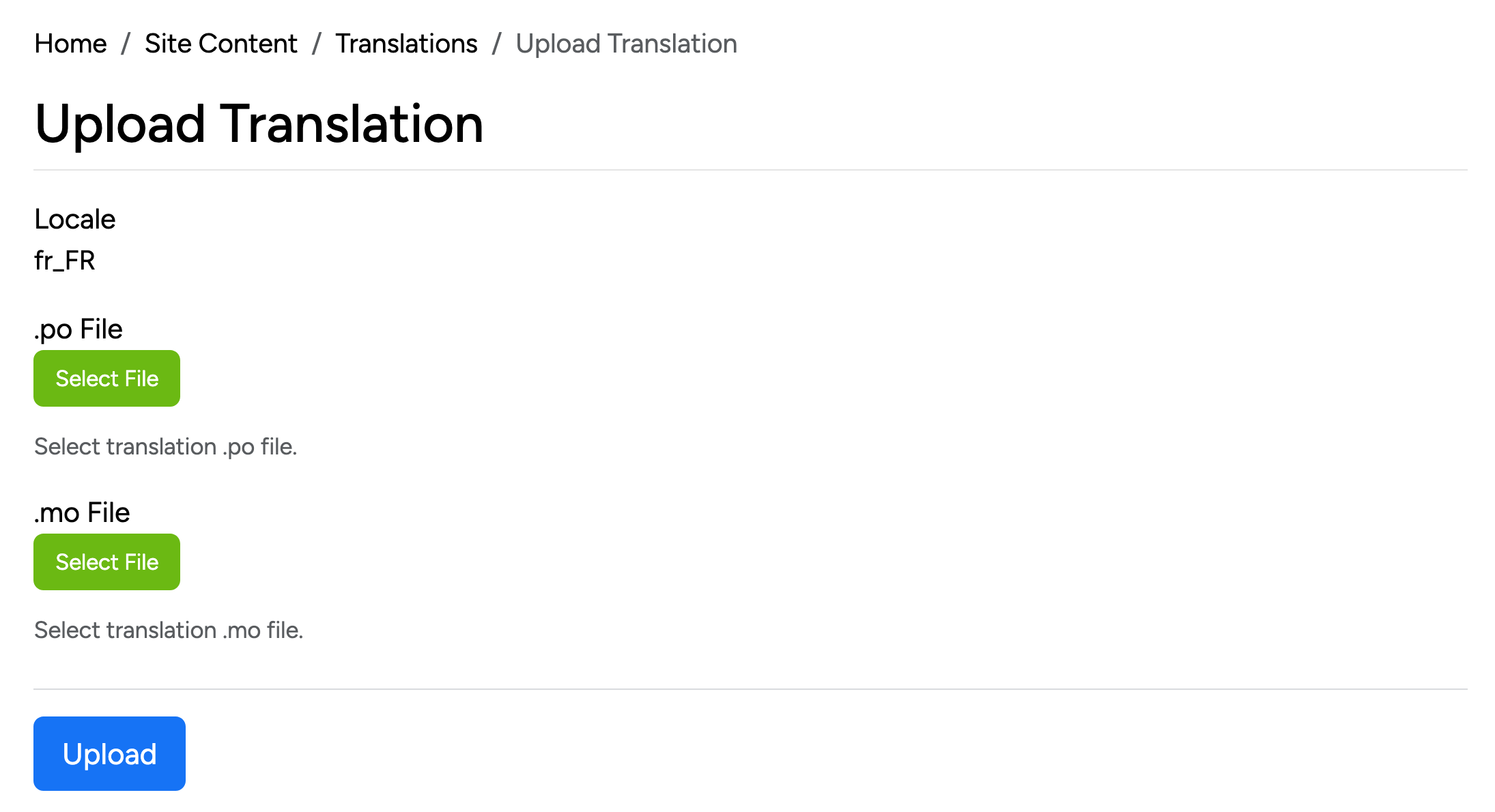
- Locale — the language you are uploading files for (for example
fr_FR). - .po File — select the translation source file. The
.pofile is the human-readable list of original strings and their translations. - .mo File — select the compiled file. The
.mofile is the machine-readable version the site actually reads at runtime.
Select both files and click Upload to apply the translation.
.po file in a free gettext editor such as Poedit, translate the strings (Poedit compiles the .mo for you on save), then Upload both files back.