Documentation [V9.2]
Listings
Documentation [V9.2]
Sellers
From the Global Settings (Home -> Members Area -> Selling -> Seller Tools -> Global Settings) menu select to:
Enable Tax on Listings
If checked, allows sellers to apply tax on listings.
Tax Type
Select the tax that will be applied to listings.

Note: VAT is applied to residents of the UK.
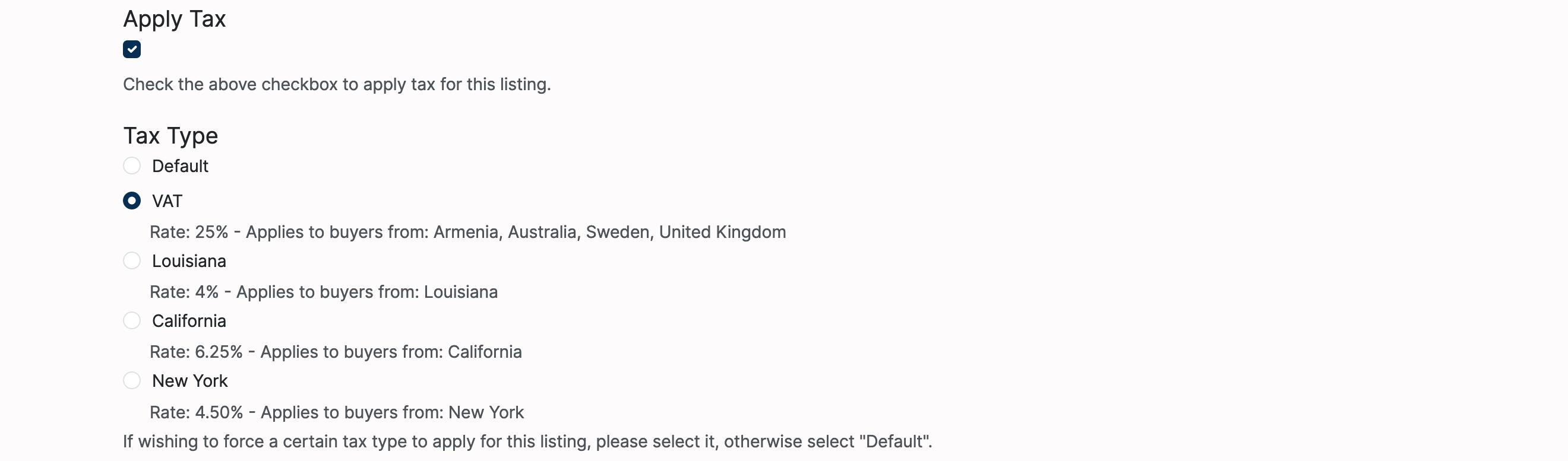
Apply Tax
The seller can Apply Tax on a per-listing basis from the Create Listing menu:
Buyers
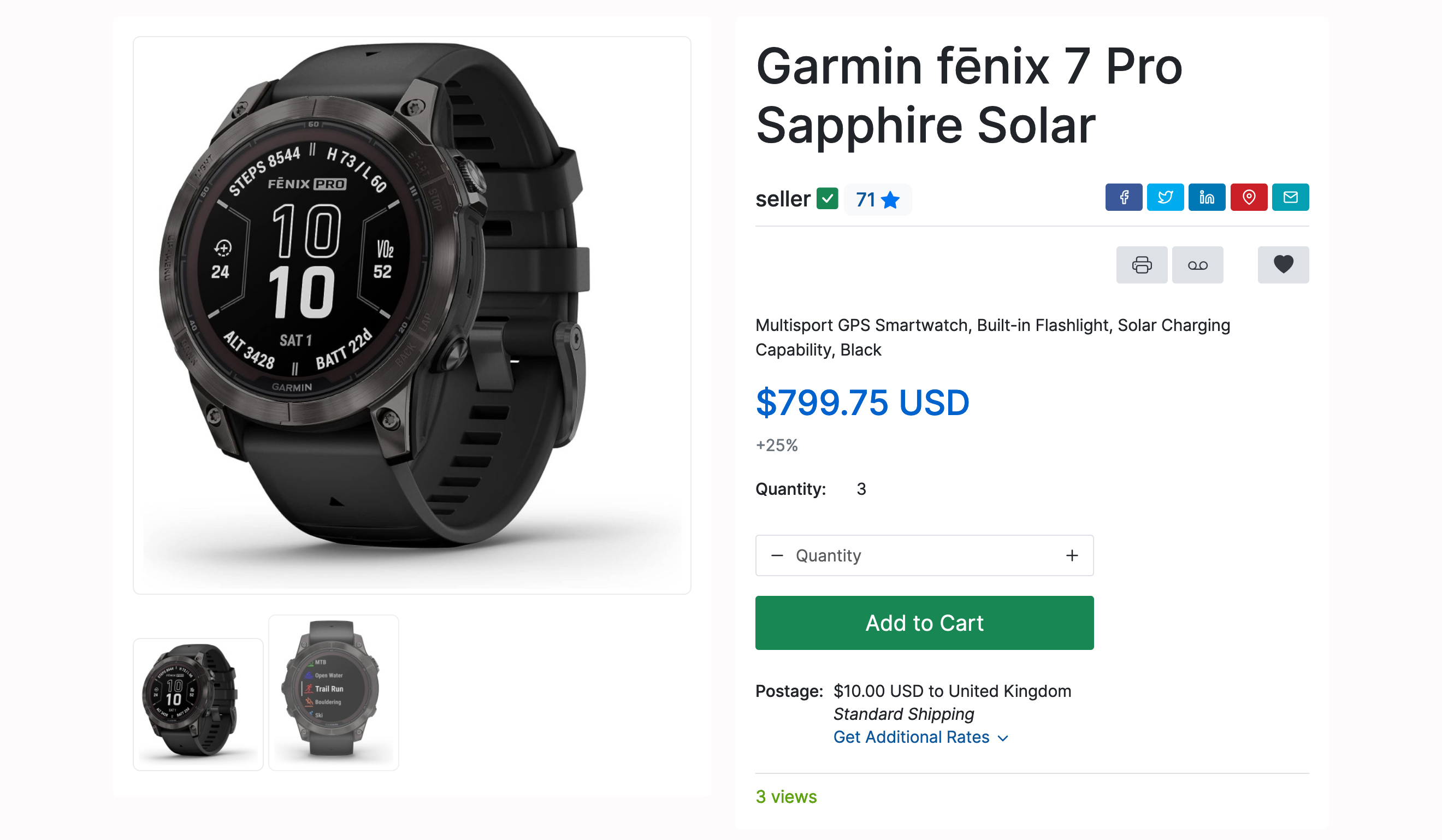
Log in and the software will automatically apply taxes on products depending on the country of residence (see in the photo below the 25% that will added to the final price)
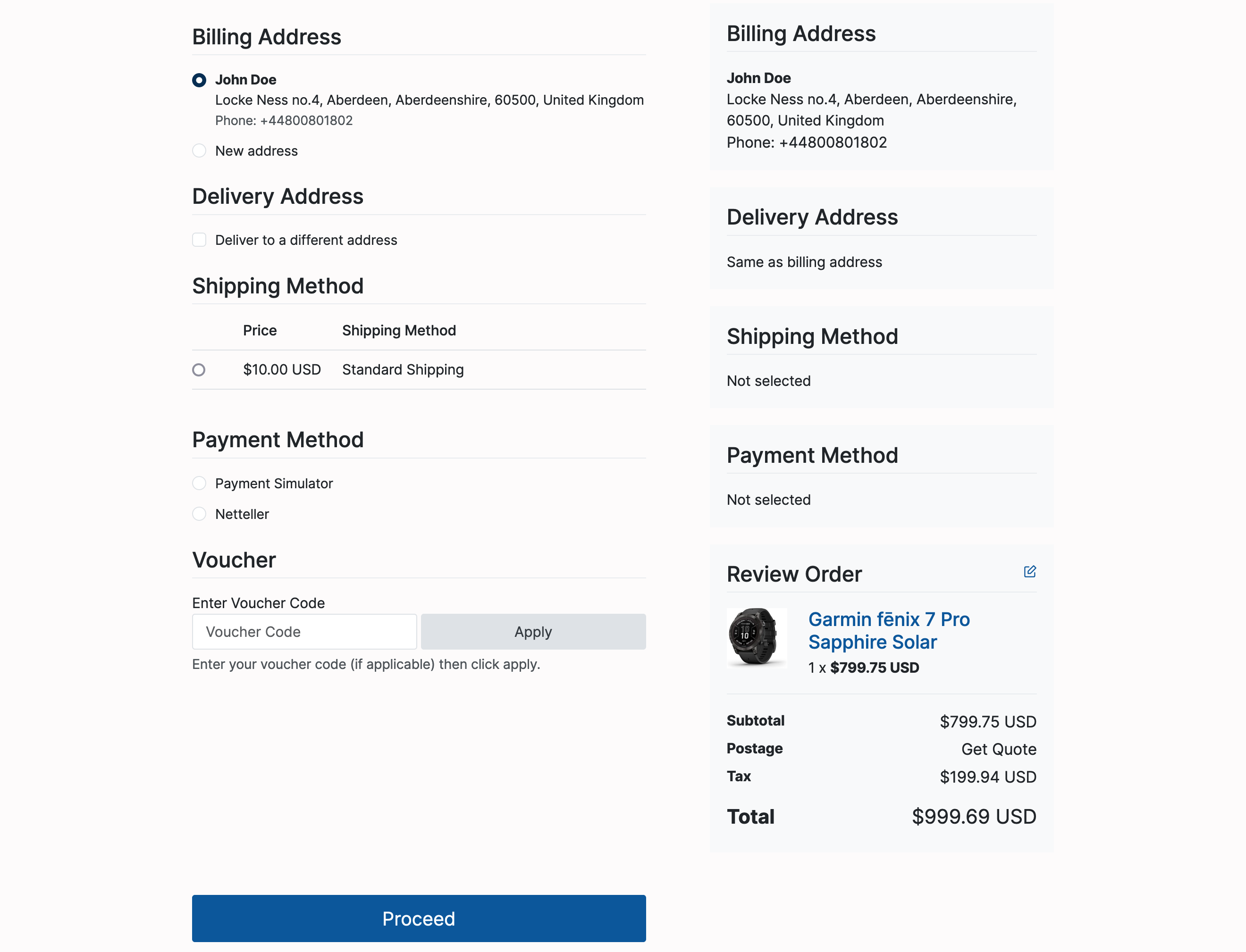
The Checkout page will display, in the Review Order section, on the right side of the page, the final price including tax: