
Being featured on the Stores page guarantees users permanent visibility. It's also a steady income source for site admins. Discover below how to create different types of subscriptions that will enhance the selling opportunities for any store.
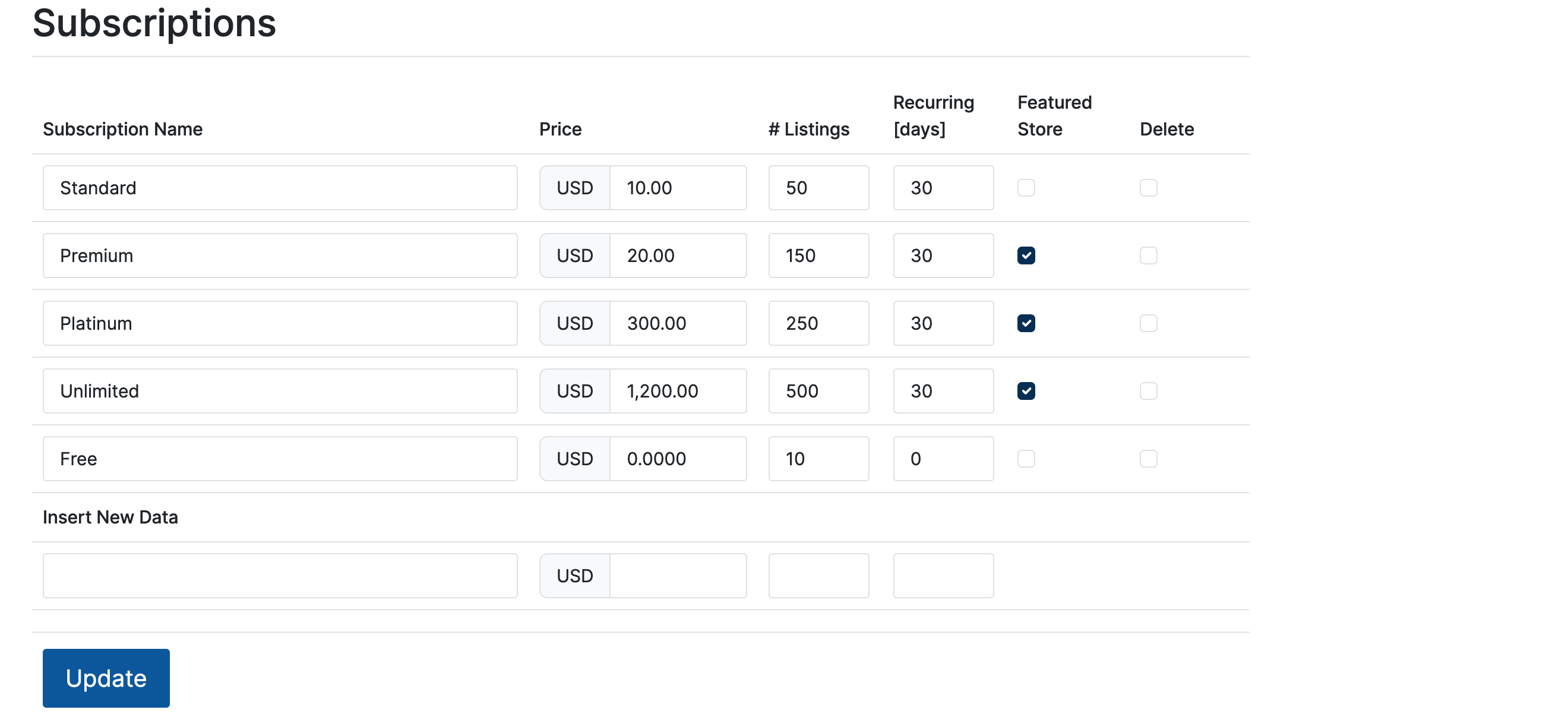
Subscriptions (Admin Control Panel -> Stores -> Subscriptions) allow clients to purchase listing services for a specific period for a set price. From the Subscriptions menu, complete the following:
Additional customizable Admin Interface (Settings -> User Settings -> Account Settings) section:
Automatic billing of expired subscriptions from the account balance.

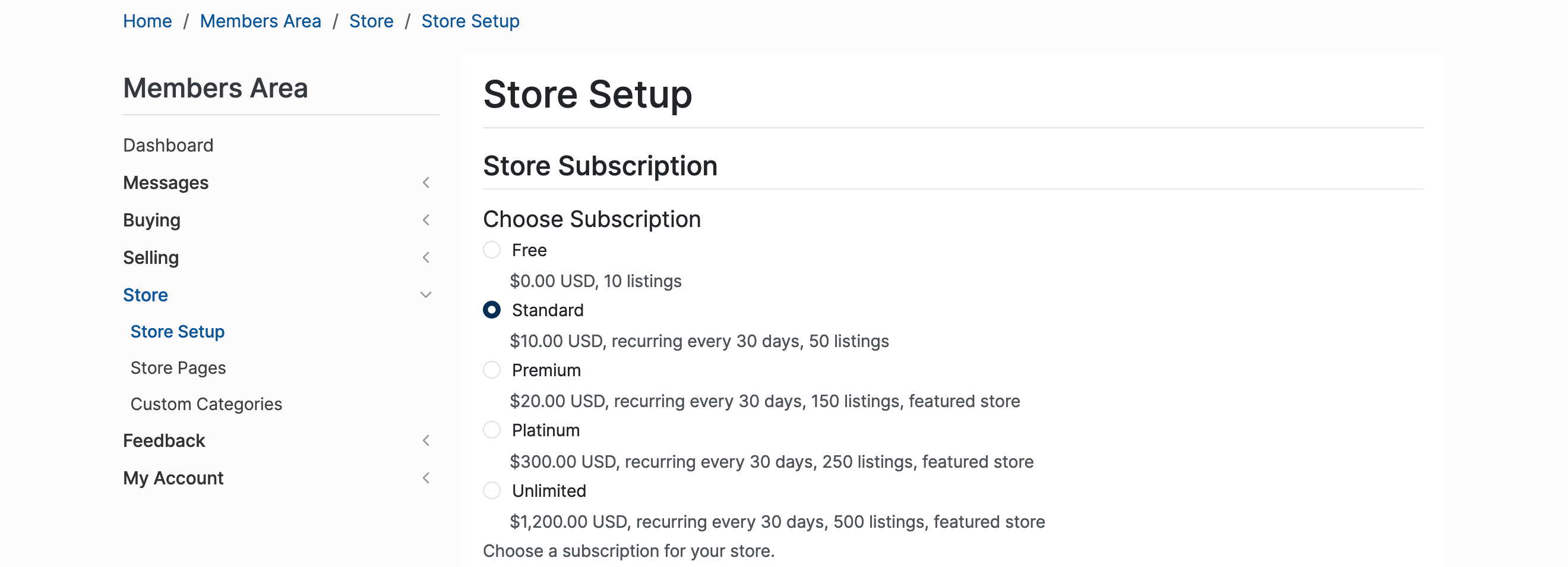
Select a subscription type.
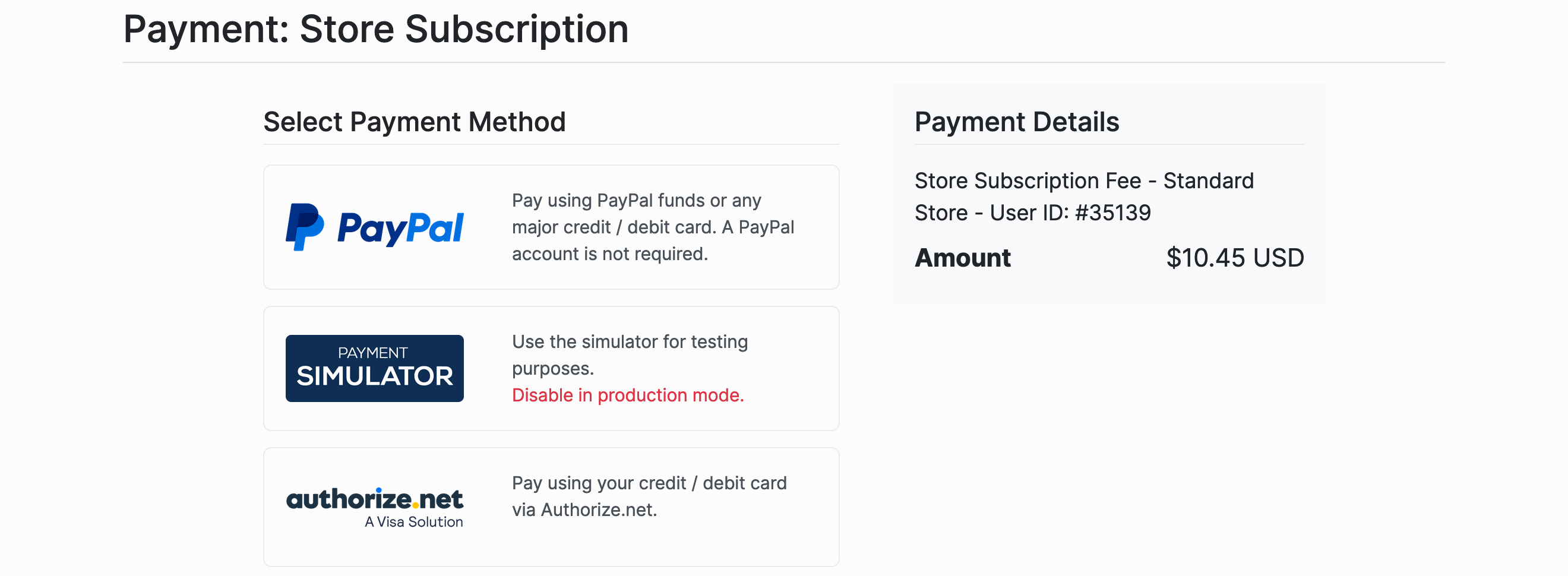
Use one of the available payment gateways to pay the subscription fee.
Review subscription features.
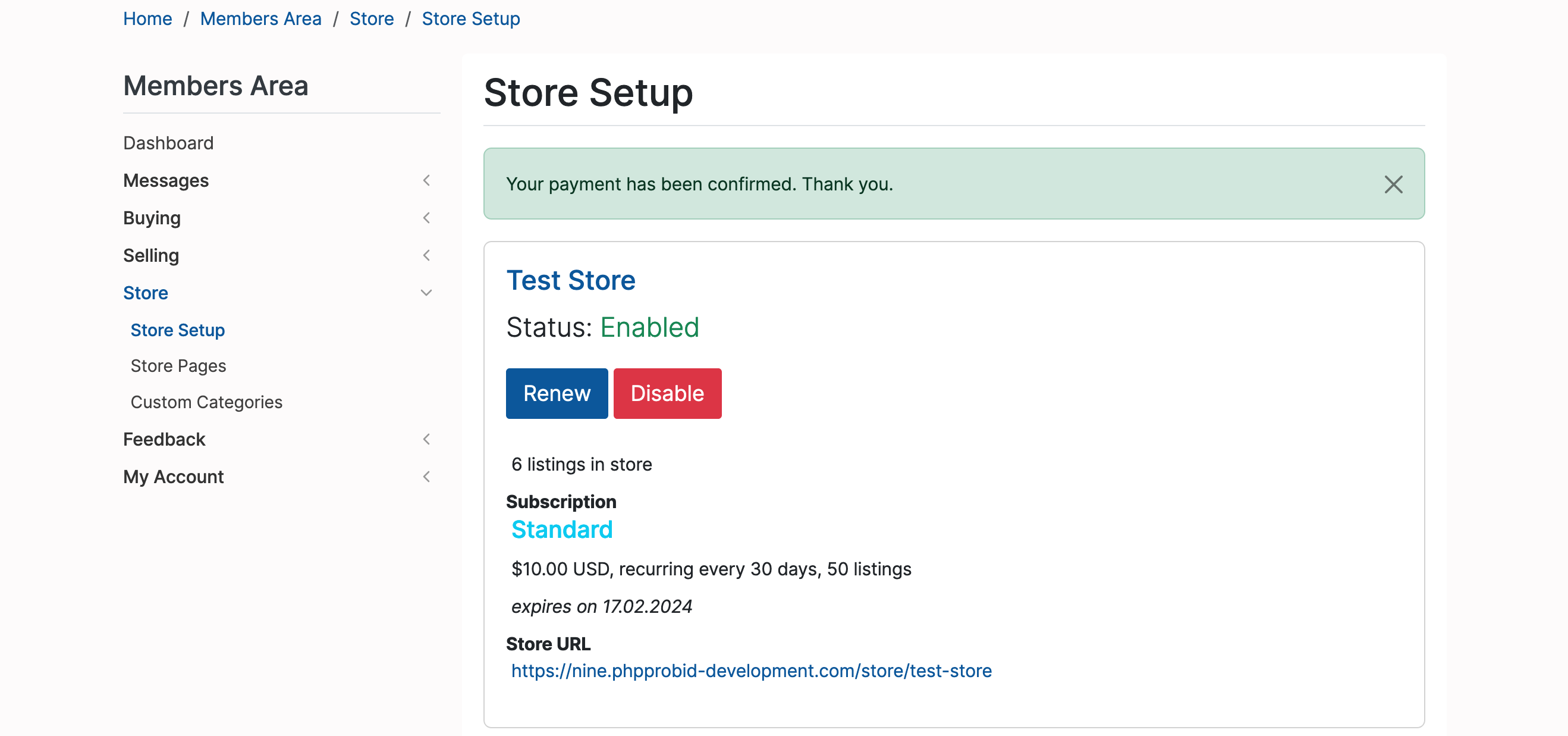
Note: A disabled subscription can be reversed at any time.